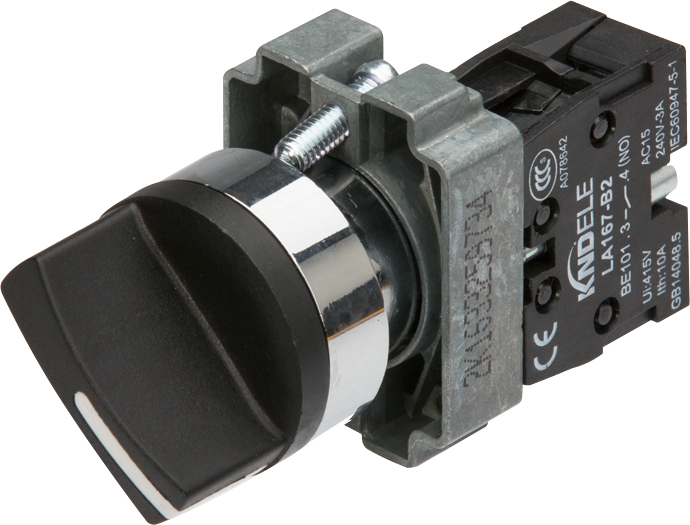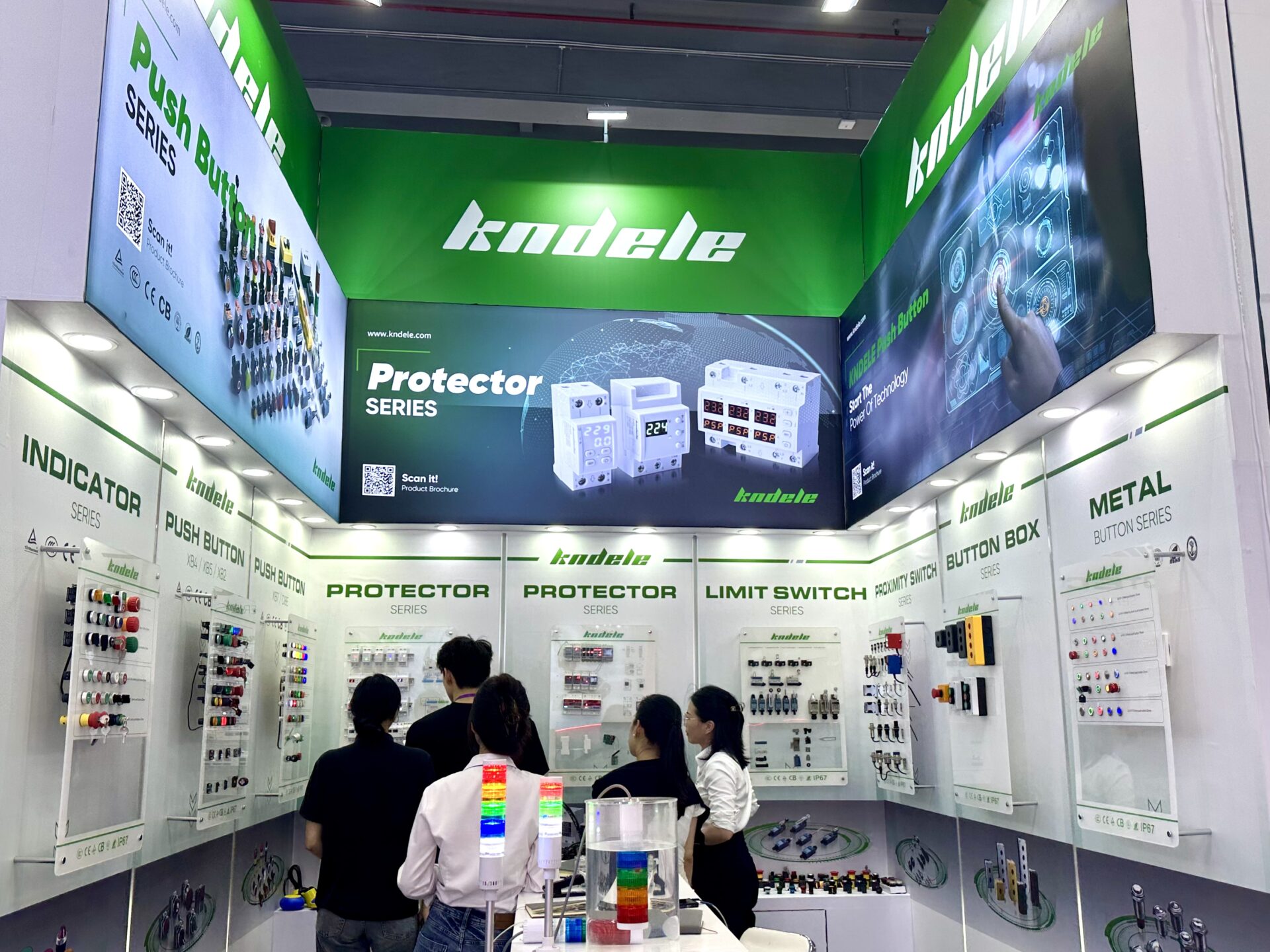
All posts by pj1junj

Why Plastic Push Button Designs Are Popular in Modern Applications?

1. Introduction

Push buttons serve as simple yet critical interfaces for human-machine interaction. They allow users to control equipment, initiate processes, or signal operations. Over the years, the debate between plastic push buttons and metal push buttons has grown, with plastics gaining popularity due to their versatility, cost-effectiveness, and performance.

2. Understanding Plastic Push Button Designs

2-1 What Defines Plastic Push Button Designs

A plastic push button is a type of control interface made primarily from durable plastic materials such as polycarbonate, ABS, or nylon. These buttons are designed to withstand repeated mechanical operations, offer safety in electrical systems, and integrate easily into modern devices.

Plastic push button designs vary in size, shape, color, and tactile feedback, making them highly adaptable for different applications, from household appliances to industrial control panels.

2-2 Why They Are Widely Adopted in Plastic Push Button Applications Today

Plastic push buttons are widely used today because they provide:

Lightweight and ergonomic design

Cost efficiency in manufacturing and replacement

Flexibility in design for different control systems

Safety features like insulation and low conductivity

This adaptability has made them an industry favorite in both consumer and industrial applications.

3. Advantages of Plastic Push Button

3-1 Cost-Effective Plastic Push Button

One of the main advantages is cost efficiency. Plastic push buttons are less expensive to manufacture than metal alternatives, reducing production costs without compromising essential performance. This makes them particularly attractive for mass-produced electronics and appliances.

3-2 Lightweight Push Button Materials

Plastic materials are lightweight, which simplifies assembly, reduces shipping costs, and minimizes wear on mechanical linkages. Lightweight push buttons also improve user experience in handheld devices or portable equipment.

3-3 Plastic Push Button Durability

Despite being lightweight, plastic push buttons are highly durable. Modern engineering plastics resist impact, abrasion, and environmental stress, providing reliable performance even in demanding industrial applications.

3-4 Safety of Plastic Push Button Designs

Plastic push buttons offer inherent safety advantages. They are electrically insulating, reducing the risk of shocks, and can be designed with rounded edges and ergonomic shapes to enhance user safety.

4. Plastic Push Button vs Metal Push Button

4-1 Performance Comparison: Strength, Durability, and Appearance

Metal push buttons offer higher mechanical strength and a premium aesthetic, while plastic push buttons excel in lightweight design, electrical insulation, and flexibility. Advanced plastic materials now deliver sufficient durability for most industrial and consumer applications.

4-2 Application Scenarios: When to Choose Plastic vs When to Choose Metal

Plastic push buttons: preferred for electronics, household appliances, and industrial control systems where weight, cost, and safety are priorities.

Metal push buttons: chosen for high-impact environments, aesthetic appeal, or when higher mechanical strength is required.

4-3 Cost-Effectiveness and Lifecycle Evaluation

Plastic push buttons often outperform metal buttons in cost-to-lifecycle ratio, providing reliable operation with lower production and maintenance costs, making them ideal for large-scale deployment.

5. Plastic Push Button Applications in Modern Industries

5-1 Plastic Push Button in Industrial Equipment

5-1-1 Usage in Machinery, Panels, and Control Systems

Plastic push buttons are extensively used in industrial machinery and control panels. They provide clear tactile feedback, reliable performance, and durability in demanding environments.

5-1-2 Focus on Plastic Push Button Performance in Control Systems

In control systems, these push buttons offer consistent operation, resistance to wear, and safe electrical insulation, ensuring smooth industrial processes and minimizing downtime.

5-2 Plastic Push Button in Consumer Electronics

5-2-1 Applications in Household Appliances and Electronic Devices

Plastic push buttons are standard in household appliances, remote controls, and electronic gadgets, providing ergonomic design, color-coded functions, and long-lasting performance.

5-2-2 Examples of Modern Plastic Push Button Technology Innovations

Modern innovations include LED-integrated plastic push buttons, touch-sensitive plastic buttons, and illuminated indicators that combine safety, aesthetics, and advanced functionality.

6. Why Plastic Push Button Designs Dominate Modern Applications

6-1 Summarize Cost, Performance, Safety, and Adaptability Factors

Plastic push buttons dominate because they balance cost-effectiveness, durability, safety, and design flexibility. Manufacturers can produce buttons that are reliable, lightweight, and visually appealing, meeting the demands of modern devices.

6-2 How Plastic Push Button Designs Support Future Design and Production Trends

As devices and control systems evolve, plastic push button designs provide adaptability for smart integration, sustainable manufacturing, and ergonomic innovation, supporting future trends in electronics and industrial equipment.

7. FAQ

Q1: Are plastic push buttons durable enough for industrial use?
A1: Yes. Modern engineering plastics are impact-resistant, wear-resistant, and designed for long-term industrial performance.

Q2: Can plastic push buttons replace metal push buttons in all scenarios?
A2: Not always. Metal push buttons are preferred in high-impact, high-strength, or premium aesthetic applications.

Q3: Are plastic push buttons safe for electrical devices?
A3: Absolutely. Plastic is an excellent electrical insulator, reducing shock risks in appliances and control panels.

8. Conclusion

Plastic push button designs have become a cornerstone of modern applications due to their cost-effectiveness, lightweight construction, durability, and safety. From industrial equipment to consumer electronics, their versatility ensures that plastic push buttons will continue to be a preferred choice in design and manufacturing for years to come.

Indicator Light: Meaning, Function, and Common Uses

1. Introduction

In today’s technology-driven world, devices and machinery are becoming more complex. As these systems evolve, the need for clear, immediate visual signals increases. Indicator lights serve this purpose, offering a simple yet effective way to communicate system status, warnings, or operational guidance. This guide explores the meaning, function, types, and common uses of indicator lights across various industries.

2. What is an Indicator Light?

2-1 Definition and Meaning

An indicator light is a visual signaling device designed to convey information about the status or condition of electrical or mechanical equipment. Also known as an indicator lamp, it uses colored lights or LEDs to indicate whether a system is powered on, functioning correctly, or experiencing a fault.

In simpler terms, it’s a light that “talks” to the user, showing what’s happening inside a device without requiring complex analysis.

2-2 Basic Role in Electrical and Mechanical Systems

Indicator lights serve as essential visual aids in both electrical and mechanical systems. They allow operators, technicians, and users to quickly:

Identify operational status

Detect abnormal conditions or faults

Receive guidance for safe and effective device operation

3. Indicator Light Function

3-1 Showing Equipment Status

One of the primary functions of indicator lights is to show equipment status. This includes:

Power on/off

Standby mode

Active operation

For example, the LED on a computer power button or the light on a kitchen appliance indicates whether the device is running.

3-2 Warning or Fault Indication

Indicator lights also serve as warning signals. They alert users to abnormal conditions such as:

Overheating

Overload

System malfunctions

These warnings can prevent accidents, equipment damage, and downtime.

3-3 Operational Guidance

Some indicator lights provide operational guidance, helping users follow steps in complex processes or confirming successful operation. Examples include:

Step confirmation lights on industrial machinery

Status indicators on home appliances

4. Types of Indicator Lights

Indicator lights come in various types, each designed for specific applications.

4-1 LED Indicator Light

LED indicator lights are energy-efficient, long-lasting, and highly visible. They are widely used due to their durability and low power consumption, making them ideal for continuous operation.

4-2 Panel Indicator Light

Panel indicator lights are integrated into control panels, cabinets, or dashboards. They provide a centralized visual overview of system performance and are commonly used in industrial and electrical engineering applications.

4-3 Machine/Mechanical Indicator Light

These lights are mounted directly on machinery or equipment to indicate operational status or alert to issues. They are designed for durability and visibility in challenging environments.

4-4 Other Categories

Indicator lights can also be classified based on:

Color: red (warning), green (normal operation), yellow (caution)

Shape: round, rectangular, or custom designs

Mounting methods: panel-mounted, surface-mounted, or embedded

5. Common Uses of Indicator Lights

5-1 Home Appliances

Indicator lights in home appliances help users monitor devices such as:

Microwaves

Electric kettles

Power switches

They indicate operational status and ensure safe usage.

5-2 Automotive and Transportation

In vehicles, dashboard indicator lights alert drivers to:

Engine status

Battery health

Oil levels

Safety warnings

5-3 Industrial Equipment

Industrial applications include electrical panels, machinery, and control systems. Indicator lights assist in monitoring operations, alerting to faults, and maintaining workplace safety.

5-4 IT and Electronics

In electronics, indicator lights are used in routers, power supplies, computer cases, and other devices to show power status, network activity, and device health.

6. Indicator Light vs Indicator Lamp

6-1 Conceptual Differences

While often used interchangeably, an indicator lamp can refer specifically to traditional bulb-based indicators, whereas indicator lights typically include modern LED-based solutions.

6-2 Distinctions in Applications

Indicator lamps: older systems, bulb-based, lower energy efficiency

Indicator lights: modern applications, LED-based, longer lifespan, energy-saving

7. Applications in Different Industries

7-1 Electrical Engineering

In control panels and circuit boards, indicator lights provide real-time status information, improving safety and operational efficiency.

7-2 Automotive Manufacturing

Automotive dashboards rely heavily on indicator lights for signaling engine conditions, safety alerts, and other critical data to drivers.

7-3 Industrial Automation

In automated manufacturing, indicator lights enhance safety by signaling machine status, operational readiness, and fault conditions.

7-4 Consumer Electronics

From appliances to everyday devices, indicator lights guide users, signal power status, and offer operational confirmation.

8. FAQ

Q1: What is an indicator light used for?
A1: It provides visual feedback on device status, warnings, or operational guidance.

Q2: Are LED indicator lights better than traditional bulbs?
A2: Yes. LEDs are energy-efficient, long-lasting, and more reliable than bulb-based lamps.

Q3: Can indicator lights be used in all industries?
A3: Yes. They are versatile and used in electrical, industrial, automotive, and consumer electronics sectors.

9. Conclusion

Indicator lights are more than just small lights—they are essential tools for safety, efficiency, and operational guidance. Understanding their meaning, functions, and applications helps both professionals and consumers make the most of this simple yet powerful technology. From home appliances to industrial machinery, indicator lights continue to illuminate our devices and ensure smooth, safe operations.

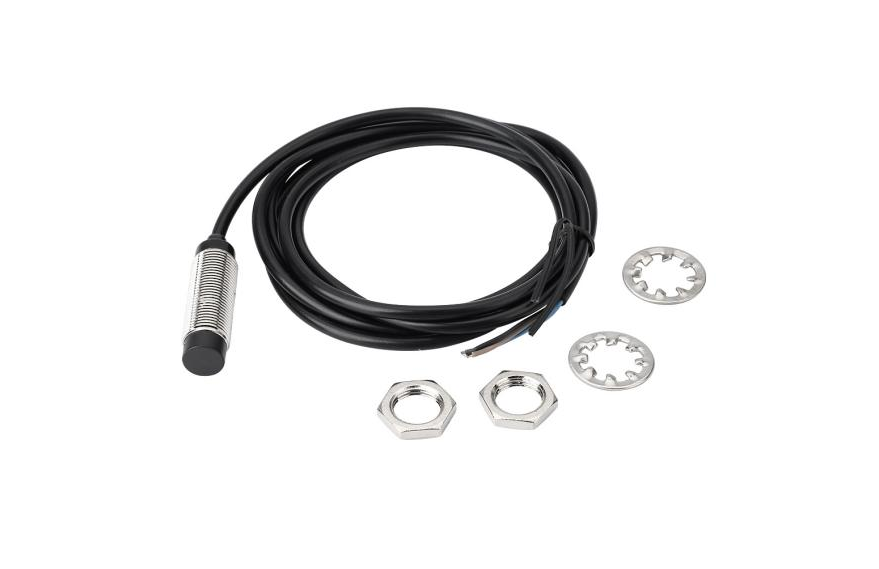
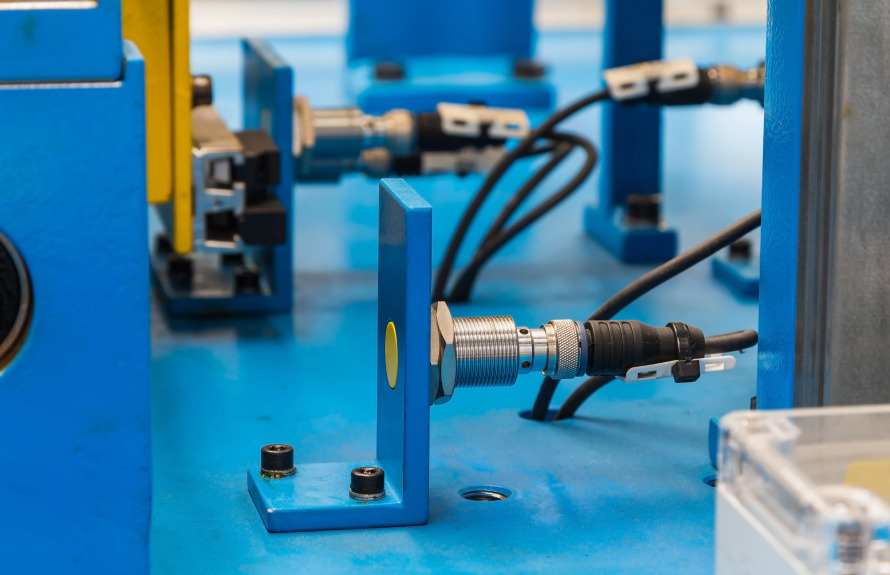
Demystifying the Key to Industrial Automation -The Proximity Sensor

Imagine a massive robotic arm accurately picking up parts, a high-speed production line automatically counting products, or subway doors closing safely after passengers board. Behind these seemingly intelligent scenes, an unsung hero is at work: a device that can detect the presence of an object without any physical contact. This is the Proximity Sensor.

I. What is a Proximity Sensor?

Simply put, a proximity switch is an electronic sensor that can detect the presence or approach of an object without needing any physical contact with it.

It acts like a “sixth sense” for machinery. When an object enters its pre-set sensing range, it activates (outputs a signal), telling the control system: “Hey, something’s here!” Because of this “non-contact” characteristic, it offers unparalleled advantages: long service life, high reliability, fast response speed, and immunity to the surface conditions of the detected object (such as oil, dirt).

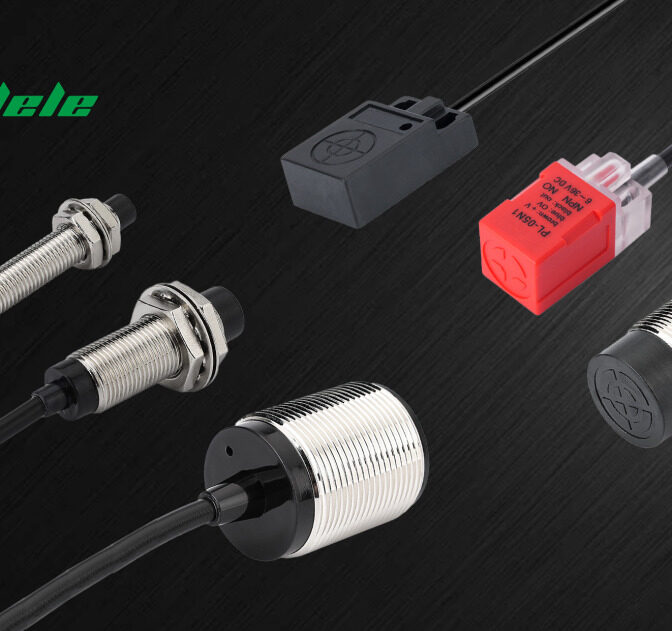
“Proximity Sensor” includes all sensors that perform non-contact detection in comparison to sensors, such as limit switches, that detect objects by physically contacting them. Proximity Sensors convert information on the movement or presence of an object into an electrical signal. There are three types of detection systems that do this conversion: systems that use the eddy currents that are generated in metallic sensing objects by electromagnetic induction, systems that detect changes in electrical capacity when approaching the sensing object, and systems that use magnets and reed switches.

II. Core Features and Advantages of Proximity Sensors

When selecting and using proximity sensors, we typically focus on the following core features:

1.Sensing Distance: The maximum distance at which the sensor can reliably detect a standard test object under rated conditions. For example, a sensor with a rated sensing distance of 5mm will typically trigger when an object comes within 5mm.

2.Hysteresis: The difference between the operating distance (when the object approaches) and the release distance (when the object moves away). Hysteresis exists to prevent output chatter at the detection point due to vibration or interference, ensuring stable operation.

3.Switching Frequency: The number of “on-off” cycles the sensor can complete per second (usually 1 second). A higher switching frequency allows for detecting faster-moving objects.

4.Output Type:

♦NPN Type: Sinks current (outputs 0V/Low) when active. This is a common international standard.

♦PNP Type: Sources current (outputs V+/High) when active. This is widely used in Europe.

♦Normally Open (NO) / Normally Closed (NC): Refers to the output state when no target is detected.

5.IP Rating (Ingress Protection): e.g., IP67 (dust-tight, protected against temporary immersion), IP68 (dust-tight, protected against continuous immersion). This determines if the sensor can operate in harsh, oily, or wet environments.

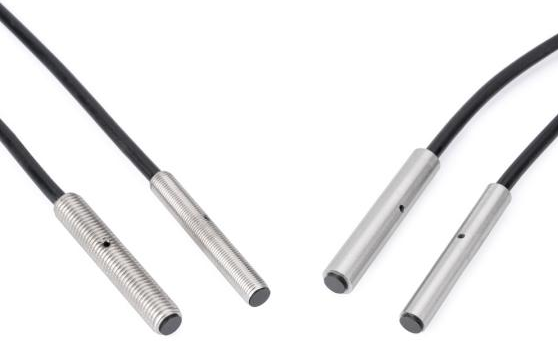
6.Housing Material: The sensing face is typically made of plastic (e.g., PBT) or metal (e.g., stainless steel). Metal housings offer better resistance to impact, high temperatures, and chemical corrosion, making them more suitable for heavy industrial environments.

III. Main Types of Proximity Sensors and Their Working Principles

Proximity sensors are primarily classified into the following types based on their internal sensing principles. As a manufacturer, we provide a detailed explanation:

  1. Inductive Proximity Sensor

♦Working Principle: Operates on the principle of electromagnetic induction. It contains a high-frequency oscillating coil. When a metal object approaches, eddy currents are induced within the object, causing a reduction in the oscillator’s energy or cessation of oscillation, which triggers the output signal.

♦Characteristics:

♢Can only detect metals (detection distance varies slightly for different metals, usually longest for steel).

♢Strong anti-interference ability, low environmental requirements.

♢High cost-effectiveness, the most common and widely used type in industry.

♦Typical Applications: Machine tools, robots, metal part detection on conveyors, gear counting.

  1. Capacitive Proximity Sensor

♦Working Principle: Functions like an open capacitor. The sensing face acts as one capacitor plate, and the other is the ground. Any object with a dielectric constant different from air (including liquids, powders, metals, non-metals) approaching the field will change the capacitance, triggering the switch.

♦Characteristics:

♢Can detect almost all materials (metal, plastic, glass, wood, liquids, granules, etc.).

♢Adjustable sensitivity, wide applicability.

♢Susceptible to environmental humidity and temperature.

♦Typical Applications: Liquid level control, plastic cap detection, hopper powder level alarm, non-transparent film roll diameter measurement.

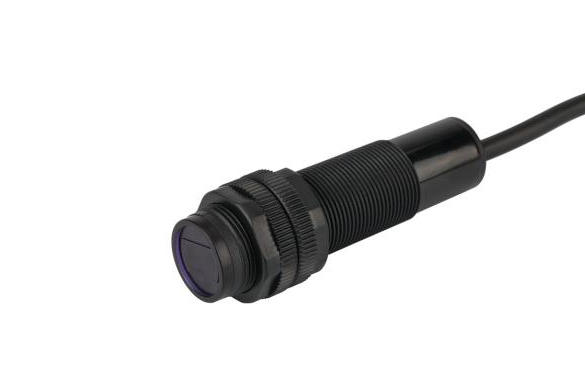
  1. Photoelectric Sensor

♦Working Principle: Detects objects by emitting a light beam (visible red or invisible infrared) and receiving the reflected light. Main types are through-beam, retro-reflective, and diffuse.

♦Characteristics:

♢Long detection range, from a few centimeters to tens of meters.

♢Can detect almost any object, but performance can depend on color and surface.

♢Susceptible to ambient light, dust, and fog.

♦Typical Applications: Packaging lines, material handling, access control systems, automated warehousing.

  1. Magnetic Proximity Sensor (Reed Switch / Hall Effect)

♦Working Principle: Activated by detecting changes in a magnetic field (usually from a permanent magnet). A reed switch has internal ferrous reeds that close under magnetic influence; a Hall effect sensor uses a semiconductor chip to detect the magnetic field.

♦Characteristics:

♢Simple structure, low cost (reed switch).

♢Relatively long detection distance for their size.

♢Can only detect permanent magnets.

♦Typical Applications: Cylinder piston position detection, door/window sensors, elevator leveling control.

IV. How to Choose the Right Proximity Sensor?

As a user, you can follow this thought process for selection:

1.What is the target object? (Metal → Inductive; Non-metal/Liquid → Capacitive; General purpose, long-range → Photoelectric; Magnet → Magnetic)

2.What sensing distance is required?

3.What are the installation space and shape constraints? (Cylindrical, rectangular, slot type?)

4.What is the operating environment? (Is high temperature resistance, corrosion resistance, or a high IP rating needed?)

5.What output signal and connection type are required? (NPN/PNP, 2-wire/3-wire?)

We hope this explanatory article helps you better understand the proximity sensor, the amazing “sentry” of the automation world. If you have any questions during selection, please feel free to contact KNDELE. We not only provide a full range of high-quality proximity sensors but also have a professional technical team to offer you the best sensor solutions.

Emergency Stop Button for EV Charging Stations – The Red Guardian of Safety

Foreword

With the wave of Electric Vehicles (EVs) sweeping across the globe, charging infrastructure is sprouting up all around us. While the focus is often on fast charging and smart connectivity, the most fundamental and critical aspect always comes first: Safety. Today, we delve into a crucial safety guardian that steps up in critical moments—the Emergency Stop Button (E-stop). This unassuming button holds the power to ensure safety, protect both your vehicle and the charging infrastructure, and prevent potential hazards. It may be inconspicuous, but it is a mandatory “life switch” required by international safety standards.

What is an Emergency Stop Button for EV Charging Stations?

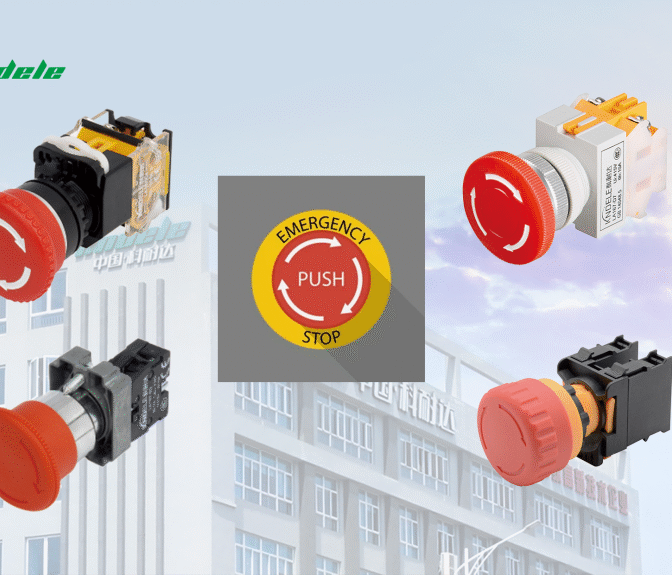
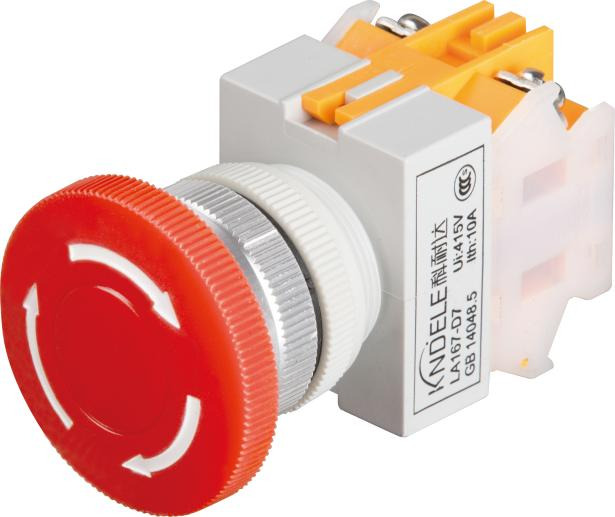
The Emergency Stop Button (E-stop) is a safety device installed on electric vehicle (EV) charging stations. It is typically marked with a prominent red color and labeled with clear instructions (e.g., “Press in Emergency”). Designed to meet international safety standards (such as IEC 60947-5-5), it can quickly cut off the power supply or halt the charging process during emergencies, preventing equipment damage, fires, or personal injury.

Key Roles of the Emergency Stop Button

  1. Immediate Power Cutoff to Prevent Escalating Hazards
  2. In cases of overloading, short circuits, leakage currents, or user errors, the E-stop instantly cuts off power to prevent fires or electric shocks. For example, if a charging cable is damaged or the charging station emits smoke, pressing the E-stop can poweroff within seconds.
  3. Safeguarding Users and Equipment
  4. The E-stop serves as the “last line of defense” in the charging station’s safety system. During extreme conditions (e.g., heavy rain or high temperatures), where equipment malfunctions may occur, it allows users to intervene directly to ensure safety.
  5. Compliance with Safety Regulations and Certifications
  6. Most regions (e.g., the EU and North America) mandate the installation of E-stops in public charging stations, requiring certifications like CE or UL. Charging stations without E-stops may violate safety regulations and lead to legal liabilities.

    Design Features of the Emergency Stop Button

    Prominent Appearance: Red button with a yellow background for easy visibility even in low-light conditions.

    Mechanical Latching Mechanism: The button remains locked after activation and requires manual rotation or pulling to reset, preventing accidental triggers.

    Water and Dust Resistance: Typically rated IP65 or higher for outdoor durability.

    High Durability: Designed to withstand frequent use and extreme temperatures (-30°C to 70°C).

    How to Use the Emergency Stop Button Correctly?

    For Emergencies Only: Use when there is smoke, sparks, leakage, or vehicle abnormalities.

    Press Firmly: Push until a “click” sound confirms power cutoff.

    Contact Maintenance Personnel: Only reset after a professional inspection and issue resolution.

    Why Choose Professionally Manufactured E-Stops?

    As a manufacturer of push-button switches, KNDELE understand that the reliability of E-stops is critical to safety. Our products undergo rigorous testing (e.g., mechanical lifespan tests, electrical performance tests) to ensure zero failure during critical moments. Choosing certified E-stops is a commitment to user safety and social responsibility.

    Learn More: Visit our website to explore our E-stop product catalog and technical specifications.

Different Types of Push Button Switches for Industrial

Introduction

In modern industry, reliability and safety often depend on one small component—the push button switch. From motor starters to emergency stops, these devices are the interface between human operators and powerful electrical systems.

Unlike many general online guides, this article is written from an electrical switch engineer’s perspective. We’ll explain not only the different types of push button switches, but also their construction, standards, applications, and selection criteria. By the end, you’ll have a clear understanding of which push button switch types are best suited for your industrial projects.

What is an Industrial Push Button Switch?

An industrial push button switch is more than just a plastic button—it is a carefully engineered control device designed to operate in demanding environments such as factories, power plants, and utility substations.

Key Features from an Engineer’s View:

  1. Mechanical Design:

    • The actuator (button cap) may be flat for anti-accidental operation or extended for use with gloves.

    • Inside, a spring mechanism provides tactile feedback, ensuring operators can feel when the circuit has been engaged.

  2. Electrical Contacts:

    • NO (Normally Open): Circuit completes only when pressed—ideal for starting motors or sending a signal.

    • NC (Normally Closed): Circuit opens when pressed—commonly used for stop or emergency functions.

    • Contacts are usually made from silver alloy to handle arcing and high current loads.

  3. Durability:

    • Industrial push buttons are designed for millions of cycles, unlike consumer switches that may fail after a few thousand uses.

    • Mechanical life: 3–5 million actuations.

    • Electrical life: often 0.5–1 million operations depending on load.

  4. Environmental Protection:

    • IP65 / IP67 enclosures protect against dust, oil, and water, making them suitable for harsh production lines.

    • Some models are also IK-rated for impact resistance.

  5. Compliance Standards:

    • IEC 60947-5-1 – General requirements for control circuit switches.

    • IEC 60947-5-5 – Emergency stop requirements.

    • UL, CE, CCC – Regional certifications ensuring safety and reliability.

In short: an industrial push button switch is not just a switch—it is a safety-certified interface designed to ensure safe, reliable, and repeatable machine operation.

(For a deeper look at real-world uses, see our related article on push button switch applications).

Different Types of Push Button Switches for Industrial

Different Types of Push Button Switches

Push button switches can be classified by operation mode, function, and structural design. Let’s explore each type in detail.

1. By Operation Mode

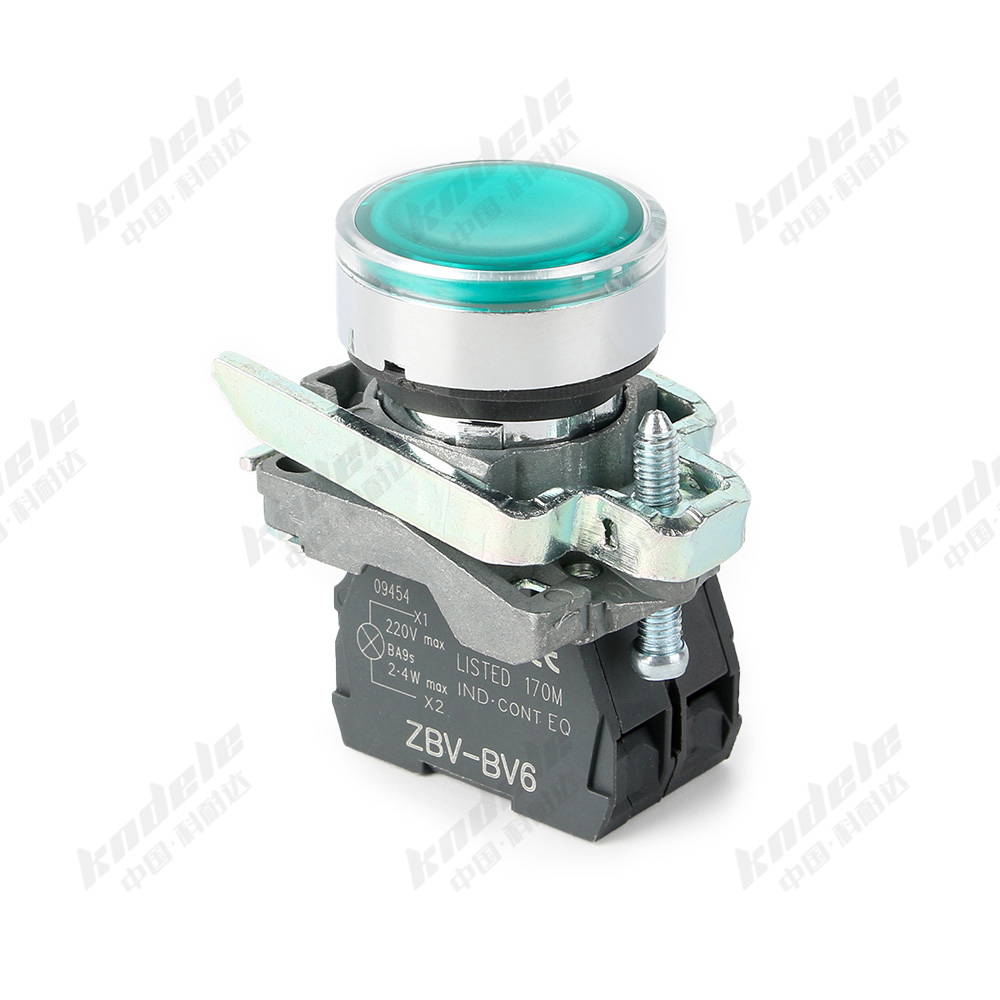
Momentary Push Button Switch

  • How it works: Returns to its normal state once released.

  • Use case: Often used for start signals in motor control, or as an input in automation panels.

  • Engineering detail: Provides tactile feedback, ensuring reliable operator response. Can be NO or NC depending on circuit design.

  • Example: Green “Start” button on a conveyor system.

Green Led Momentary Push Button Switch Product

Maintained (Latching) Push Button Switch

  • How it works: Stays in position after being pressed, until pressed again.

  • Use case: Ideal for ON/OFF power circuits, mode selection, or lighting systems.

  • Engineering detail: Commonly used with dual contact blocks to handle both control signals and power isolation.

  • Example: Power switch for industrial lighting panels.

2. By Function

Start and Stop Push Buttons

  • Description: Usually paired—Green for Start (NO) and Red for Stop (NC).

  • Application: Standard in motor starters, control panels, and production line stations.

  • Engineer’s note: Using separate colors improves operator safety and reduces human error.

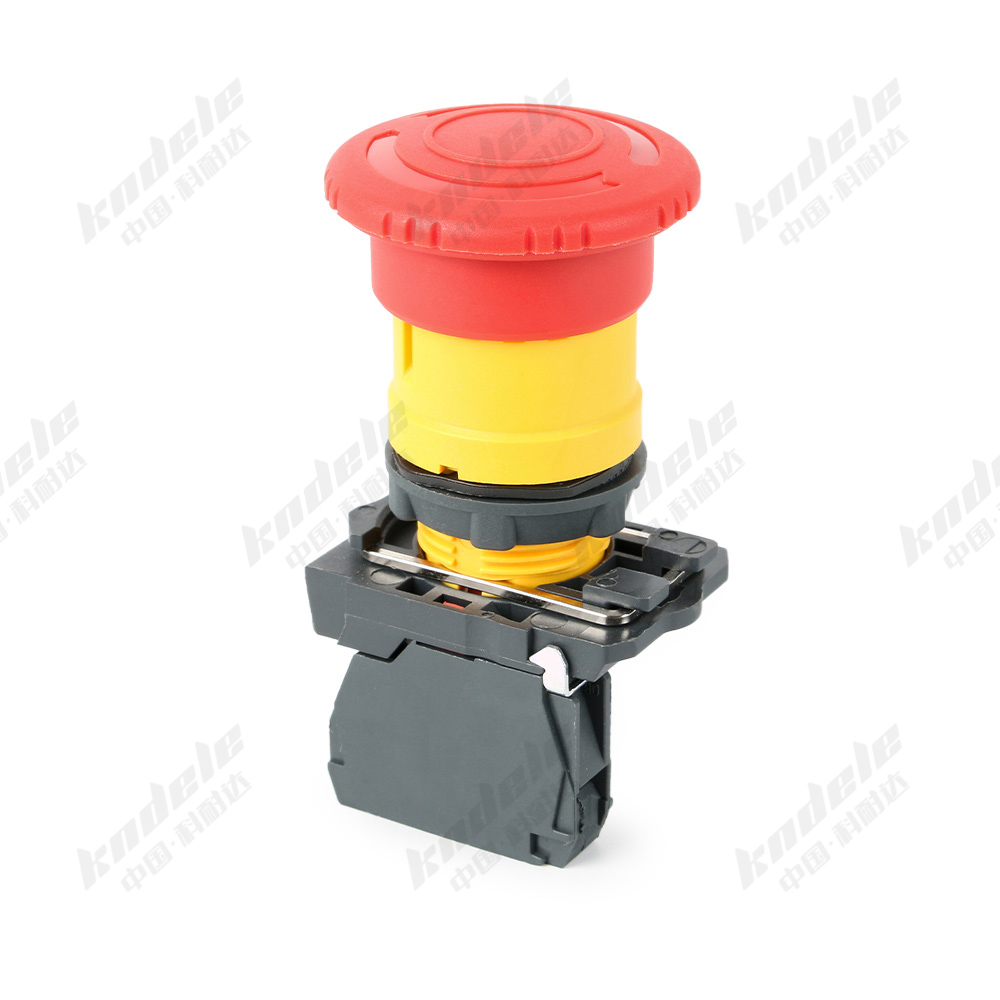
Emergency Stop (E-Stop) Buttons

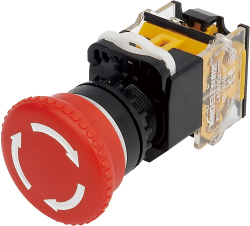
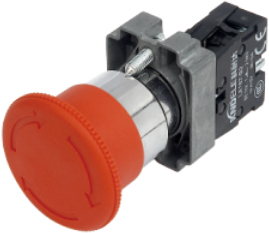
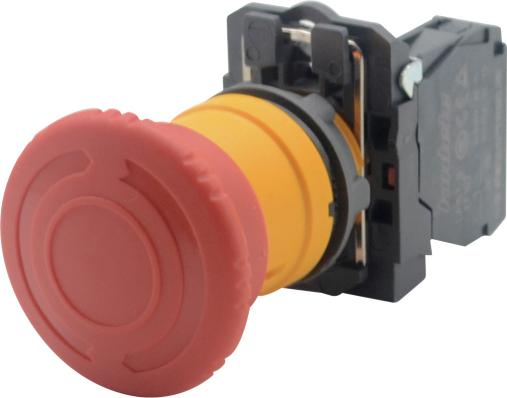
  • Description: Large mushroom-shaped red button; once pressed, it locks in position and requires a twist or pull to release.

  • Standard compliance: Must meet IEC 60947-5-5.

  • Application: Used on machines where immediate shutdown is critical, such as presses, CNC machines, and conveyor systems.

  • Engineer’s note: Always wired with NC contacts to ensure fail-safe operation.

emergency shut off switch Appearance

Illuminated Push Buttons

  • Description: Include integrated LED lights to indicate machine status (green = running, red = fault, amber = standby).

  • Application: Common in process control panels.

  • Engineer’s note: Improves usability in noisy environments where audible alarms may not be heard.

22MM Blue Lighting Push Button Light Switch Product Appearance

Selector Push Buttons

  • Description: Rotary style button with multiple positions (e.g., Manual / Auto / Remote).

  • Application: Used in industrial automation to switch between control modes.

  • Engineer’s note: Reduces panel space compared to multiple individual buttons.

Double Push Buttons

  • Description: Two actuators stacked in one housing (Start/Stop).

  • Application: Compact solution for machine control stations.

  • Engineer’s note: Saves space and simplifies wiring for operators.

Key-Operated Push Buttons

  • Description: Operated with a key to prevent unauthorized use.

  • Application: Found in elevators, cranes, and restricted access systems.

  • Engineer’s note: Often combined with maintained contacts for security-critical systems.

3. By Structural and Environmental Design

Flush Head Buttons

  • Advantage: Reduced risk of accidental operation.

  • Application: High-traffic panels in public or industrial areas.

Extended Head Buttons

  • Advantage: Easier to press when wearing gloves.

  • Application: Heavy industry, cold storage facilities.

Waterproof / Dustproof Buttons

  • Advantage: IP65–IP67 rated, resistant to water jets, oil, and dust.

  • Application: Food processing, outdoor equipment, marine applications.

Explosion-Proof Buttons

  • Advantage: Built to ATEX / IECEx standards, prevents sparks from igniting flammable gases.

  • Application: Oil & gas plants, chemical factories, mining operations.

Comparison of Push Button Switch Types

Beyond the basics, engineers often compare push buttons using additional dimensions such as contact material, actuation force, and maintenance requirements.

Type Operation Contacts IP Rating Standards Durability Applications
Momentary Auto-reset NO / NC IP40–IP67 IEC 60947-5-1 1–5 million cycles Start signals, machine cycles
Maintained Latching NO / NC IP40–IP67 IEC 60947-5-1 1–3 million cycles Power ON/OFF, lighting circuits
Emergency Stop Push-lock NC IP65+ IEC 60947-5-5 0.5–1 million cycles Machine safety shutdowns
Illuminated Both NO / NC IP40–IP65 IEC / UL / CE 0.5–2 million cycles Status indication panels
Key-Operated Maintained NO / NC IP40–IP67 IEC / UL / CE 1–3 million cycles Access control, elevators, cranes
Explosion-Proof Both NO / NC ATEX / IECEx IECEx / ATEX 0.5–2 million cycles Oil, gas, mining, chemical plants

Additional comparison factors:

  • Contact Material (silver alloy vs gold-plated for low current).

  • Actuation Force (light touch vs heavy-duty).

  • Mounting Method (panel-mount vs PCB-mount).

  • Serviceability (modular designs allow easy replacement of contact blocks).

Industrial Applications of Push Button Switches

Push button switches are found across nearly every industrial sector:

  1. Power Distribution Panels

    • Used for circuit control, ON/OFF switching, and fault indication.

    • Keywords: electrical cabinets, control panels, low-voltage switchgear.

  2. Industrial Machinery & Automation

    • Start/Stop controls for CNC machines, conveyor belts, packaging systems.

    • Emergency stops in compliance with IEC 60947 standards.

    • Keywords: machine safety, operator interface, automation systems.

  3. Energy & Utilities

    • Used in substations and smart grid control systems.

    • Support remote/local mode switching with selector buttons.

    • Keywords: power distribution, grid automation, control circuits.

  4. Elevators & Cranes

    • Key-operated switches for restricted control.

    • Emergency stop buttons for safety compliance.

    • Keywords: lift systems, hoisting control, operator safety.

  5. Hazardous Environments

    • Explosion-proof models ensure safety in flammable areas.

    • Keywords: ATEX, IECEx, oil & gas safety, chemical plant control.

How to Choose the Right Push Button Switch

As an engineer or buyer, selecting the right switch isn’t just about price—it’s about performance, safety, and compliance. Here’s what to consider:

  1. Define the Function

    • Start/Stop? Emergency stop? Mode selection? Each has unique requirements.

  2. Match the Environment

    • Dusty, humid, outdoor, or explosive atmospheres demand higher IP or ATEX ratings.

  3. Check Contact Ratings

    • Verify current/voltage compatibility (e.g., AC-15, DC-13 utilization categories).

  4. Verify Standards Compliance

  5. Evaluate Durability

    • Higher cycle ratings = lower long-term maintenance costs.

  6. Consider Ergonomics & Safety

    • Flush buttons for anti-accidental use, extended for glove operation, mushroom for emergencies.

  7. Think About Maintenance

    • Modular designs allow quick replacement of contact blocks without rewiring.

From years of sourcing experience, the most common mistake buyers make is overlooking compliance. A cheaper push button switch may look identical, but without IEC or UL certification, it can fail under load or during an emergency—putting safety and reputation at risk.

Conclusion

Industrial push button switches may be small, but they are the front line of machine safety and control. By understanding the different types of push button switches, their standards, and their real-world applications, engineers and buyers can make informed choices that ensure safety, reliability, and compliance.

When selecting your next push button switch type, don’t just look at cost—consider the environment, standards, and durability. That’s how you build a control system that lasts.