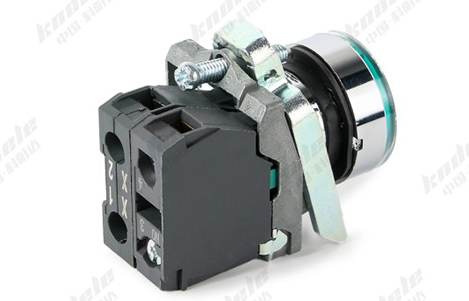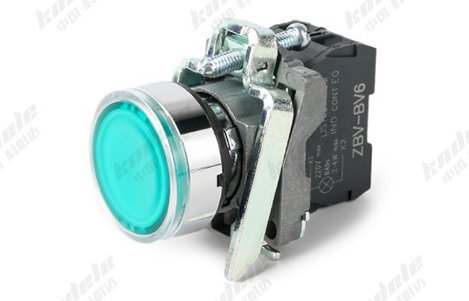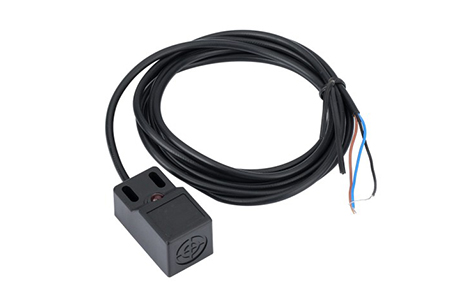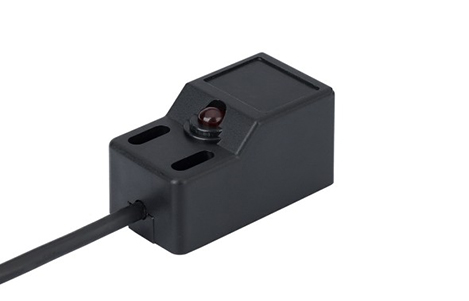
Voltage, Current, and Wiring Considerations for LED Momentary Push Buttons

Introduction

LED momentary push buttons are widely used in industrial automation, machinery control panels, and safety systems. While their tactile function and LED feedback are straightforward, proper operation requires careful consideration of voltage ratings, current limits, and wiring methods. Miswiring or exceeding electrical ratings can damage the push button or connected devices, reduce LED lifespan, or compromise system safety.
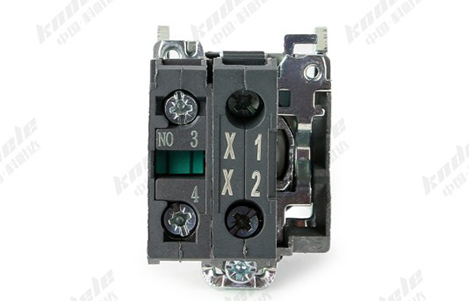
Understanding Voltage Ratings

LED momentary push buttons typically have two voltage ratings:

Switching Voltage

This is the voltage the push button is designed to control through its mechanical contacts:

Low-voltage DC circuits: Commonly 12V, 24V, or 48V

AC circuits: Often rated for 110V or 220V AC industrial control

Ensure the switching voltage matches the load voltage to prevent contact damage.

LED Operating Voltage

The LED itself requires a separate voltage rating, usually DC:

Typical values: 6V, 12V, 24V DC

Some models have built-in resistors; others require an external resistor

Applying voltage higher than the LED rating can burn out the LED quickly.

Current Considerations

Contact Current

The mechanical contacts have a maximum current rating that must not be exceeded:

Low-current control circuits: 1–5A typical

High-power applications: May require additional relays to handle larger loads

Exceeding contact current can lead to:

Arcing and pitting

Reduced lifespan of the switch

Safety hazards

LED Current

LEDs are low-current devices, typically 10–20mA:

Ensure proper current-limiting resistor or driver is used

Avoid connecting directly to higher voltage sources without protection

Use recommended wiring diagrams to prevent damage

Wiring Configurations

Proper wiring ensures reliable operation and safety:

Series Wiring for LEDs

Series wiring is common for LED illumination across multiple push buttons

Must consider total forward voltage and ensure it does not exceed the supply voltage

Parallel Wiring

Each push button has its own LED branch

Simplifies replacement and ensures failure of one LED does not affect others

Integration with PLC or Control System

Connect momentary contacts to PLC digital inputs or relay circuits

LED feedback may be wired to the PLC output or external power supply

Ensure isolation between control and LED circuits if voltage levels differ

Polarity Considerations

Most LEDs are polarity-sensitive:

The anode (+) must connect to the positive voltage

The cathode (-) must connect to the negative or ground

Incorrect polarity will prevent the LED from lighting but usually won’t damage the LED if no current is applied

Some push buttons have built-in diodes for protection, allowing either polarity connection for AC operation.

Environmental and Safety Considerations

Use IP-rated push buttons in dusty or wet environments

Avoid wiring beyond rated voltage/current to prevent overheating or fire hazards

Use proper cable sizes for both LED and contact wiring to maintain voltage drop within limits

Follow industrial standards (IEC, UL) for panel wiring

Tips for Proper Installation

Check voltage ratings for both contacts and LED before connecting

Use current-limiting resistors if LED requires them

Maintain correct polarity for LEDs

Wire according to recommended schematics for series or parallel circuits

Avoid exceeding rated contact current—use relays for higher loads

Test the push button before integrating into the full control system

Conclusion

Understanding voltage, current, and wiring requirements is crucial for reliable operation of LED momentary push buttons. Proper attention to these factors ensures:

Long LED lifespan

Safe operation of industrial equipment

Accurate feedback for operators

Prevention of electrical faults and system downtime

By following manufacturer specifications and proper wiring practices, LED momentary push buttons can provide reliable, efficient, and safe control in industrial automation and machinery systems.

FAQ

1. What voltage should I use for the LED in a momentary push button?

LEDs typically require a DC voltage ranging from 6V to 24V depending on the model. Always check the manufacturer’s specifications. Some push buttons have built-in resistors, while others need an external resistor to limit current.

2. Can the LED operate on AC voltage?

Most LEDs are DC devices and are polarity-sensitive. However, some industrial push buttons include built-in diodes that allow AC operation. Always verify the wiring diagram before connecting to AC circuits.

3. What is the difference between switching voltage and LED voltage?

Switching voltage: The voltage handled by the mechanical contacts to control a machine or circuit.

LED voltage: The voltage applied to the integrated LED to illuminate it.
Both ratings must be observed to prevent damage.

4. How much current does the LED consume?

LEDs typically draw 10–20 mA. Using a current-limiting resistor or proper driver ensures safe operation and prevents burnout.

5. What is the maximum current for the push button contacts?

Mechanical contacts usually handle 1–5A for low-voltage control. For higher loads, use the push button to trigger a relay rather than switching the high current directly.

6. Can multiple LED push buttons be wired in series or parallel?

Series wiring: Requires careful calculation of total LED forward voltage; failure of one LED may affect others.

Parallel wiring: Each LED operates independently, allowing easier replacement and more reliable operation.

7. What happens if I wire the LED with incorrect polarity?

If polarity is reversed, the LED will not light up. In most cases, it will not be damaged if no current-limiting resistor is bypassed. Some push buttons include protection diodes for AC operation.

8. How do I safely wire LED push buttons into a PLC or control panel?

Connect momentary contacts to digital inputs or relay circuits.

Wire the LED to a separate DC supply if voltage differs from the contacts.

Maintain isolation between LED and load circuits to prevent interference or damage.

9. Are LED momentary push buttons safe for outdoor or industrial environments?

Yes, provided they are rated IP65 or higher for dust and water resistance and wired within the specified voltage and current ratings.

10. How can I prevent damage to the LED or contacts?

Always respect voltage and current ratings

Use resistors for LED current limiting if needed

Follow the manufacturer’s wiring diagrams

Avoid exceeding contact ratings; use relays for high-power loads
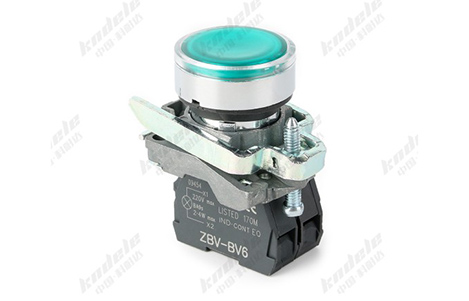
Applications Of LED Momentary Push Buttons In Industrial Automation

Introduction

In modern industrial automation, control panels are the central hub for managing machines, processes, and safety systems. One critical component of these panels is the LED momentary push button. Combining tactile input with visual feedback, these devices improve efficiency, safety, and process monitoring.

What Is an LED Momentary Push Button?

An LED momentary push button is a type of switch that activates only while being pressed. Unlike latching buttons, it returns to its default state when released.

The LED component provides visual feedback, indicating operational status, machine readiness, or alert conditions. This combination of tactile control and visual cues makes these push buttons highly suitable for automation systems.

Start and Stop Operations

Machine Start/Stop Controls

LED momentary push buttons are widely used for starting and stopping machines safely. The LED can indicate whether the machine is powered on, running, or in standby, providing operators with immediate status feedback.

Example Applications:

Conveyor belts

CNC machines

Injection molding machines

Packaging lines

Emergency Stop Functions

For critical safety operations, LED momentary push buttons are integrated with emergency stop circuits. When pressed:

The machine is halted immediately

The LED indicates the emergency state

Operators are alerted visually to unsafe conditions

This is essential in high-risk automation environments where rapid response is required.

Process Monitoring and Status Indication

Real-Time Monitoring

LED indicators allow operators to monitor processes at a glance. In complex automated systems, multiple LEDs can indicate:

Process stages

Ready or idle status

Fault or warning conditions

Integration with PLCs

LED momentary push buttons can interface with programmable logic controllers (PLCs), providing visual confirmation when a command signal is received or a process action occurs.

This improves operational transparency and helps in quick diagnostics.

Control of Motors, Pumps, and Valves

LED momentary push buttons are commonly used to control auxiliary equipment in industrial automation, such as:

Starting/stopping motors in production lines

Activating or deactivating pumps in water treatment or chemical plants

Controlling valves in fluid or gas automation systems

The LED provides immediate visual feedback for operator awareness and process safety.

Human-Machine Interface (HMI) Panels

In HMI panels, LED momentary push buttons are used for:

User input commands

Process navigation

Feedback on command execution

They enhance user experience and operational efficiency, allowing operators to interact with automation systems effectively while reducing the likelihood of errors.

Safety and Alarm Signaling

LED momentary push buttons also serve as status indicators for alarms or critical events:

Flashing LEDs can indicate faults or maintenance requirements

Steady LEDs can show operational readiness

Different colors can differentiate between normal operation, warning, and emergency states

This helps operators react quickly to unsafe conditions in industrial environments.

Advantages of LED Momentary Push Buttons in Automation

Visual feedback: Quick status recognition reduces human error

Instant operation: Momentary action allows precise control

Durable and reliable: Designed to withstand industrial environments

Versatile: Suitable for a wide range of voltages and applications

Energy-efficient LEDs: Long lifespan and minimal maintenance

Common Industrial Applications

Automated production lines

Packaging and assembly systems

Conveyor and material handling equipment

Pump and valve control systems

CNC and machine tool operation

Emergency stop and safety circuits

Conclusion

LED momentary push buttons are a vital component of industrial automation. Their combination of tactile control and visual feedback enhances safety, monitoring, and operational efficiency. By integrating these push buttons into control panels, industries can achieve:

Faster response times

Reduced operational errors

Improved process visibility

Safer work environments

For modern industrial automation systems, LED momentary push buttons are not just a convenience—they are essential for safe and efficient operation.

FAQ

1. What is an LED momentary push button?

An LED momentary push button is a switch that activates only while pressed and returns to its default state when released. The integrated LED provides visual feedback on machine status, process stage, or alert conditions.

2. How are LED momentary push buttons used in industrial automation?

They are commonly used for:

Machine start/stop operations

Emergency stop functions

Motor, pump, or valve control

Process monitoring on HMI panels

Alarm or status signaling

3. What is the difference between a momentary and latching push button?

Momentary: Circuit is closed only while pressed, then returns to default state. Ideal for precise control actions.

Latching: Circuit stays open or closed until pressed again. Used for toggle functions.

4. Why are LED indicators important in push buttons?

LED indicators provide instant visual feedback, allowing operators to:

Recognize machine status at a glance

Identify faults or warnings quickly

Reduce human error in high-speed industrial operations

5. Can LED momentary push buttons withstand harsh industrial environments?

Yes. High-quality industrial push buttons are built with:

IP65 or higher protection against dust and water

Rugged housings to resist impact and vibration

Materials that resist chemical exposure, heat, and UV light

6. How do LED momentary push buttons integrate with automation systems?

They can connect to PLCs, motor controllers, and HMIs, providing visual confirmation when commands are received or when processes are active. This enhances monitoring and operational safety.

7. What colors do LED indicators come in, and what do they signify?

Red: Emergency stop or fault

Green: Operational or ready

Yellow: Warning or caution

Blue: Auxiliary functions

White: General indicators
Colors can be customized for specific processes or safety standards.

8. Are LED momentary push buttons energy-efficient?

Yes. LEDs consume very little power, have a long lifespan, and reduce maintenance compared to traditional indicator lights.

9. How do they improve safety in industrial automation?

By combining tactile control with visual feedback, operators can respond faster to faults or emergencies, reducing downtime and preventing accidents.

10. Can these push buttons be used outdoors?

Yes, provided they are rated with appropriate IP protection (IP65/IP66/IP67) and made from weather-resistant materials, making them suitable for outdoor control panels or machinery.

Why LED Indicators In Push Buttons Are Important For Safety And Monitoring

Introduction

In modern industrial systems, control panels are the central hub for managing machines, processes, and automation lines. One component that plays a critical role in both safety and operational monitoring is the LED push button. By combining tactile control with visual feedback, LED push buttons allow operators to make quick, informed decisions while reducing risks.

What Are LED Push Buttons?

An LED push button is a switch that can be either momentary (active only while pressed) or latching (stays in its switched state until pressed again). The built-in LED provides visual feedback, often indicating:

Machine status (running, stopped, fault)

Process stages

Warning or alert conditions

This combination of manual control and visual indication makes LED push buttons a vital component of industrial panels.

Why Visual Feedback Is Critical for Safety

In industrial environments, operators often monitor multiple machines and processes simultaneously. LED indicators enhance safety by:

Immediate Status Recognition

Operators can instantly determine:

Whether a machine is active or idle

If a fault or emergency condition has occurred

Which process stage is currently active

Quick recognition reduces response time during critical situations.

Reducing Human Error

Color-coded LEDs provide intuitive cues:

Red: Emergency stop or fault

Green: Operational or safe

Yellow: Warning or caution

Blue: Auxiliary function

Visual cues prevent mistakes, such as starting machinery during unsafe conditions.

Alerting Operators in Noisy Environments

In loud industrial settings, audible alarms may be missed. LED indicators provide reliable visual alerts, ensuring operators are informed even when sound cannot be relied upon.

Enhancing Monitoring and Process Control

LED push buttons are not just for safety—they are also key monitoring tools in industrial automation:

Real-Time Process Status

Integrated LEDs display the current state of machinery or processes, enabling operators to monitor production without physically inspecting each component.

Feedback for Automated Systems

LED indicators can be connected to PLCs or other automation systems, providing confirmation of:

Commands received

Systems running correctly

Fault detection

This allows operators to verify operations and make timely adjustments.

Visual Diagnostics

Different LED colors or flashing patterns can indicate:

Overload conditions

Maintenance requirements

System errors

This simplifies troubleshooting and maintenance planning.

Key Features of LED Push Buttons for Safety and Monitoring

Clear and Bright Indicators

High-quality LEDs ensure visibility under all lighting conditions, including outdoor or dimly lit panels.

Durable Construction

Industrial push buttons are built to withstand:

Mechanical impact

Dust and moisture (IP65 or higher)

High usage cycles

Wide Voltage Compatibility

LED push buttons can operate in both low-voltage DC control circuits and AC mains, making them versatile for different industrial applications.

Customizable Colors and Patterns

Colors and flashing modes can be tailored to specific functions or process requirements, improving operational clarity.

Applications in Industrial Environments

LED push buttons with indicators are widely used in:

Machine start/stop controls

Emergency stop functions

Conveyor and automated production lines

Pumps, motors, and valve control

Human-machine interface (HMI) panels

Safety and alarm signaling systems

In all cases, they improve safety, efficiency, and operational awareness.

Benefits of LED Indicators in Push Buttons

Faster recognition of machine status and faults

Reduced human error and improved safety compliance

Enhanced monitoring of automated processes

Easy troubleshooting and diagnostics

Long-lasting, energy-efficient illumination for reliable performance

Conclusion

LED indicators in push buttons are more than just visual enhancements. They are integral to industrial safety and monitoring, providing real-time feedback, reducing errors, and supporting effective process control.

By integrating LED push buttons in control panels, industrial operators can achieve safer, more efficient, and more reliable operations, ensuring both personnel safety and process productivity.

FAQ

1. What is the purpose of an LED indicator in a push button?

LED indicators provide visual feedback on machine or process status, allowing operators to see whether equipment is running, stopped, or in a fault condition. This improves safety and monitoring in industrial environments.

2. How do LED push buttons improve operator safety?

They provide instant status recognition, reduce human error through color-coded signals, and alert operators in noisy or visually complex environments where audible alarms may be missed.

3. What are common LED colors and their meanings?

Red: Emergency stop or fault

Green: Operational or ready

Yellow: Warning or caution

Blue: Auxiliary function

White: General indicator or power-on

Custom colors and flashing patterns can be implemented based on process requirements.

4. Can LED push buttons be used in harsh industrial conditions?

Yes. High-quality LED push buttons are dust- and water-resistant (IP65 or higher) and are designed to withstand impact, vibration, and frequent operation in industrial environments.

5. What types of circuits can LED push buttons work with?

LED push buttons can operate in:

Low-voltage DC circuits for PLCs and automation

AC mains circuits for controlling larger machinery

Some models include built-in resistors for LED operation without additional components.

6. Are LED push buttons suitable for monitoring automated processes?

Yes. LEDs provide real-time visual confirmation of system status, feedback for automation systems, and diagnostic cues for troubleshooting.

7. How do LED push buttons reduce maintenance and downtime?

By providing clear visual indicators and status feedback, operators can identify issues early, reducing prolonged faults and minimizing unplanned downtime.

8. Can LED push buttons be customized for specific industrial applications?

Yes. Options include different LED colors, flashing modes, and illumination intensity to match the operational needs and safety protocols of the facility.

9. How long do LED indicators in push buttons typically last?

High-quality LEDs are energy-efficient and long-lasting, often rated for tens of thousands of hours of continuous use, minimizing replacement and maintenance needs.

10. Why are LED push buttons preferred over non-illuminated push buttons?

They offer both tactile control and visual feedback, enhancing safety, efficiency, and process monitoring—features that non-illuminated buttons cannot provide in industrial settings.

Key Features of LED Momentary Push Buttons for Industrial Control Panels

Introduction

In industrial automation, control panels serve as the central hub for machinery operation, monitoring, and safety management. LED momentary push buttons are essential components of these panels, providing intuitive user input, visual feedback, and operational reliability.

What Is an LED Momentary Push Button?

An LED momentary push button is a type of switch that completes a circuit only while being pressed. Unlike latching buttons, it returns to its original position once released.

The LED component provides visual feedback, often indicating operational status, machine readiness, or fault conditions. This combination of tactile control and visual signaling makes it ideal for industrial applications.

Key Features of LED Momentary Push Buttons

Momentary Action

The core feature is the momentary operation. When pressed:

The button closes the circuit temporarily

Sends a control signal to machinery or PLC

Returns to its default state upon release

This ensures precise, instantaneous input for start, stop, or emergency operations.

LED Status Indicator

The integrated LED offers visual feedback, which can be used to indicate:

Machine running status

Fault or error conditions

Power-on/off indicators

Process stages in automation

LEDs are energy-efficient, have a long lifespan, and are visible even in low-light industrial environments.

Durable Construction

Industrial LED push buttons are designed to withstand harsh conditions:

Metal or reinforced plastic housing resists impact

Anti-vandal or rugged design prevents accidental damage

Sealed construction protects against dust, moisture, and oil

High durability ensures long-term reliability in factories, processing plants, and outdoor control panels.

Wide Voltage and Current Ratings

LED momentary push buttons are compatible with a range of control voltages and currents:

Low-voltage DC circuits for PLC and automation systems

AC mains control for larger machinery

Integrated resistors for LED operation without external circuitry

This versatility makes them suitable for multiple industrial environments.

IP Rating and Environmental Protection

Most industrial-grade LED push buttons offer IP65 or higher protection, meaning they are:

Dust-tight

Protected against water jets

Suitable for outdoor or washdown areas

Environmental resistance ensures safe operation in demanding conditions.

Customizable LED Colors

Many push buttons allow custom LED colors, such as red, green, yellow, blue, or white, to standardize panel indicators:

Red for emergency stop

Green for start or ready

Yellow for warning or caution

Blue for auxiliary functions

Customizable colors improve operational clarity and safety.

Easy Integration and Mounting

LED momentary push buttons are designed for panel mounting:

Standardized hole sizes for quick installation

Snap-in or screw-in options

Modular components for easy wiring and replacement

This makes installation efficient, even in complex industrial panels.

Long Lifespan

High-quality push buttons combine mechanical durability with long-lasting LED illumination, offering:

Tens of thousands of mechanical operations

Decades of reliable LED performance

Minimal maintenance requirements

This reduces downtime and maintenance costs.

Applications in Industrial Control Panels

LED momentary push buttons are used in:

Machine start/stop controls

Emergency stop functions

Conveyor and automation line operations

Control of pumps, motors, and valves

Status indication for process monitoring

Human-machine interface (HMI) panels

Their combination of tactile feedback and visual signaling makes them indispensable in modern industrial systems.

Advantages in Industrial Environments

Clear visual indication of machine or process status

Immediate response through momentary action

High durability and environmental resistance

Easy to install and integrate

Reduces human error and improves safety

Conclusion

LED momentary push buttons are a vital component of industrial control panels, combining mechanical reliability with visual feedback. Their features—including momentary action, LED indication, rugged construction, IP protection, and customizable options—make them suitable for a wide range of industrial applications.

By choosing high-quality LED momentary push buttons, factories and automation systems can enhance operator safety, process efficiency, and panel reliability.

FAQ

1. What is an LED momentary push button?

An LED momentary push button is a switch that activates only while being pressed and returns to its original state when released. The integrated LED provides visual feedback, showing machine status, process stage, or fault conditions.

2. How does a momentary push button differ from a latching push button?

Momentary push button: Circuit is closed only while pressed; returns to default state when released.

Latching push button: Circuit stays closed or open until pressed again.

Momentary buttons are ideal for start, stop, or emergency controls.

3. What are the typical applications of LED momentary push buttons?

Machine start/stop operations

Emergency stop functions

Conveyor and automated line control

Pump, motor, or valve operation

Status indication on industrial panels

Human-machine interface (HMI) systems

4. What LED colors are available and what do they indicate?

Common LED colors and typical meanings:

Red: Emergency stop or fault

Green: Start or ready

Yellow: Warning or caution

Blue: Auxiliary functions

White: General indication

Custom colors can be selected based on panel design and operational needs

5. What is the IP rating of industrial LED push buttons?

Most industrial LED push buttons have IP65 or higher, meaning they are:

Dust-tight

Protected against water jets

Suitable for outdoor or washdown environments

Higher ratings (IP66/IP67) are available for harsher conditions.

6. What materials are used in LED momentary push buttons?

Metal housing: Provides strength and impact resistance

Reinforced plastic: Offers insulation and chemical resistance

UV-stabilized plastics: Protect LED and housing from sun exposure

These materials ensure durability in industrial environments.

7. What voltage and current ratings do LED momentary push buttons support?

Compatible with low-voltage DC control circuits for PLCs and automation

Can also operate in AC mains circuits for larger machines

Some models include built-in resistors for LED operation without external components

8. Are LED momentary push buttons durable?

Yes. High-quality buttons are designed for tens of thousands of mechanical operations and long-lasting LED life, ensuring minimal maintenance and long-term reliability.

9. Can LED momentary push buttons be easily installed on control panels?

Yes. They are designed for standard panel cutouts, with snap-in or screw-in mounting options. Wiring is modular, allowing easy integration and replacement.

10. Why are LED momentary push buttons important in industrial safety?

They provide tactile feedback and visual indication, reducing human error, improving process control, and ensuring immediate response in critical operations.

Installation Tips and Maintenance for Angle Post Type Proximity Switches

Introduction

Angle Post Type Proximity Switches are widely used in industrial automation due to their compact right-angle design and reliable non-contact sensing capabilities. However, to ensure optimal performance and longevity, proper installation and routine maintenance are crucial. This guide provides practical tips and best practices for installing and maintaining these sensors in your system.

Why Proper Installation Matters

Incorrect installation of angle post proximity switches can lead to:

False triggering or missed detections

Premature wear or sensor damage

Unnecessary downtime in automated systems

Reduced safety in critical applications

By following best practices, you can maximize sensor accuracy, durability, and reliability, especially in tight or complex machinery setups.

Installation Tips for Angle Post Type Proximity Switches

Check the Mounting Location

Choose a location that provides stable support and avoids vibration as much as possible.

Ensure the sensor can detect the target object without obstruction.

Avoid areas where dust, oil, or metal shavings can accumulate unless the sensor is rated for harsh environments.

Maintain Proper Sensing Distance

Follow the manufacturer’s specified sensing range.

Keep a minimum distance from nearby metal surfaces to prevent interference (for inductive sensors).

Angle post designs help fit in tight spaces, but clearance is still critical for accurate detection.

Secure the Sensor Firmly

Use the recommended mounting brackets, screws, or clamps.

Avoid over-tightening, which can damage the sensor body or affect alignment.

Correct Electrical Connections

Verify the voltage and current ratings before wiring.

Follow proper polarity and connection diagrams provided in the datasheet.

Use shielded cables if the sensor is installed near motors or other high-power equipment to reduce electrical noise.

Protect Against Environmental Hazards

If installed in dusty, wet, or high-vibration areas, select sensors with appropriate IP ratings.

Consider additional protective covers or conduit for extreme conditions.

Maintenance Tips for Long-Term Performance

Regular Cleaning

Wipe the sensor face with a soft, dry cloth or a cloth slightly dampened with a mild cleaner.

Avoid abrasive materials that could scratch the sensor.

Keep the mounting area free from dust, grease, or metal particles.

Periodic Inspection

Check mounting hardware for looseness or corrosion.

Inspect cables and connectors for wear, cuts, or fraying.

Verify alignment and adjust if needed to ensure consistent sensing.

Functional Testing

Test the sensor periodically using test targets to ensure it triggers correctly.

For automated systems, confirm that sensor output integrates properly with PLC or control units.

Avoid Excessive Stress

Angle post sensors are durable, but avoid forcing mechanical stress or bending cables sharply.

Ensure robotic arms, conveyors, or moving parts do not collide with the sensor body.

Common Installation Mistakes to Avoid

Mistake Consequence Tip
Ignoring sensing distance Missed detections or false triggers Always follow manufacturer specs
Loose mounting Sensor misalignment Secure brackets and screws properly
Poor cable management Electrical noise or damage Use shielded cables and proper routing
Ignoring environment Sensor failure due to dust, moisture, or vibration Choose IP-rated or ruggedized sensors
Over-tightening Cracks or misalignment Tighten screws gently according to specs

Conclusion

Proper installation and maintenance of angle post type proximity switches are essential for reliable performance in industrial automation systems. By carefully considering mounting, wiring, and environmental protection, and performing regular cleaning and inspection, you can extend sensor life, reduce downtime, and ensure accurate detection in even the most compact or challenging setups.

FAQ

Q1: Can angle post proximity switches be installed in tight spaces?
A: Yes, their right-angle design is specifically intended for compact or awkward spaces, but clearance for proper sensing is still required.

Q2: How often should I inspect the sensors?
A: Ideally every 3–6 months, or more frequently in harsh environments.

Q3: Can I use standard cleaning chemicals?
A: Only mild, non-abrasive cleaners are recommended. Avoid strong solvents that may damage the sensor housing.

Q4: What if the sensor stops detecting accurately?
A: Check alignment, wiring, and target surface. Replace if the sensor face is scratched or damaged.

The Future of Angle Post Type Proximity Switches in Smart Manufacturing

Introduction

As industries embrace Industry 4.0, smart manufacturing relies heavily on precise, reliable, and flexible automation solutions. Among the essential components enabling this evolution are Angle Post Type Proximity Switches. These sensors, known for their right-angle design and space-saving capabilities, are increasingly playing a key role in modern production systems. This article explores their current applications, technological advancements, and future potential in smart manufacturing.

What Are Angle Post Type Proximity Switches?

Angle Post Type Proximity Switches are non-contact sensors designed with a right-angle body. Unlike standard straight sensors, angle post switches can fit into tight or complex machine geometries, making them ideal for:

Confined automation spaces

Robotics with multi-axis movement

Equipment with overlapping or intricate layouts

They are commonly available in inductive, capacitive, and magnetic versions, each tailored to detect different materials and environmental conditions.

Role of Angle Post Proximity Switches in Smart Manufacturing

In smart factories, automation precision and reliability are crucial. Angle post proximity switches contribute in several ways:

Optimized Space Utilization

Their right-angle design allows installation in compact machinery, enabling high-density automation layouts.

Enhanced Machine Flexibility

They support complex movements of robotic arms, pick-and-place systems, and CNC machines, ensuring accurate detection without physical interference.

Improved Safety and Monitoring

By detecting the position of machine parts, tools, and components in real time, these sensors prevent collisions and enhance operator safety.

Seamless Integration with Smart Systems

Modern angle post switches often support IoT connectivity, providing real-time data to factory management systems for predictive maintenance and performance analytics.

Technological Trends Shaping the Future

The future of angle post proximity switches in smart manufacturing is being driven by several key technological trends:

Miniaturization and Compact Design

Smaller sensors allow deployment in even more constrained spaces, increasing the flexibility of automated systems.

Advanced Materials and Durability

New sensor housings are resistant to extreme temperatures, vibration, dust, and moisture, enabling reliable operation in harsh industrial environments.

Smart Connectivity

Integration with IoT and IIoT platforms allows real-time monitoring, predictive maintenance, and data-driven optimization of manufacturing processes.

Higher Precision and Faster Response

Improvements in sensing accuracy and response times make angle post switches suitable for high-speed automated production lines.

Energy Efficiency

Low-power designs reduce energy consumption, aligning with sustainable manufacturing initiatives.

Applications in Smart Manufacturing

Angle post proximity switches are increasingly used in high-tech, automated factories, including:

Robotics and Assembly Lines: Detecting positions of robotic arms and parts with limited space.

Packaging and Material Handling: Monitoring objects on conveyors with complex layouts.

CNC and Milling Machines: Ensuring tool and workpiece positions in confined setups.

Automotive Manufacturing: Supporting high-speed assembly lines requiring precise detection in tight spaces.

Choosing the Right Angle Post Proximity Switch

When selecting an angle post proximity switch for smart manufacturing applications, consider:

Sensing Range and Type – Inductive for metals, capacitive for non-metals.

Mounting and Clearance – Ensure the right-angle design fits your machinery.

Durability Requirements – Temperature, vibration, dust, and moisture resistance.

Integration Capability – Compatibility with IoT or industrial automation networks.

The Future Outlook

As factories continue to evolve toward fully automated, data-driven smart systems, angle post proximity switches will become more sophisticated:

Smarter sensors with AI-based diagnostics

Wireless communication for flexible layouts

Predictive maintenance features integrated directly into the sensor

Miniaturized designs for micro-automation setups

The right-angle design will remain indispensable for applications where space constraints and complex machine geometries exist, ensuring that angle post proximity switches continue to play a vital role in the next generation of smart manufacturing.

FAQ

Q1: Can angle post switches replace standard proximity switches?
A: They complement standard switches. Use angle post switches in tight or complex spaces where straight sensors cannot fit.

Q2: Are these switches compatible with IoT systems?
A: Modern angle post proximity switches often support IoT or IIoT integration for real-time monitoring and predictive maintenance.

Q3: What materials can they detect?
A: Inductive versions detect metals, capacitive detect non-metals, and magnetic versions can sense magnetic targets.