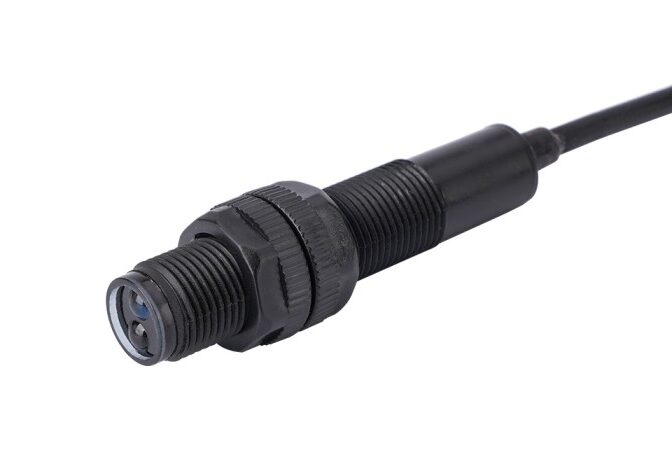
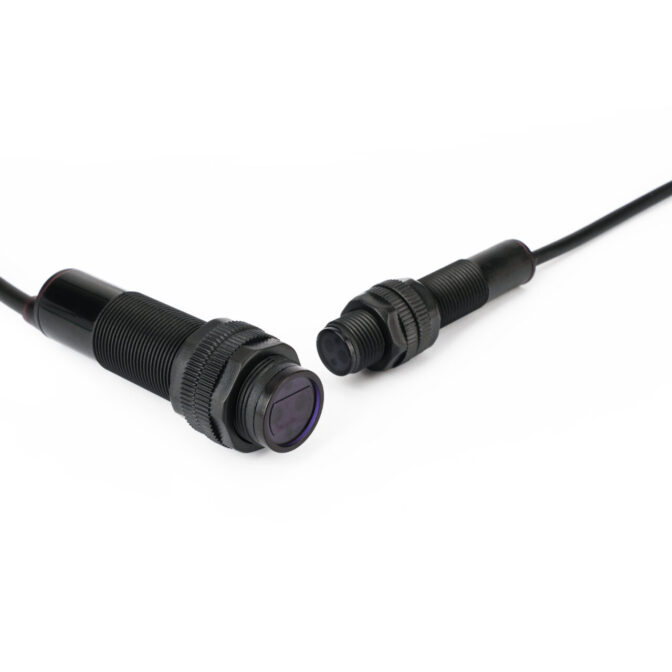
How to Test a Photoelectric Switch

If you’ve ever found yourself standing in front of a misbehaving machine wondering, “how do I test a photoelectric switch?”, you’re not alone — and I’ve got your back.

Whether you’re working with a Sick photoelectric sensor on a conveyor line, or setting up an M12 photoelectric sensor in a packaging unit, this guide will walk you through the essentials in a way that makes sense. No jargon overload. Just practical know-how.

What Is a Photoelectric Switch?

Let’s start simple. A photoelectric switch — also called a photoelectric sensor — is a device that detects objects using light. It’s like giving your machine a pair of eyes.

The sensor emits a light beam (usually infrared), and when something breaks or reflects that beam, the sensor reacts — switching its output on or off. This action can start or stop equipment, count items, or even trigger alarms.

These sensors are everywhere — in factories, lifts, car parks, and even automatic taps.

How to Test a Photoelectric SwitchWhy Testing Photoelectric Sensors Matters

Now, here’s the thing. Photoelectric switches are reliable — until they aren’t. Dirt builds up, alignment shifts, cables wear out. When that happens, your system might miss objects, count incorrectly, or fail altogether.

Testing helps you:

  • Catch faults early
  • Avoid production downtime
  • Confirm sensor compatibility
  • Maintain safety in automated systems

And let’s be honest — when a sensor fails mid-shift, you don’t want to be guessing.

Step-by-Step Testing Methods for a Photoelectric Switch

Right — time to roll up our sleeves. Here’s the full rundown on how to understand, diagnose, and test your sensor confidently.

Understanding Your Photoelectric Switch

Before testing, we need to understand what kind of sensor you’re dealing with. Not all photoelectric switches behave the same — and knowing the type makes testing way easier.

Types of Photoelectric Sensors

There are three main types:

  • Through-beam sensors: Emitter and receiver are separate. Object breaks the beam = detection.
  • Retroreflective sensors: Emitter and receiver are in one unit, and a reflector bounces the beam back.
  • Diffuse sensors: Light bounces off the object itself and returns to the sensor.

If you’re working with something like a 12 volt DC photoelectric switch, it might fall into any of these categories — the voltage just tells you the power it needs.

Output Signal Types (PNP/NPN)

This part trips a lot of folks up. PNP and NPN refer to how the sensor’s output behaves:

PNP (sourcing): Output goes high (+V) when active.

NPN (sinking): Output goes low (0V) when active.

Knowing this helps you test with a multimeter — we’ll get to that in a bit.

Working Principle

A photoelectric proximity sensor works by turning light into an electrical signal — but let’s break that down.

It has three main components:
Emitter – Sends out a beam of light, usually infrared.
Receiver – Detects whether the light beam is received or interrupted.
Control Circuit – Processes the signal from the receiver and switches the output ON or OFF based on detection.

The exact working method depends on the sensor type:
Through-beam: The emitter and receiver are separate. If an object breaks the beam, the output changes.
Retroreflective: Emitter and receiver are in one unit, and a reflector bounces the light back.
Diffuse reflective: The object itself reflects the light back to the sensor.

In simple terms, if the receiver sees the beam, it reacts one way. If it doesn’t, it reacts another. That’s how the sensor “knows” something’s there — and triggers your system accordingly.

Common Faults of Photoelectric Switch

Let’s troubleshoot before testing. These are the most common issues I’ve seen:

Dirt or dust on the lens (super common in food and packaging)

Misalignment between emitter and receiver

Loose wiring or connector damage (watch out for those M12 plug pins!)

Power supply problems, especially if the wrong voltage is supplied

False triggering caused by background reflections

Want to prevent most of these? Wipe the sensor down regularly and always check alignment.

Required Tools

Here’s what you’ll need to test like a pro:

Digital multimeter (set to DC voltage)

Power supply (e.g., 12V DC for most models)

Test object or reflector

Clean cloth (trust me — clean the lens!)

Optional: A PLC or indicator module if testing in a control panel setup

Step-by-Step Guide to Test a Photoelectric Switch

Let’s dive into the hands-on part. Here’s how to test a photoelectric switch step by step:

Power Off and Inspect

Look for visible damage.

Clean the sensor lens.

Connect the Sensor to Power

Use a 12V or 24V DC supply as required.

Double-check polarity on wiring — red is usually +V, blue is 0V.

Connect Multimeter

Set your multimeter to DC voltage.

Connect black probe to ground, red probe to the sensor output.

Test Without Object

With no object present, record the output voltage.

You should see either high (for PNP) or low (for NPN).

Introduce the Target

Block the beam (or present an object for diffuse sensors).

Watch for the voltage to switch.

Check Repeatability

Repeat with different distances or materials.

Confirm consistent switching.

Using a Sick photoelectric sensor? Many of them have an LED indicator that helps with alignment and detection — make use of it!

Final Thoughts on Testing Photoelectric Switches

So there you have it — a complete guide on how to test a photoelectric switch without stress or second-guessing.

With the right tools, a little background knowledge, and a calm step-by-step approach, you can diagnose issues, confirm performance, and keep your systems running like clockwork. Whether you’re working with a Sick photoelectric sensor, an infrared photoelectric switch sensor, or a compact M12 photoelectric sensor, testing doesn’t need to be complicated.

And if you’re ever unsure, revisit this guide. Bookmark it. Share it with a colleague. Because a working sensor is a happy sensor — and a happy sensor keeps your world moving.

All About Momentary Push Button Switches

1. Introduction

Momentary push button switches are vital in modern electronics, delivering instant control across diverse applications. They’re commonly used in industrial control panels, vehicle dashboards, and consumer devices, providing temporary circuit activation.

Unlike toggle switches that stay in position after activation, momentary switches reset to their default state when released.

This guide explores everything you need to know about push button momentary switches. We’ll examine their working principles, various types, distinct advantages, wide-ranging applications, and essential selection criteria to help you choose the optimal solution for your specific requirements.

2. What Is A Momentary Push Button Switch?​

They are activated solely during pressing and revert instantly to their default state upon release. They’re essential for creating temporary electrical circuit connections in applications like doorbells, machine controls, and emergency stop functions.

Available in normally open (NO), normally closed (NC), and double-throw (DT) configurations, each type is designed for specific circuit control requirements.

Green Led Momentary Push Button Switch Details3. How Does A Momentary Push Button Switch Work​?

Momentary push button switches rely on a spring-loaded mechanism to control electrical circuit connections. Pressing the button creates a temporary connection or interruption.

Normally Open (NO): The circuit connects only when the button is pressed.
Normally Closed (NC): The circuit stays closed until the button opens it.
Double Throw (DT): Enables switching between two separate circuits.

This design ensures precise, temporary activation, making these switches ideal for diverse control applications.

4. Types of Momentary Push Button Switches

Momentary push button switches come in different types, each suited for specific applications:

4.1 Normally Open (NO) Switches

Default state: Open (no current flows).

The circuit completes only when the button is pressed.

Common in household electronics like doorbells, gaming controllers, and industrial motor starters.

4.2 Normally Closed (NC) Switches

Default state: Closed (current flows).

Pressing the button opens the circuit, stopping the current.

Used in safety and emergency stop applications.

4.3 Double Throw (DT) Switches

Also known as SPDT (Single Pole Double Throw) switches, these can connect to two different circuits and toggle between them when pressed, making them suitable for systems requiring dual-function switching.

4.4 Waterproof Momentary Push Button Switches

Designed with IP65 or higher waterproof ratings, these switches are suitable for outdoor environments, marine applications, and industrial settings, ensuring durability in wet or humid conditions.

4.5 LED Push Button Momentary Switches

Integrated with LED indicators for visual feedback, these switches are used in control panels, dashboards, and alarm systems. They come in multiple colors: Red, Green, Yellow, Blue, and White.

4.6 Soft Touch Momentary Push Button Switch

Requires minimal force to activate.

Often found in touch-sensitive electronic devices.

Provides a seamless and ergonomic experience.

5. Advantages of Momentary Push Button Switches

5.1 Versatile

Applicable across residential, industrial, automotive, and medical fields.

5.2 Space-Saving Design

Compact size enables easy integration into control panels.

5.3 Cost-Effective

Economical alternative to complex switching systems.

5.4 Theft Prevention

Ideal for security systems, access controls, and anti-theft alarms.

5.5 Resilient Against High Voltage

Engineered to safely manage 240V and other high-voltage applications.

5.6 Easy Installation and Maintenance

Simple wiring allows for quick setup and long-lasting performance.

6. Common Applications of Momentary Push Button Switches

Momentary push button switches are widely used across various industries due to their temporary activation mechanism, reliability, and efficiency. Unlike latching switches, these switches only remain active while pressed, making them ideal for applications that require quick, controlled operations without the need for continuous power. Let’s explore the key industries and real-world applications where they play a vital role.

6.1 Consumer Electronics & Home Appliances

Momentary push button switches enable seamless operation and control in everyday electronics.

Remote Controls: Used in television remotes, gaming controllers, and other handheld devices to trigger functions like volume adjustment, power on/off, and input selection.

Smart Home Devices: Found in modern touch-sensitive lighting systems, security alarm panels, and automation controls.

Kitchen Appliances: Integrated into blenders, coffee machines, and microwaves for temporary power activation.

Doorbells & Intercoms: Essential for triggering chimes and communication systems when pressed.

6.2 Automotive & Transportation Systems

Momentary push button switches are critical for vehicle control systems, where temporary activation is necessary for safety and operational convenience.

Car Horns: Ensures that sound is produced only while the button is pressed, preventing accidental prolonged honking.

Power Windows: Allows users to control window movement by pressing and holding the switch.

Engine Start-Stop Systems: Found in modern keyless ignition systems, where a button press activates the engine.

Dashboard Controls: Used for adjusting headlights, hazard lights, windshield wipers, and radio settings.

6.3 Industrial Machinery & Automation

Momentary switches are indispensable in industrial automation and factory equipment, ensuring safe and efficient machine operation.

Machine Start & Stop Controls: Operators press buttons to temporarily engage or disengage machinery.

Conveyor Belt Systems: Used in assembly lines where items need to be moved intermittently.

Emergency Stop Buttons (E-Stop): Designed to immediately cut off power in hazardous situations.

Foot Pedal Controls: Hands-free operation in industrial and medical environments, such as sewing machines and dental chairs.

6.4 Medical & Healthcare Equipment

In the medical field, precision and immediate response are crucial, making momentary push button switches an essential component of various healthcare devices.

Patient Monitoring Systems: Used in hospital beds and diagnostic machines to trigger specific functions.

Surgical Equipment: Foot-operated momentary switches allow surgeons to control electrosurgical instruments without using their hands.

Dental Chairs & Treatment Units: Enables precise adjustment of chair positions and dental tools.

X-ray Machines & Imaging Systems: Allows operators to capture images by pressing and holding the button.

6.5 Security & Access Control

Security systems rely on momentary push button switches for temporary activation of alarms, locks, and other critical functions.

Alarm & Panic Buttons: Activated in emergency situations to notify security personnel.

Access Control Panels: Found in keyless entry systems and biometric scanners to grant or deny access.

Automatic Doors & Elevators: Users press buttons to open doors momentarily.

Fire Alarm Systems: Used in manual call points to trigger fire alarms.

6.6 Telecommunications & Communication Devices

They are essential in radio communication, broadcasting, and control panels, where instant response is required.

Push-to-Talk (PTT) Communication: Used in walkie-talkies, two-way radios, and headsets for instant communication.

Telephone Keypads: Each keypress triggers a signal for dialing.

Broadcasting Equipment: Found in TV/radio studio consoles for cueing audio and video signals.

Intercom Systems: Pressing a button temporarily opens a communication channel.

6.7 Military & Aerospace Applications

In high-stakes environments, momentary push button switches provide reliable and controlled activation for mission-critical systems.

Aircraft Cockpit Controls: Used for landing gear deployment, radio communication, and emergency functions.

Weapon Systems & Defense Equipment: Helps control fire commands, missile launchers, and vehicle-mounted weaponry.

Navigation & Radar Systems: Enables temporary activation of tracking and scanning devices.

Tactical Gear & Equipment: Found in night vision goggles, military communication devices, and drones.

7. How to Protect Your Momentary Push Button Switches

To ensure longevity and reliable performance:

Choose waterproof models (IP65+) for outdoor or humid environments.

Avoid overloading by selecting the correct voltage and current rating.

Perform regular maintenance – Check wiring connections and clean contacts.

Use protective covers for industrial applications.

8. Momentary vs. Alternate Push Button Switches

Feature Momentary Push Button Switch Alternate Push Button Switch
Circuit Behavior Works only while pressed Stays in the new position until pressed again
Spring Mechanism Yes, returns to default state No, stays in the last state
Typical Applications Doorbells, car horns, control panels Power switches, light switches
Energy Efficiency Consumes power only when pressed May consume power in both states
Contact Mechanism Spring-loaded Mechanical latch or locking system
Response Time Instantaneous activation & deactivation Requires deliberate press to change states

9. How to Choose the Best Momentary Push Button Switch?

Before purchasing, consider:

Voltage Rating – 12V, 24V, 240V, 380V (based on your application).

Current Rating – Choose a switch that can handle your system’s electrical load.

Environmental Conditions – Use waterproof IP65 models for harsh environments.

Switch Type – NO, NC, DT, LED, or soft-touch based on functionality needs.

Installation Requirements – Ensure compatibility with your panel size and wiring.

10. Where to Buy Momentary Push Button Switches

When purchasing they, it’s important to choose trusted suppliers that offer certified and durable products suited to your application.

Best Places to Buy:

Online Marketplaces – Amazon, Alibaba, and eBay offer a variety of options, but always check product specifications and certifications.

Electronics Distributors – Ideal for industrial-grade switches with better quality assurance and technical support.

Direct Manufacturers – Best for bulk orders and custom specifications at competitive prices.

For those looking for reliable momentary push button switches, Kenaida Electric offers a range of high-quality solutions tailored for various industries.

Final Thoughts

Momentary push button switches are essential in applications ranging from industrial automation to consumer electronics. Their versatility, user-friendly design, and robust construction make them a cornerstone of modern technology.

Understanding their types, benefits, and selection criteria helps you choose the ideal momentary switch for your specific needs—whether for high-voltage industrial environments, waterproof settings, or LED-illuminated designs.

If you have any questions about Momentary Push Button Switches, please contact our team of experts!

Photoelectric Switch Explained: Types, Working & How to Use

What is a Photoelectric Switch?

Imagine walking up to a supermarket entrance, and as if by magic, the doors slide open without you having to touch anything. This seamless automation is made possible by a photoelectric switch. These devices play a crucial role in modern automation by detecting the presence, absence, or movement of objects using a beam of light. From manufacturing lines to security systems, photoelectric switches ensure accuracy and efficiency in countless applications.

A photoelectric switch is a type of sensor that uses light to detect objects without direct contact. It consists of an emitter that produces a light beam—usually visible red or infrared—and a receiver that detects any changes in the light pattern caused by an object passing through. The switch is triggered when the light is interrupted or reflected back in an unexpected way. This non-contact mechanism makes photoelectric switches ideal for environments where physical wear and tear could degrade mechanical sensors.

Photoelectric SwitchHow Does a Photoelectric Switch Work?

Type How It Works Common Applications
Through-Beam The emitter and receiver are placed opposite each other. When an object breaks the beam, the switch detects the interruption. Conveyor systems, safety barriers, industrial automation
Retroreflective The emitter and receiver are housed together, and a separate reflector is used. When an object blocks the reflected light, detection occurs. Packaging lines, warehouse inventory tracking
Diffuse Mode The sensor relies on the object itself to reflect light back to the receiver. Detection depends on the reflected light’s intensity. Short-range detection, assembly lines, touchless panels

Applications of Photoelectric Switches

Photoelectric switches are widely used across various industries, providing reliable and efficient object detection. Here’s how different sectors utilize these sensors:

Manufacturing: In automated production lines, a photoelectric switch sensor ensures precise placement and movement of parts. For example, in a bottling plant, a sensor ensures that every bottle is positioned correctly before filling begins, reducing product wastage and improving efficiency.

Automotive Industry: Assembly lines rely on low voltage photoelectric switches to guide robotic arms and ensure accurate part positioning. In welding applications, these sensors detect when metal panels are in place before the welding process begins.

Security & Safety Systems: Automatic doors in airports and train stations use photoelectric proximity switches to detect approaching individuals and open in response. In escalators and elevators, they prevent doors from closing on passengers, enhancing safety.

Logistics & Warehousing: Warehouses depend on 12-volt photoelectric switches for scanning packages moving along conveyor belts. These sensors help in tracking and sorting items with high accuracy, ensuring efficiency in distribution centers.

Choosing the Right Photoelectric Switch

Selecting the best photoelectric switch requires considering several factors:

Consideration Details
Detection Range Through-beam sensors offer the longest range, while diffuse sensors work well for short-range detection.
Operating Environment Dusty or outdoor conditions require an IP-rated low voltage photoelectric switch for durability.
Power Supply 12-volt photoelectric switches are ideal for low-power applications like security systems, while higher voltage models are used in industrial settings.
Output Type Choosing between NPN or PNP output is crucial for compatibility with control systems.

Installation and Calibration of a Photoelectric Switch

Step 1: Select the Installation Location

– Ensure the sensor has an unobstructed light path.

– For outdoor applications, use low voltage photoelectric switches with high durability ratings.

Step 2: Secure the Sensor

– Use the provided mounting brackets or screws to position the sensor securely.

– For retroreflective models, ensure the reflector is correctly placed.

Step 3: Align the Sensor

– Use alignment indicators to adjust the beam direction.

– Test detection using sample objects.

Step 4: Connect Wiring & Test

– Follow the manufacturer’s wiring guide (e.g., 12-volt photoelectric switch wiring for low-power setups).

– Perform final calibration to fine-tune sensitivity and response time.

Conclusion

Photoelectric switches are indispensable in automation, offering precision and reliability across industries. Their ability to detect objects without physical contact extends equipment lifespan and reduces maintenance costs. From manufacturing to security applications, these sensors ensure seamless and efficient object detection.

Understanding how photoelectric switches work and selecting the right type for your needs can significantly improve operational efficiency. With advancements in sensor technology, modern models provide greater accuracy, background suppression, and adaptability to challenging environments. Investing in high-quality photoelectric switches guarantees smooth automation and enhanced productivity in any industry.