All posts by pj1junj

How to Choose the Right Photoelectric Switch for Your Application

Introduction

In modern industrial automation, photoelectric switches (also known as photoelectric sensors) play a critical role in detecting objects, monitoring positions, and ensuring efficient production processes. With a wide range of types and features available, it can be challenging to select the right sensor for your application. This guide will help you understand the fundamentals of photoelectric switch selection and provide practical tips to choose the perfect sensor for your needs.
What Is a Photoelectric Switch and How Does It Work?

Photoelectric Switch Working Principle

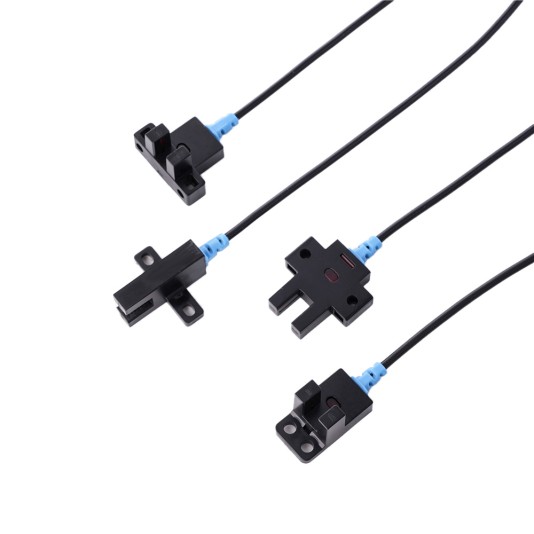
A photoelectric switch detects objects using a light beam. The sensor emits a light signal, which can be reflected off or interrupted by an object. When the sensor detects a change in the light beam, it sends an electrical signal to the connected control system. This photoelectric detection method allows for non-contact detection, making it ideal for high-speed or delicate applications.

Key Components

A typical photoelectric sensor includes:

Emitter: Sends out the light beam.

Receiver: Detects reflected or interrupted light.

Amplifier Circuit: Converts the light signal into an electrical output for your control system.

Detection Modes

Most photoelectric switches operate in two detection modes:

Light-ON: The sensor outputs a signal when light is detected.

Dark-ON: The sensor outputs a signal when the light is blocked.

Understanding these modes is crucial for proper installation and reliable operation.

Main Types of Photoelectric Switches

Overview of Sensor Types

There are three main types of photoelectric switches, each designed for different industrial applications.

Through-Beam Photoelectric Switch

Uses separate emitter and receiver units.

Offers high accuracy and long detection range.

Ideal for conveyor systems and applications where precision is critical.

Retroreflective Photoelectric Switch

Uses a reflector to bounce light back to the sensor.

Easier to install than through-beam types.

Suitable for moderate-range object detection where space is limited.

Diffuse Photoelectric Sensor

Detects objects based on reflected light from the object itself.

Simple installation and cost-effective.

Best for detecting objects at short distances or varying sizes.

Comparison

Type Detection Range Installation Accuracy Common Applications
Through-Beam Long Medium High Conveyor lines, packaging
Retroreflective Medium Easy Medium Assembly lines, automation gates
Diffuse Short Easy Medium Product detection, small parts

Key Features and Specifications to Consider

When selecting a photoelectric switch, consider the following features:

Sensing Distance and Detection Range

Choose a sensor that covers the required distance without false triggers.

Response Speed

Ensure the sensor reacts quickly enough for high-speed operations.

Output Type

Match the output to your control system for seamless integration.

Light Source

Infrared, visible, or laser options depending on the detection environment.

Environmental Resistance

Sensors must withstand dust, moisture, vibrations, and temperature variations.

Additional Features

Sensitivity adjustment, background suppression, and industrial photoelectric switch certifications can improve reliability.

Photoelectric Switch vs Mechanical Switch

Advantages of Photoelectric Switches

Non-contact detection reduces wear and maintenance.

Longer lifespan and faster response compared to mechanical switches.

Can detect transparent or reflective objects that mechanical switches cannot.

Limitations

Sensitive to environmental interference like strong ambient light.

Requires precise alignment in some configurations.

May be affected by reflective surfaces or dust accumulation.

Typical Applications of Photoelectric Sensors

Manufacturing & Packaging

Counting products, detecting alignment, and ensuring proper placement on conveyor lines.

Automotive Industry

Detecting objects on assembly lines for automated positioning and quality control.

Logistics & Conveyors

Monitoring object presence and movement for inventory management.

Photoelectric switches provide reliability and versatility, making them ideal for a wide range of industrial applications.

Step-by-Step Selection Guide

Define your detection target: Consider material, size, color, and distance.

Choose the detection mode: Through-beam, diffuse, or retroreflective based on your needs.

Match sensor output and response speed: Ensure compatibility with your control system.

Consider environmental conditions: Light, dust, temperature, and vibration factors.

Evaluate installation space and mounting position: Check for physical constraints.

Use a selection checklist: Simplifies decision-making and reduces errors.

Following these steps ensures you choose the right photoelectric switch for optimal performance.

FAQ

Q1: What are the main types of photoelectric sensors?
A1: Through-beam, retroreflective, and diffuse photoelectric switches.

Q2: How do Light-ON and Dark-ON modes differ?
A2: Light-ON outputs a signal when light is detected; Dark-ON outputs when light is blocked.

Q3: How do photoelectric switches differ from mechanical switches?
A3: Photoelectric switches are non-contact, faster, and more durable, while mechanical switches are prone to wear.

Q4: Can photoelectric sensors detect transparent objects?
A4: Certain models, especially with specialized light sources or background suppression, can detect transparent or reflective materials.

Conclusion

Choosing the right photoelectric switch is crucial for efficient and reliable industrial automation. By understanding the working principles, types, features, and environmental considerations, you can select the best photoelectric sensor for your application. Proper selection reduces downtime, improves accuracy, and ensures long-term performance.
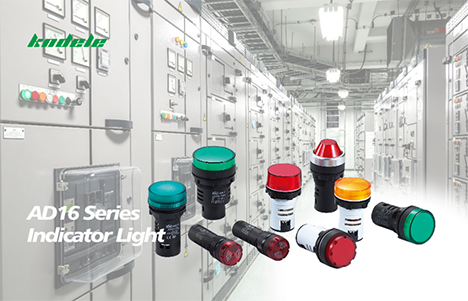
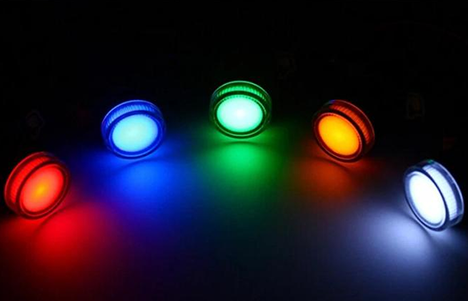
The Impact of Indicator Lights in Modern Industries

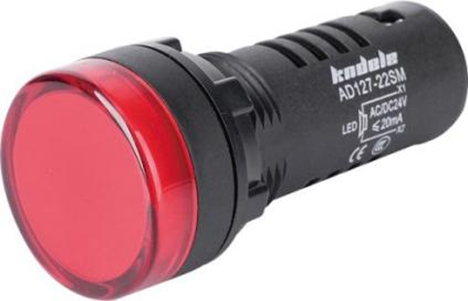
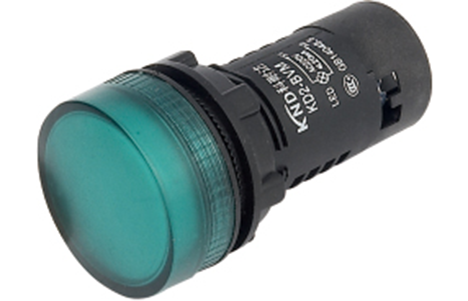
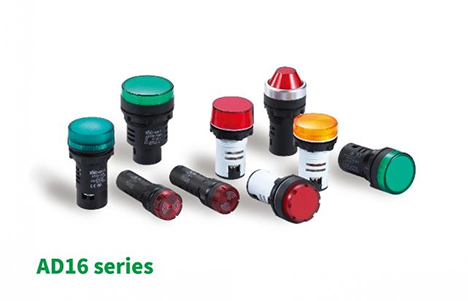
As a manufacturer deeply embedded in the world of industrial signaling, we have a front-row seat to the silent yet profound revolution led by a seemingly simple component: the indicator light.

Often overlooked, these small beacons of light are the unsung heroes of modern automation, the silent communicators on the factory floor, and a critical layer of safety across countless industries. Their impact is far greater than just a simple “on” or “off” signal.

The Language of Machines: Enhancing Operational Efficiency

In the complex symphony of a manufacturing plant, machines need to communicate with operators instantly and unambiguously. Indicator lights provide this universal language.

Status Reporting: A steady green light means “System Normal.” A flashing amber light signals “Warning, Change Needed Soon.” A solid red light screams “Fault, Immediate Attention Required!” This allows operators to assess the health of an entire production line at a glance, drastically reducing diagnostic time and preventing costly downtime.

Process Guidance: On assembly lines, indicator lights guide operators through complex sequences, indicating which part to pick, where to place it, and when a task is complete. This reduces errors and accelerates training for new personnel.

The Guardian of Safety: Preventing Accidents and Saving Lives

This is perhaps the most critical role of industrial signal lights. They form a vital part of safety systems, protecting both people and equipment.

Hazard Warning: Bright, red rotating beacons or strobes are often paired with alarms to signal the activation of heavy machinery, such as robots or presses, warning personnel to stay clear.

Emergency Stop Indication: When an E-stop button is pressed, a corresponding light illuminates to clearly identify which station initiated the shutdown, allowing for a swift and targeted response.

Environmental Monitoring: In hazardous environments (e.g., chemical plants, mining), specific colored lights indicate gas leaks, high temperatures, or other dangerous conditions, enabling immediate evacuation or corrective action.

The Bridge of Human-Machine Interaction (HMI)

As factories become smarter with Industry 4.0 and the Internet of Things (IoT), indicator lights are evolving from simple bulbs into intelligent data visualization tools.

Multi-Color & Smart LEDs: Modern LED indicators can display a spectrum of colors, each representing a different data point or machine state, conveying more information without taking up more panel space.

Integration with IoT: These lights can now be connected to network systems. An operator might receive a text alert for a machine fault, but the first and most immediate notification is still that bright red light on the machine itself, providing instant local awareness.

Conclusion

From the humble single-color bulb to today’s multi-color, network-connected LED beacons, indicator lights have remained an indispensable component in industrial design. They are the eyes of the machine, translating complex data into simple, intuitive visual cues. At KNDELE, we don’t just see ourselves as manufacturing lights; we see ourselves as manufacturing clarity, safety, and efficiency.

They are a small part with a massive impact, truly illuminating the path to a smarter, safer, and more productive industrial world.

How Indicator Lights Improve Machine Status Monitoring in Automation

Introduction

In the fast-paced world of industrial automation, real-time machine status monitoring is vital for maintaining productivity, efficiency, and safety. Operators need a quick and reliable way to understand whether machines are running, idle, or experiencing a fault.

Among the many monitoring components used in factory automation solutions, indicator lights stand out for their simplicity, effectiveness, and universal visual communication. These compact yet powerful devices provide instant feedback through color-coded signals, helping operators respond swiftly to any status change.

This article explores how indicator lights enhance machine status monitoring in automation, covering their types, functions, integration, and the latest smart technologies shaping the future of industrial signaling.

What Is an Indicator Light in Automation Systems?

Define what an indicator light is and its general functions.

An indicator light, also known as a machine status indicator or signal indicator light, is an electrical device designed to visually communicate the operational status of a machine or process. Whether showing power, fault, or operating state, these lights ensure immediate recognition of system conditions.

Modern industrial indicator lights use LED technology for efficient performance, providing bright, consistent illumination even in harsh industrial environments.

Explain how indicator lights are used to display operating conditions, warnings, and errors.

In automation systems, indicator lights serve as visual signals that translate complex operational data into easily understood color codes.

Green indicates normal operation or “Running.”

Yellow/Amber shows a warning or maintenance status.

Red alerts operators to a critical fault or emergency stop.

These signals allow for fast and accurate decisions, reducing potential risks and downtime.

Describe common application areas — control panels, production machinery, and process control systems.

Indicator lights in automation are widely used in:

Control panels: To show system power, fault alerts, or mode selection.

Production machinery: To indicate running cycles, setup, or fault conditions.

Process control systems: To support visual monitoring in complex manufacturing lines.

Together, they enhance visibility and simplify machine monitoring systems across multiple applications.

Key Types of Indicator Lights Used in Machine Monitoring

LED Indicator Light

The LED indicator light has become the standard in modern automation due to its high brightness, low energy consumption, and long lifespan. Compared with traditional incandescent lamps, LED machine indicators offer superior durability and visibility, making them ideal for 24/7 industrial use.

Signal Indicator Light & Control Panel Indicator Light

A signal indicator light visually communicates operational states or process transitions. Within control panels, these lights are essential for quick feedback—helping operators identify machine conditions at a glance and perform faster troubleshooting.

Pilot Light Indicator & Status Signal Lamp

Pilot light indicators and status signal lamps are designed for specialized tasks such as maintenance alerts, system readiness, or safety warnings. Their strong visibility ensures reliable status indication, even in high-noise or low-light environments.

How Indicator Lights Enhance Machine Status Monitoring

Real-time display of machine states such as “Running,” “Idle,” “Fault,” or “Warning.”

By showing the machine’s condition instantly, indicator lights make it easier to monitor multiple devices simultaneously. This real-time visual feedback eliminates the need for complex data interpretation.

Enables operators to respond immediately to system changes or failures.

When a machine status indicator turns red or yellow, operators can quickly intervene, preventing further issues. This fast response capability is critical for maintaining system uptime and safety.

Reduces downtime and minimizes human error.

Using clear, color-coded automation indicator lights reduces the risk of operator confusion and human error, which are major causes of downtime in automated environments.

Improves maintenance efficiency and overall system transparency.

Visual cues from industrial signal lights simplify maintenance processes, allowing technicians to identify problem areas quickly and maintain better overall visibility of equipment status.

Integration of Indicator Lights in Industrial Automation Systems

Explain how indicator lights integrate with PLCs, sensors, and SCADA systems.

Modern automation equipment indicators can be connected directly to PLCs (Programmable Logic Controllers), sensors, or SCADA systems. This integration ensures that each light reflects real-time operational data, aligning human-machine communication seamlessly.

Discuss the meaning of standardized color codes.

Standardized colors help operators interpret signals consistently:

Red: Stop or fault condition

Green: Normal operation

Yellow: Warning or maintenance mode

Blue/White: Operator intervention or specific system alerts

These industrial automation light signals reduce confusion and enhance workplace safety.

Highlight applications in smart factories and IoT-enabled production environments.

In smart factories, indicator lights are more than static devices—they’re integrated into IoT networks and factory automation solutions. These connected lights transmit performance data, allowing managers to analyze trends and optimize production efficiency across multiple sites.

Smart and Advanced Indicator Light Technologies

Explain how smart indicators support remote monitoring and predictive maintenance.

Smart indicator lights incorporate sensors and connectivity features that support remote status monitoring and data analytics. By tracking operational patterns, these devices can signal early warnings for maintenance, enabling predictive maintenance strategies that prevent costly breakdowns.

Mention integration with cloud-based monitoring platforms and intelligent control systems.

Through integration with cloud-based monitoring systems, smart indicator lights allow real-time visualization of machine performance across different locations. This innovation enhances coordination between on-site and remote teams, driving more efficient factory automation solutions.

Benefits of Using Indicator Lights in Automation

Improve visibility and safety in industrial environments.

Industrial indicator lights make equipment conditions visible at a glance, reducing accidents caused by unclear machine status.

Boost operational efficiency and reduce machine downtime.

With clear machine operation status lights, operators can act faster during faults or process changes, ensuring smoother workflows and fewer interruptions.

Save energy through modern LED designs.

LED indicator lights consume less power, supporting sustainability and lowering long-term energy costs in automation facilities.

Enhance the operator’s user experience and system management capabilities.

Simplified visual communication improves the user experience and helps supervisors manage multiple systems effectively through intuitive visual signals in automation.

FAQ

Q1: What is the difference between a pilot light and an indicator light?
A pilot light indicator is a type of indicator light specifically used to show the operational state of a machine or control circuit. In many cases, the terms are used interchangeably.

Q2: Why are LED indicator lights preferred in industrial automation?
Because LED indicator lights offer higher energy efficiency, better brightness, and longer lifespan than traditional bulbs—making them ideal for 24-hour industrial operations.

Q3: Can indicator lights be connected to automation systems like PLCs or SCADA?
Yes. Modern industrial signal lights and automation equipment indicators can be integrated with PLCs, sensors, and SCADA systems for real-time data synchronization.

Q4: What colors are typically used for machine status indicators?
Standard colors include green (running), yellow (warning), red (fault), and blue (manual intervention). These follow international safety and control standards.

Q5: Are smart indicator lights suitable for IoT applications?
Absolutely. Smart indicator lights are designed for IoT-enabled production environments, supporting remote monitoring, data collection, and intelligent control integration.

Conclusion

Indicator lights may appear simple, but they play an essential role in machine status monitoring and industrial automation. From standard LED machine indicators to advanced smart indicator lights, they provide instant visibility, improve operational efficiency, and support intelligent maintenance strategies.

As industries continue moving toward smart manufacturing, indicator lights in automation will evolve into connected, data-driven tools that bridge the gap between machines and human operators. Choosing the right industrial indicator light not only enhances safety and efficiency but also paves the way for a more intelligent, connected production environment.

Smart Factory Upgrades: Integrating Proximity Switches with IoT Systems

Introduction

Today’s manufacturing landscape demands higher efficiency, precision, and flexibility. Smart factories—powered by IoT, sensors, and advanced analytics—are redefining industrial automation.
At the center of this ecosystem lies the Proximity Switch, an intelligent sensor capable of detecting objects without physical contact.

By connecting proximity switches to IoT Systems, manufacturers can gain real-time insights, predictive maintenance capabilities, and improved process control, all contributing to Data-driven Manufacturing.

What Is a Proximity Switch and Why It Matters in Smart Manufacturing

Definition and Working Principle

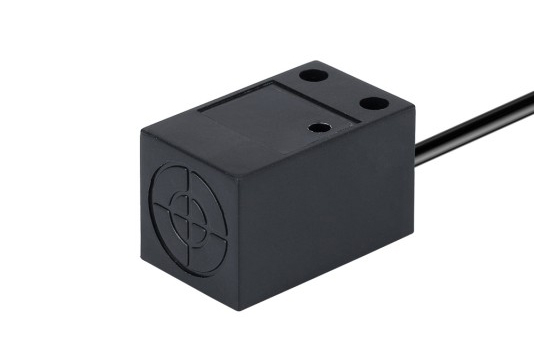
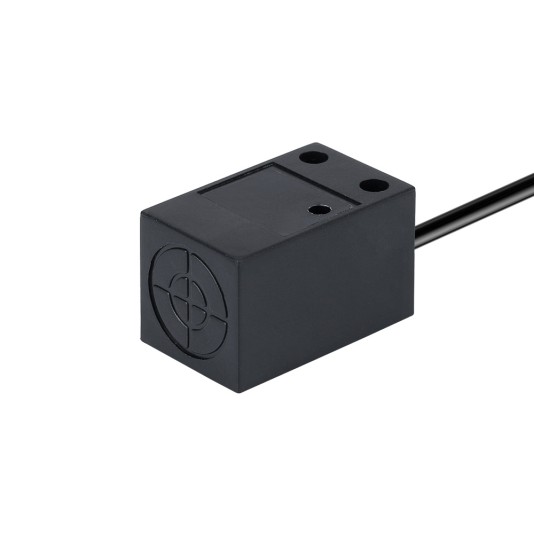
A Proximity Switch is a type of Industrial Automation Sensor that detects the presence or absence of an object within a certain range—without any physical contact.
It operates by generating an electromagnetic or optical field and monitoring changes when an object enters this field. The switch then triggers a signal for further processing or control.

Common Types of Proximity Switches

There are several types of proximity switches, each suited to different environments and applications:

Inductive Proximity Switch: Detects metallic objects using electromagnetic fields.

Capacitive Proximity Switch: Senses both metallic and non-metallic materials through capacitance change.

Photoelectric Proximity Switch: Uses light (infrared or visible) to detect objects with high precision.

Magnetic and Ultrasonic Sensors: Specialized for longer-range or magnetic detection.

Why Proximity Switches Are Essential in Smart Manufacturing

In smart manufacturing environments, proximity switches enable non-contact detection, high-speed operation, and maintenance-free performance. They ensure safety, accuracy, and reliability in automated lines—making them an indispensable part of modern Sensor-based Automation.

The Role of IoT Systems in Modern Industrial Automation

Real-time Connectivity

IoT Systems interconnect machines, sensors, and controllers across the factory floor. These networks enable real-time communication, allowing operators to monitor equipment status and process parameters remotely.

Data-driven Optimization

Through Industrial IoT (IIoT), factories can collect and analyze massive volumes of sensor data. Insights from this data support predictive analytics, quality control, and process optimization, helping reduce waste and downtime.

Enhanced Visibility and Control

IoT-based automation provides real-time visibility into operations. Managers can track performance metrics, diagnose issues instantly, and adjust production systems dynamically through Automation Control Systems.

Integrating Proximity Switches with IoT Systems: How It Works

Integration Process

Proximity Sensor Integration involves connecting proximity switches to IoT-enabled devices or gateways that aggregate and transmit data to centralized platforms. Each sensor becomes part of an Industrial Sensor Network.

Connection Methods

Integration can be achieved through:

Wired connections using fieldbus or Ethernet-based protocols.

Wireless communication via Wi-Fi, Bluetooth, or LoRaWAN for flexible installations.

IoT gateways that convert sensor signals into digital data streams for analysis.

Data Transmission and Monitoring

Once connected, proximity switch data is sent to IoT Systems, where it is visualized, analyzed, and acted upon. Operators can receive alerts, schedule maintenance, and optimize performance in real time.

Practical Applications

Robotic arms use proximity switches for precision movement and collision avoidance.

CNC machines rely on them for position verification.

Conveyor systems use switches to detect items and control sorting.

Automated warehouses employ proximity sensors for efficient inventory and safety management.

Benefits of IoT-enabled Proximity Switch Integration

Enhanced Efficiency

Real-time data monitoring reduces downtime by identifying irregularities before failures occur.

Improved Accuracy and Safety

Precise, contactless detection ensures safer and more consistent automated operations.

Predictive Maintenance

Analyzing proximity switch data allows early detection of equipment wear, enabling proactive maintenance strategies.

Energy and Resource Optimization

By integrating sensors into IoT platforms, manufacturers can optimize energy usage and minimize resource waste through Data-driven Manufacturing.

Unified Control

Combining proximity sensors with Automation Control Systems creates centralized control of multiple devices and processes—simplifying factory management.

Challenges and Best Practices in Proximity Switch IoT Integration

Common Challenges

Lack of standard protocols: Different vendors use incompatible communication systems.

Data latency and cybersecurity: Real-time data transfer must be fast and secure.

Legacy system compatibility: Older machines often lack digital interfaces for IoT integration.

Best Practices

Use IoT-enabled Proximity Switches that support IIoT protocols like MQTT or OPC UA.

Develop a robust Industrial Sensor Network with redundancy and scalability.

Apply edge computing to process data locally, minimizing latency and dependence on central servers.

Future Trends: Proximity Switches in Industry 4.0 and Beyond

AI and Big Data in Sensing

Artificial intelligence will enhance predictive analytics, allowing proximity switches to contribute to self-optimizing systems.

Wireless and Low-power Technologies

Next-generation proximity switches will adopt wireless communication and low-power designs, ideal for mobile and modular factory setups.

Autonomous and Adaptive Systems

In the future, proximity switches will support autonomous decision-making, enabling factories to dynamically adjust operations based on real-time sensor input.

FAQ

Q1: What is the difference between a proximity switch and other industrial sensors?
A proximity switch detects objects without physical contact, while other sensors (like limit switches) require direct mechanical engagement.

Q2: How does an IoT-enabled proximity switch improve predictive maintenance?
By continuously transmitting operational data to IoT platforms, it enables early fault detection and maintenance scheduling before breakdowns occur.

Q3: What communication protocols are used for IoT-based proximity switch integration?
Common standards include MQTT, Modbus TCP/IP, OPC UA, and Ethernet/IP for seamless device interoperability.

Conclusion

Integrating Proximity Switches with IoT Systems marks a major step toward Smart Factory Upgrades. These sensors transform raw machine activity into actionable insights, enabling predictive maintenance, operational efficiency, and Data-driven Manufacturing.

As Industrial IoT (IIoT) and Automation Control Systems continue to evolve, Proximity Sensor Integration will remain a cornerstone of Smart Factory innovation—empowering manufacturers to achieve greater flexibility, productivity, and sustainability in the digital era.

How to Choose the Right Stainless Steel Push Button Switch?

1. Introduction

In modern electrical and industrial control systems, the Stainless Steel Push Button Switch has become one of the most reliable and versatile components. Known for its durability, corrosion resistance, and sleek metallic finish, this type of switch is widely used in machinery, automation panels, marine systems, and security devices.
Choosing the right Stainless Steel Push Button is essential for ensuring long-term performance, safety, and functionality — especially in demanding environments. This guide will help you understand what makes these switches unique, explore their types, features, and applications, and provide practical tips to help you choose the right model for your needs.

2. What is a Stainless Steel Push Button Switch?

2-1. Definition and Basic Function

A Stainless Steel Push Button Switch is a type of electrical switch that activates or deactivates a circuit when pressed. Its stainless steel construction provides a strong, corrosion-resistant surface ideal for both indoor and outdoor applications. These switches can control machinery, lights, alarms, or other electronic devices.

2-2. How It Differs from Standard Push Button Switches

Compared to plastic or aluminum models, Metal Push Button Switches are more durable and better suited for heavy-duty applications. Their metal housings make them resistant to mechanical stress, vandalism, and harsh environmental conditions.

2-3. Common Materials

While stainless steel is the most popular material, push button switches can also be made from brass, aluminum, or plastic. Stainless steel stands out for its resistance to rust, oxidation, and impact — making it the top choice for long-term reliability.

3. Key Features of Stainless Steel Push Button Switches

3-1. Material Advantages

Stainless Steel Push Buttons are known for their excellent corrosion resistance, scratch resistance, and overall durability. They maintain performance even in environments with moisture, dust, or oil exposure.

3-2. Sleek Metal Design and LED Options

Aesthetically, these switches offer a professional, modern appearance. Many models include LED indicators that display switch status or illumination for visibility in low-light environments.

3-3. Easy Installation and Compatibility

The Industrial Push Button Switch is designed for seamless installation in control panels, machinery, or consumer devices. It’s compatible with various terminal types, wiring sizes, and voltage ratings, making it versatile for multiple industries.

4. Benefits of Using a Stainless Steel Push Button Switch

4-1. Long Lifespan and Anti-Vandal Performance

Anti-vandal Push Button Switches are designed with reinforced housings that resist impact or tampering, ideal for public areas like elevators, vending machines, and access control systems.

4-2. Waterproof Capability

Many models are rated IP65, IP67, or higher, providing Waterproof Push Button Switch protection suitable for outdoor or marine applications.

4-3. High Reliability

Stainless steel construction ensures consistent electrical performance, even under high-frequency operation, making it perfect for industrial automation and machinery.

4-4. Aesthetic and Professional Appearance

Beyond functionality, these switches offer a clean, metallic finish that enhances the look of modern equipment and control panels.

5. Types of Stainless Steel Push Button Switches

5-1. Momentary vs Latching Push Button Switch

A Momentary Push Button Switch only remains active while pressed, ideal for start/stop controls or temporary functions.
A Latching Push Button Switch, on the other hand, stays in its state until pressed again, suitable for power or mode selection.

5-2. Operation Differences and Applications

Momentary types are often used in control circuits and emergency stops, while latching types fit applications like lighting systems or power toggles.

5-3. LED Stainless Steel Push Button Switch

The LED Stainless Steel Push Button Switch includes built-in illumination for easy status indication and enhanced design.

5-4. Advantages of Illuminated Push Buttons

LED lights can indicate ON/OFF states or color-code different functions, improving user safety and efficiency.

5-5. Other Categories

Other classification factors include switch size, voltage rating, contact configuration, and mounting type (panel mount, PCB mount, etc.).

6. Applications of Stainless Steel Push Button Switches

6-1. Industrial Control Panels and Automation Systems

Industrial Push Button Switches are widely used in automation systems for machine control, start/stop functions, and emergency circuits.

6-2. Machinery and Equipment Interfaces

They serve as operator interfaces in heavy machinery, CNC equipment, and industrial robots.

6-3. Automotive and Marine Control Systems

The Waterproof Push Button Switch design makes it suitable for dashboards, marine equipment, and off-road vehicles.

6-4. Access Control and Security Systems

Used in door entry systems, intercom panels, and anti-vandal control devices for public and commercial buildings.

6-5. Consumer Electronics and Appliances

Smaller versions appear in home appliances, medical devices, and consumer gadgets.

7. Stainless Steel Push Button vs Plastic Push Button

7-1. Durability and Lifespan

Stainless steel versions far exceed plastic models in resistance to wear, heat, and mechanical damage.

7-2. Cost and Design

While plastic push buttons are cheaper, metal push button switches offer superior performance and a more professional appearance.

7-3. Ideal Use Cases

Plastic types suit low-cost consumer devices, while stainless steel options excel in industrial, marine, or public-use applications.

8. How to Choose the Right Stainless Steel Push Button Switch

8-1. Determine the Environment

Identify whether the switch will be used indoors, outdoors, or in an industrial setting. For harsh environments, choose waterproof and anti-vandal designs.

8-2. Check Electrical Specifications

Ensure voltage and current ratings meet your system requirements to avoid overload or malfunction.

8-3. Select the Operation Type

Choose between momentary and latching switches based on how you want the circuit to behave.

8-4. Consider Extra Features

Decide if you need LED illumination for visual indication or waterproof sealing for outdoor use.

8-5. Evaluate Quality and Certification

Look for reputable brands with certifications like CE, RoHS, or UL to ensure safety and reliability.

9. FAQ

Q1: Are all stainless steel push button switches waterproof?
Not all. Check the IP rating — models with IP65 or higher are waterproof.

Q2: Can I use a stainless steel push button for low-voltage projects?
Yes, many are compatible with low-voltage circuits such as 12V or 24V systems.

Q3: What’s the difference between an anti-vandal switch and a standard push button?
Anti-vandal switches have reinforced housings and are designed to resist impact or tampering.

Q4: Do LED push button switches require a separate power source?
Yes, the LED circuit usually needs its own low-voltage power supply (commonly 12V DC).

Q5: Can I use these switches outdoors?
Yes, Waterproof Stainless Steel Push Button Switches are ideal for outdoor and marine applications.

10. Conclusion

Selecting the right Stainless Steel Push Button Switch is not only about appearance but also about performance, reliability, and safety. Whether you’re designing an industrial control panel, a marine system, or a consumer device, understanding the features, types, and benefits of these switches helps you make an informed choice.
Durable, waterproof, and anti-vandal by nature, stainless steel push buttons deliver both functionality and style — making them the preferred choice for modern electrical systems.

XB2 Series Push button: The Classical Push Button Switch That Built Modern Industry

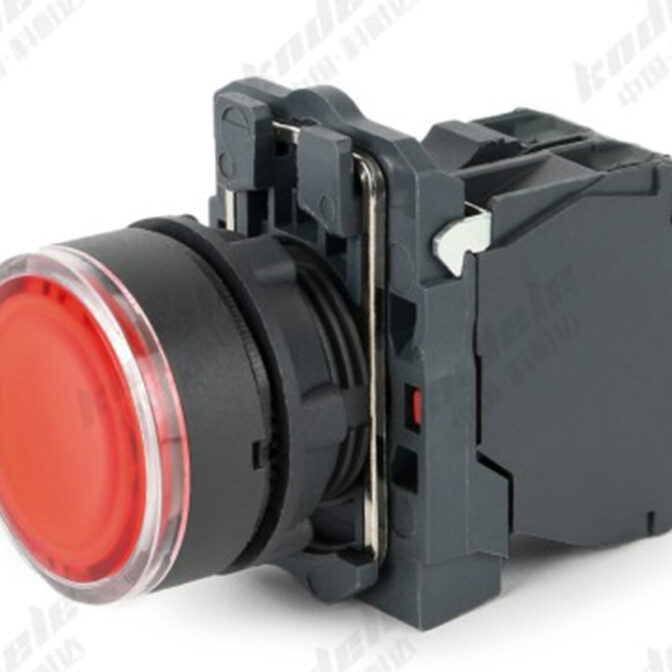
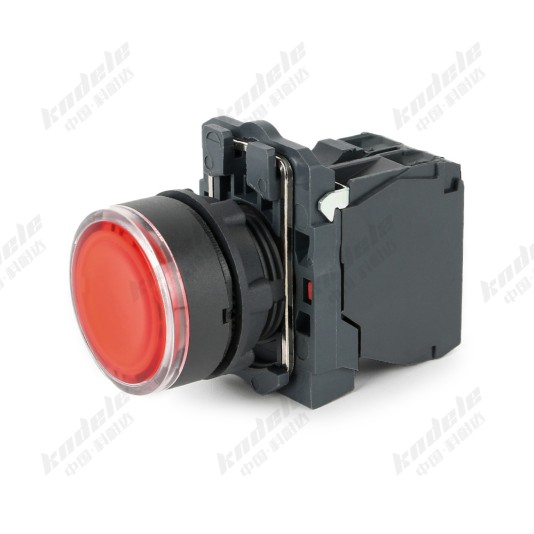
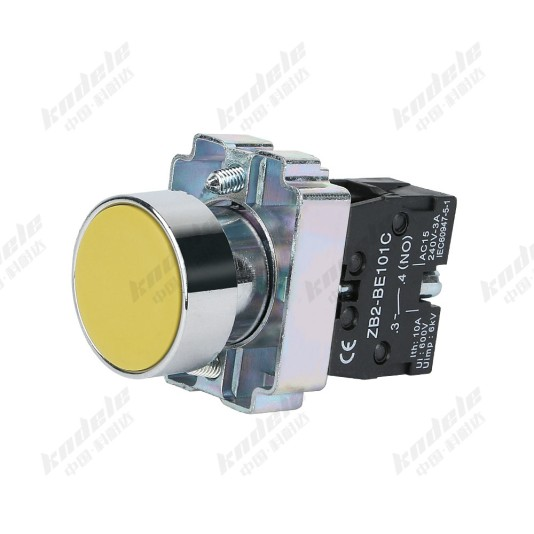
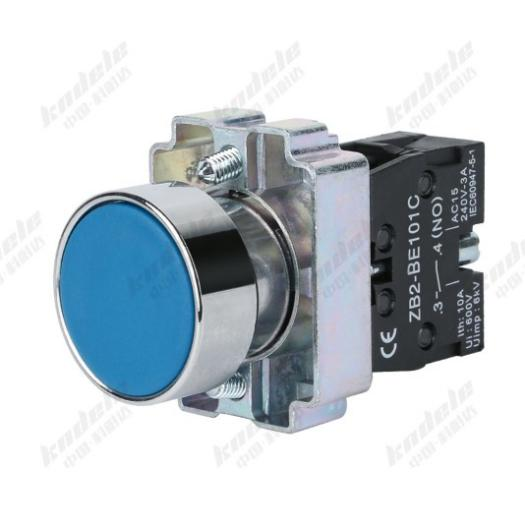
Walk into any factory control room or operator station, and you’ll see rows of colorful buttons. They might be green for “START,” red for “STOP,” or yellow for “RESET.” These seemingly simple components are the most direct and critical interface between humans and machines. Among these buttons, the XB2 Series is undoubtedly one of the most popular and widely used classic products globally.
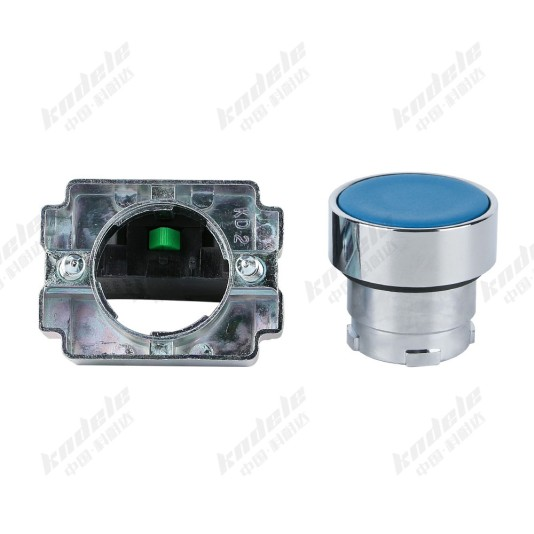
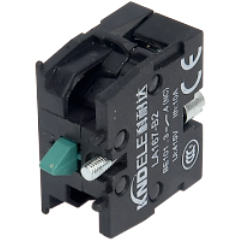
Today, let us, as the manufacturer, pull back the curtain on the XB2 Series push button switch.

1. What is a Push Button Switch?

Simply put, a push button switch is an electrical component that completes or breaks an electrical circuit when pressed. It acts like a traffic police officer, using the “command” of a finger to control the “flow” of electric current, thereby starting, stopping, or signaling equipment (like motors, lights, production lines).

2. The XB2 Series: Why a Classic Remains a Classic

The XB2 Series is not a product of one specific brand but a product series defined by International Electrotechnical Commission (IEC) standards and widely manufactured to be compatible across brands. This means that whichever compliant brand of XB2 push button you buy, they are generally interchangeable in mounting size and function. This standardized design offers tremendous convenience and flexibility.

Its classic status stems from several key features:

I.Modular Design:
This is the core advantage of the XB2 Series. You can mix and match parts like building blocks:

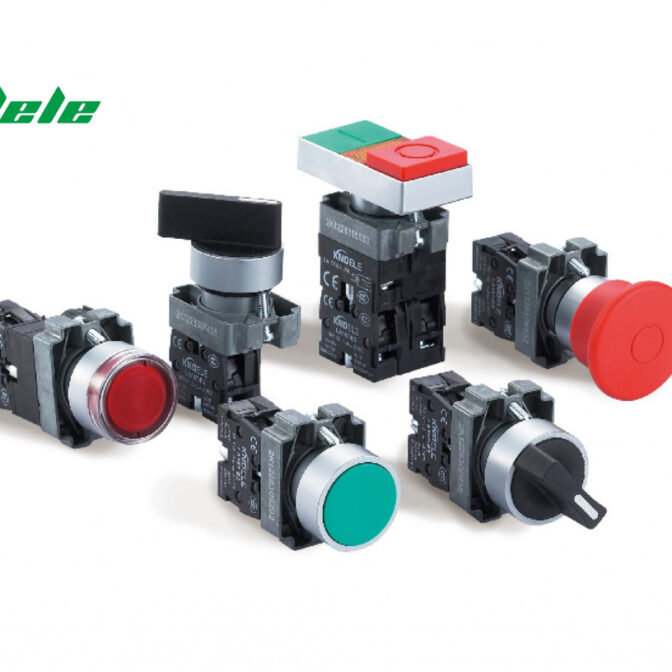
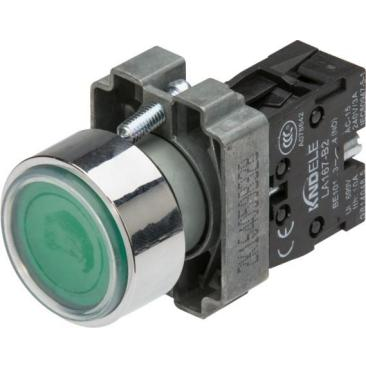
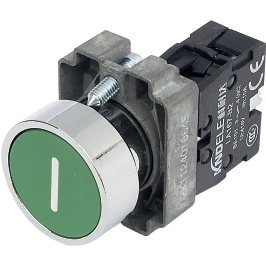
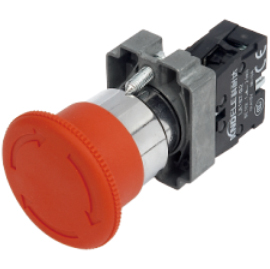
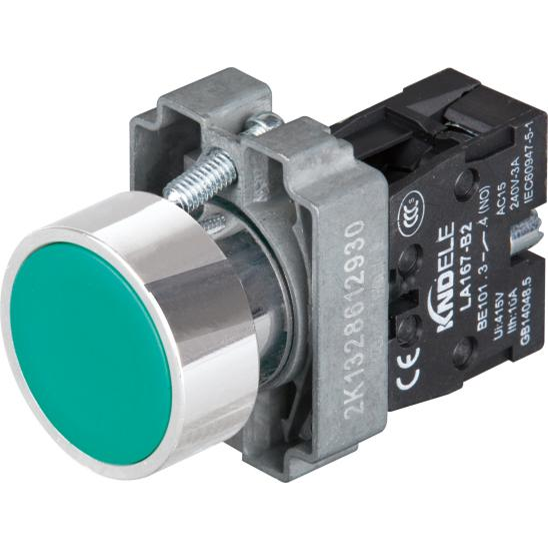
♦Button Head/Cap: Various colors (red, green, yellow, blue, white, black, etc.), shapes (round, square, mushroom head for emergency stop), and materials.

♦Contact Block: Determines the switch’s function, such as Normally Open (NO), Normally Closed (NC), or combination types. These can be easily replaced without dismantling the entire switch.

♦Indicator Light: Can integrate LEDs or bulbs to display equipment status (e.g., running, stopped, fault).

♦Mounting Holder: Supports various panel cut-out sizes (the most classic being Φ22mm).

  1. Excellent Performance and Safety:

♦High Electrical Life: Typically withstands hundreds of thousands, even millions, of press operations, making them extremely durable.

♦Protection Rating: Commonly achieves an IP65 rating, meaning it’s dust-tight and protected against water jets from any direction, making it ideal for industrial environments with dust, oil, or potential wash-downs.

♦Broad Application Range: Suitable for different control voltages and current ratings, from low-power signal circuits to power circuits directly controlling contactors.

III. Clear Tactile Feedback and Marking:

♦Operation usually provides a distinct “click” sound and tactile feedback, assuring the operator that the command has been successfully triggered.

♦The button head can easily be fitted with or printed with text or symbol labels (e.g., “START”, “STOP”), making its function immediately clear.

3. The Inner Workings of an XB2 Push Button Switch

What happens inside when we press the button? The core is an ingenious mechanical structure:

  1. Press the Button:External force drives the internal operating mechanism.
  2. Contact Action:The mechanism pushes the moving contact, causing it to quickly make contact with (close the circuit) or break away from (open the circuit) the stationary contact.

III. Reset: Releasing the button allows a spring to return it automatically to its original position (momentary type), or it remains in that state until pressed again (maintained type).

The Emergency Stop button (mushroom head button) has a special design: it is usually maintained, meaning it locks in the open (off) position when pressed and requires rotating to release and reset. This prevents accidental operation and ensures the equipment remains powered off in an emergency.

4. The Color Code: What Do Different Colors Mean?

In industrial settings, button colors follow strict standards (e.g., IEC 60073) to ensure intuitive and safe operation:

Red: Emergency, Stop, Danger. Used for emergency stop functions and stopping. This is the most critical safety color.

Green: Safety, Start, On. Used for starting equipment or energizing circuits.

Yellow: Attention, Abnormal. Used for intervention, reset, or indicating an abnormal state.

Blue: Mandatory. Used for actions that must be performed, like “Reset.”

White, Grey, Black: General Purpose. Used for functions other than start/stop, such as jog, test, etc.

5. Applications: Where Do They Work?

The XB2 Series is found in almost every industrial sector:

Machine Tools: Control panels for lathes, milling machines, punch presses.

Automated Production Lines: Start, stop, mode selection.

Lifting Equipment: Control pendants for overhead cranes, hoists.

Power Control Cabinets: As operating buttons on cabinet doors.

Packaging, Textile, Plastics Machinery… The list goes on and on!

Conclusion

The XB2 Series push button switch, with its standardization, modularity, high reliability, and safety, has become an undisputed cornerstone of industrial automation. It may be small, but it is a robust bridge connecting human intention to machine action. The next time your finger presses that crisp button, you’ll know a meticulously designed and proven world of precision is at work.

As a manufacturer, KNDELE is committed to producing XB2 Series products that meet the highest standards, ensuring your every command is executed accurately and reliably.

We hope this guide has been helpful! If you have any questions, please feel free to contact us.