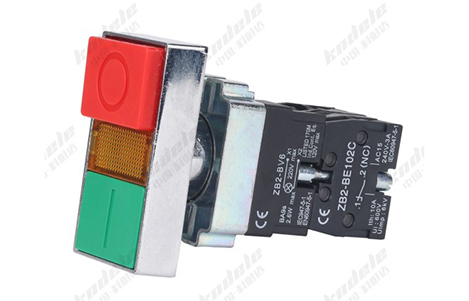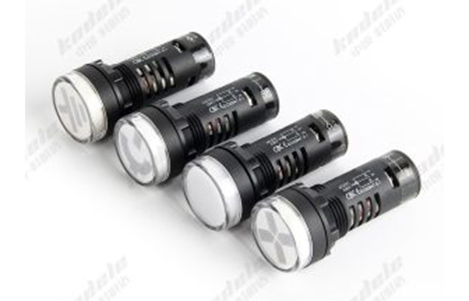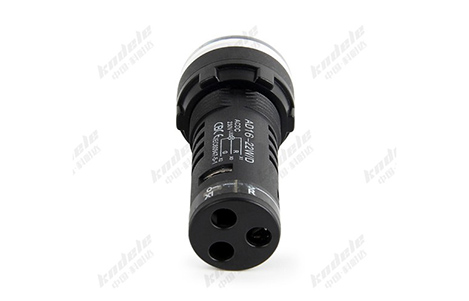
All posts by pj1junj

Advantages of Double Push Button Light Switches in Electrical Control Systems

Introduction

In modern electrical control systems, efficient and reliable operation is essential for both residential and industrial applications. Among the many switch types available, double push button light switches have become a preferred solution for controlling multiple circuits from a single location. Their unique design offers several operational, safety, and ergonomic benefits that improve system performance.
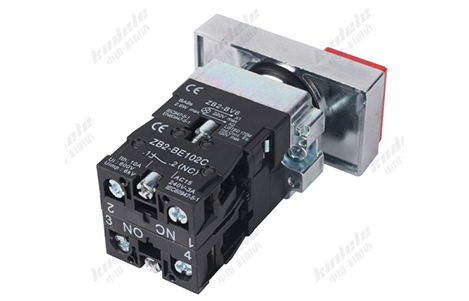
Compact and Space-Saving Design

A double push button light switch combines two independent buttons in a single unit, significantly saving wall or panel space. This is particularly useful in:

Industrial control panels, where space is limited and multiple switches are needed.

Residential installations, where multiple lighting circuits must be controlled without cluttering the wall.

Commercial buildings, where compact panels maintain a clean, professional appearance.

By reducing the number of individual switches, panel layouts are simpler, more organized, and easier to operate.

Independent Control of Multiple Circuits

Each button on a double push button switch controls a separate electrical circuit, offering flexible operation:

Home lighting systems: Control two lights or groups of lights from one switch plate.

Industrial machines: Start and stop motors or separate subsystems independently.

Commercial settings: Manage different zones of lighting or equipment from a single point.

This independent control enhances convenience, eliminates the need for additional switches, and improves workflow efficiency.

Enhanced Safety and Operational Clarity

Double push button switches often come with color-coded buttons and indicator lights, providing visual feedback on circuit status:

Red for STOP / Green for START in industrial machines.

Illuminated buttons show which circuit is active, reducing the risk of operational errors.

Momentary or latching options allow precise control of circuits based on operational needs.

Clear feedback reduces mistakes, increases operator confidence, and ensures safer operation in industrial environments.

Durability and Long Lifespan

Industrial-grade double push button switches are built for frequent and demanding use:

High-quality materials like metal or reinforced plastic resist mechanical stress.

Long mechanical life allows tens of thousands of operations without failure.

Some models have IP-rated protection, safeguarding against dust, moisture, and accidental spills.

This durability makes them ideal for heavy-duty industrial environments and high-traffic commercial applications.

Flexible Integration with Control Systems

Double push button switches are highly compatible with electrical control systems, including:

Relays and contactors in motor control circuits

PLC (Programmable Logic Controller) inputs in automation systems

Lighting circuits in residential and commercial buildings

Safety circuits for alarms and emergency resets

Their versatility allows engineers to design compact, efficient, and reliable control panels without needing extra components.

Improved Ergonomics and User Experience

With two controls in one unit, operators can perform multiple actions without moving to different locations, improving operational ergonomics:

Industrial operators can start and stop machinery quickly.

Maintenance staff can manage lighting or equipment without confusion.

Home users can control multiple lights with a single switch plate.

A well-designed double push button switch is intuitive, easy to press, and user-friendly, reducing fatigue in environments where repeated operation is required.

Cost-Effectiveness

By combining two functions into a single switch, double push button switches offer cost advantages:

Reduced number of switch units needed

Lower installation costs and wiring complexity

Less maintenance over time due to fewer components

In industrial applications, this can result in significant savings over multiple panels or large installations.

Conclusion

Double push button light switches provide a compact, reliable, and efficient solution for controlling multiple circuits in electrical control systems. Their advantages include:

Space-saving design

Independent control of multiple circuits

Enhanced safety with visual feedback

Durability for heavy-duty use

Flexible integration with control systems

Improved ergonomics and user experience

Cost-effectiveness

These benefits make double push button switches an ideal choice for industrial automation, commercial lighting, and residential projects alike. By selecting the right switch type, operators and engineers can achieve safe, efficient, and user-friendly control in any electrical system.

FAQ

1.Can a double push button switch handle high-current circuits?

Yes, industrial-grade models are designed to handle higher currents and are rated according to standard specifications.

2.Are these switches suitable for outdoor installations?

Only if they have an IP-rated enclosureto protect against moisture and dust.

3.Can they be used in smart control systems?

Yes, some models integrate with smart home or PLC-based systemsfor remote operation.

4.How long do double push button switches last?

High-quality industrial switches can perform tens of thousands of operationswithout mechanical failure.

5.Why choose a double push button switch over two separate switches?

They save space, reduce wiring complexity, improve ergonomics, and are often more cost-effective for multiple circuit control.
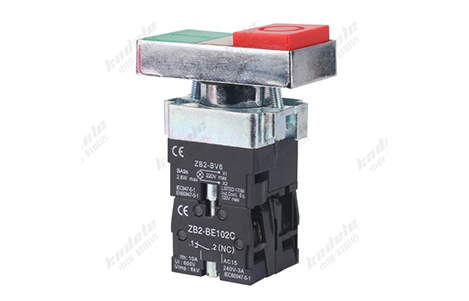
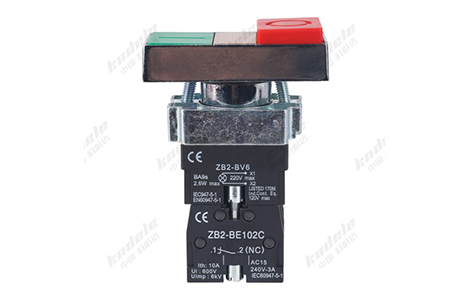
How to Choose the Right Double Push Button Light Switch for Your Project

Introduction

Selecting the right double push button light switch for your project is more than just picking a stylish wall-mounted button. Whether it’s for residential lighting, commercial spaces, or industrial control panels, choosing the correct switch ensures safety, durability, and efficient operation. This guide breaks down the key factors to consider when selecting a double push button light switch for any project.

Understand the Switch Type

Double push button switches come in different operational types, and knowing which type suits your project is the first step.

Momentary Push Button Switch

How it works: The circuit is active only while the button is pressed.

Best for: Industrial control panels, machinery start/stop operations, and automation systems.

Latching Push Button Switch

How it works: Each press toggles the circuit between ON and OFF.

Best for: Household or commercial lighting, where lights need to stay on after pressing.

Illuminated Push Button Switch

How it works: Includes built-in LED indicators to show the ON/OFF status.

Best for: Industrial panels, safety circuits, and environments where visual feedback is important.

Smart Push Button Switch

How it works: Can be integrated with smart home or building automation systems for remote control.

Best for: Modern smart homes, offices, or IoT-enabled projects.

Check Voltage and Current Ratings

It is critical to select a switch that matches the electrical requirements of your circuit.

Voltage rating: Ensure the switch can handle the voltage of the connected system (e.g., 110–240V AC for homes, 24V DC for control circuits).

Current rating: The switch must support the load of the devices it controls. Overloading can cause overheating or failure.

Always verify the manufacturer’s specifications to prevent electrical hazards.

Consider the Material and Durability

The switch material affects its lifespan and reliability, especially in industrial or high-traffic environments.

Plastic or ABS housing: Lightweight and cost-effective; ideal for residential or commercial use.

Metal housing: More durable and resistant to impact; suitable for industrial applications.

IP-rated switches: For environments exposed to moisture or dust, select switches with an IP (Ingress Protection) rating.

Choose the Right Button Configuration

Double push button switches come in different button layouts and sizes, which can affect usability:

Side-by-side buttons: Common and compact, suitable for wall-mounted panels.

Stacked buttons: Useful for vertical control panels with limited width.

Color-coded buttons: Improves user safety and reduces operational errors (e.g., red for STOP, green for START).

Evaluate Additional Features

Depending on the project, consider switches with extra features for convenience and safety:

Illumination: LED indicators show ON/OFF status.

Emergency stop integration: Can be combined with safety circuits in industrial systems.

Detachable or modular design: Easier for maintenance and replacement.

Compatibility with smart systems: Some switches can integrate with apps or home automation.

Compliance with Safety Standards

Safety should never be overlooked. Always select switches that meet relevant electrical standards:

IEC or UL certification: Ensures the switch is tested for safety and reliability.

RoHS compliance: Guarantees the switch is free from hazardous substances.

IP rating (if applicable): Confirms protection against dust and moisture.

Compliance is especially important in commercial and industrial projects to meet regulatory requirements.

Consider the Installation Environment

The physical environment affects switch selection:

Indoor vs. outdoor: Outdoor installations need weather-resistant or IP-rated switches.

Temperature extremes: For industrial applications, choose switches that can tolerate high or low temperatures.

Panel vs. wall mounting: Ensure the switch design fits the mounting type.

Factor in Aesthetics (for Residential and Commercial Use)

In homes or offices, the switch’s appearance can be just as important as functionality:

Choose colors and finishes that match your interior design.

Look for sleek and minimalistic designs for modern spaces.

Ensure button layout is intuitive and easy to use for occupants.

Check Manufacturer Support and Warranty

Reliable manufacturers offer:

Clear wiring diagrams and manuals for installation.

Technical support for troubleshooting.

Warranty covering defects or early failures.

Investing in quality ensures long-term reliability and reduces maintenance costs.

Conclusion

Choosing the right double push button light switch involves a balance of functionality, safety, durability, and aesthetics.

By considering:

Switch type (momentary, latching, illuminated, smart)

Voltage and current ratings

Material and durability

Button configuration and color coding

Additional features (indicators, modular design, smart integration)

Safety compliance (UL, IEC, IP rating)

Installation environment

Design aesthetics

FAQ

  1. Can a double push button switch be used in smart home projects?
    Yes, some modern versions can integrate with smart home systems, allowing remote control and automation.
  2. What is the difference between momentary and latching switches?
    Momentary switches activate the circuit only while pressed, while latching switches toggle the circuit ON or OFF with each press.
  3. How do I know the right voltage rating for my switch?
    Check the voltage of the lighting or control circuit; the switch must match or exceed that rating.
  4. Are all double push button switches waterproof?
    No. Only switches with an IP rating (e.g., IP65) are suitable for wet or dusty environments.
  5. Is it necessary to buy switches with indicator lights?
    Indicator lights are optional but useful in industrial and commercial settings for visual feedback of circuit status.

Common Applications of Double Push Button Light Switches in Industrial Control Panels

Introduction

In modern industrial environments, control panels play a critical role in operating machines, managing electrical systems, and ensuring safe production processes. Among the many control components used in these panels, double push button light switches are widely valued for their ability to control multiple functions within a compact interface.

By combining two push buttons in a single unit—often with built-in indicator lights—these switches allow operators to control two separate functions quickly and efficiently. This article explores the most common applications of double push button light switches in industrial control panels and explains why they are essential for modern automation systems.

Start and Stop Control for Industrial Equipment

One of the most common uses of double push button switches in industrial control panels is start/stop control for machinery.

In this configuration:

One push button is used to start the machine

The other push button is used to stop the machine

Often, the buttons are color-coded for safety and clarity:

Green button – Start

Red button – Stop

Indicator lights built into the switch can also provide visual feedback, showing whether the equipment is currently running or stopped. This setup is commonly found in:

Conveyor systems

Pump control panels

Motor control centers

Manufacturing equipment

The combination of two controls in a single unit helps simplify panel layouts and improves operator efficiency.

Forward and Reverse Motor Control

In many industrial processes, electric motors must run in both forward and reverse directions. Double push button switches are frequently used to control these operations.

Typical operation includes:

One button for forward rotation

One button for reverse rotation

This type of control is common in systems such as:

Hoists and cranes

Winches

Industrial mixers

Material handling equipment

Conveyor belt direction control

By integrating both commands into a single switch assembly, operators can quickly change motor direction without searching for separate controls.

Dual Lighting Control in Control Panels

Industrial control panels often contain multiple internal lighting systems used for maintenance and monitoring.

Double push button switches can be used to control:

Panel interior lighting

External status lighting or workspace lighting

For example:

One button activates the internal cabinet light when technicians open the panel.

The second button controls an external work light near the equipment.

This configuration improves visibility during inspection and maintenance tasks, especially in large industrial facilities or low-light environments.

Alarm Reset and System Acknowledgment

Many industrial automation systems include alarm and warning mechanisms that notify operators of faults or abnormal conditions.

A double push button switch can be used for alarm management functions, such as:

Alarm reset

Alarm acknowledgment

For example:

The first button acknowledges the alarm, confirming that the operator has noticed it.

The second button resets the alarm after the issue has been resolved.

Indicator lights integrated into the switch can display the system status, such as:

Alarm active

Alarm acknowledged

System normal

This configuration improves operational safety and ensures clear communication between machines and operators.

Manual Override and Automatic Mode Switching

Industrial machines often operate in automatic mode, but technicians sometimes need to switch to manual mode for testing, maintenance, or troubleshooting.

A double push button switch can control these modes:

One button activates automatic operation

The other button enables manual control

This type of configuration is commonly used in:

PLC-based automation systems

Packaging machines

Production lines

Robotic systems

Indicator lights help operators quickly identify the active operating mode, reducing the risk of operational errors.

Equipment Testing and Maintenance Functions

During maintenance and diagnostics, technicians may need to temporarily operate equipment without running the full production process.

Double push button switches can be used for:

Test run functions

Component activation during maintenance

For example:

One button activates a test cycle

The other button stops the test

This setup is often found in control panels for:

HVAC systems

Industrial compressors

Pump stations

Electrical distribution systems

Having both functions within one switch simplifies maintenance procedures and reduces panel complexity.

Emergency Auxiliary Controls

While emergency stop functions are typically handled by dedicated E-stop buttons, double push button switches can still provide secondary safety functions, such as:

Resetting safety circuits

Activating backup systems

Enabling safety lock releases

These auxiliary safety controls are commonly used in:

Machine safety circuits

Power distribution cabinets

Automated production equipment

Their compact design allows them to be installed easily in crowded control panels.

Advantages in Industrial Control Panels

Double push button light switches offer several advantages that make them ideal for industrial control systems.

Space Efficiency

Industrial panels often contain many components. Combining two controls into one switch saves valuable panel space.

Clear Operator Interface

Dual buttons with indicator lights provide clear visual feedback, helping operators quickly understand machine status.

Improved Operational Efficiency

Operators can control multiple functions from a single location, reducing response time.

Reliable Mechanical Operation

Industrial push button switches are designed for high durability and long service life, even in demanding environments.

Flexible Integration

They can be easily integrated with PLCs, relays, motor starters, and other automation components.

Conclusion

Double push button light switches play a vital role in industrial control panels, offering a compact and efficient way to manage multiple machine functions. From start/stop controls and motor direction switching to alarm management and system mode selection, these switches improve both operational efficiency and safety.

As industrial automation systems continue to evolve, double push button switches remain an essential interface between human operators and complex machinery, helping ensure smooth, reliable, and safe industrial operations.

FAQ

1. Why are double push button switches used in control panels?

They allow operators to control two functions using a single switch unit, saving space and simplifying panel design.

2. Can double push button switches include indicator lights?

Yes. Many industrial models include LED indicators to display machine status or circuit activity.

3. Are these switches compatible with PLC systems?

Yes. Double push button switches can be connected to PLC inputs, relays, and other industrial control components.

4. What industries commonly use these switches?

They are widely used in manufacturing, automation, energy systems, material handling, and industrial machinery.

5. Are double push button switches durable enough for industrial environments?

Industrial-grade switches are designed to withstand frequent operation, vibration, and harsh environmental conditions, making them suitable for demanding applications.

What Is a Double Push Button Light Switch and How Does It Work?

Introduction

In modern residential, commercial, and industrial electrical systems, lighting control plays an important role in improving convenience, efficiency, and safety. Among the many types of switches available, the double push button light switch is widely used where two separate lighting circuits need to be controlled from a single location.

What Is a Double Push Button Light Switch?

A double push button light switch is a type of electrical switch that contains two independent push buttons within one switch unit. Each button controls a separate electrical circuit, allowing users to operate two different lights or devices from the same switch panel.

Unlike traditional rocker or toggle switches, push button switches operate through momentary or latching mechanical action when pressed.

Key Characteristics

Two buttons in one switch module

Controls two independent lighting circuits

Compact design for saving wall space

Easy operation with a simple press

Suitable for residential, commercial, and industrial environments

Double push button switches are commonly installed in living rooms, hallways, offices, control panels, and machinery panels where multiple lights or functions must be controlled conveniently.

Main Components of a Double Push Button Switch

A typical double push button light switch consists of several internal components that work together to control electrical circuits.

Push Buttons

The external buttons that users press to operate the switch. Each button corresponds to a separate circuit.

Internal Contacts

Metal contacts inside the switch open or close the electrical circuit when the button is pressed.

Spring Mechanism

A small spring returns the button to its original position after it is pressed.

Housing

The outer casing that protects the internal components and allows installation in wall boxes or electrical panels.

Terminals

Connection points where electrical wires are attached to the switch.

How Does a Double Push Button Light Switch Work?

The working principle of a double push button light switch is based on opening and closing an electrical circuit.

Step-by-Step Operation

Idle State

When the switch is not pressed, the internal contacts remain either open or closed depending on the switch design.

Button Press

When the user presses one of the buttons, the internal contact mechanism moves.

Circuit Change

The movement either:

Closes the circuit (turning the light ON), or

Opens the circuit (turning the light OFF).

Return Mechanism

The spring inside the switch resets the button to its original position after the press.

Each button operates independently, allowing two separate lighting systems or electrical devices to be controlled without interfering with each other.

Types of Double Push Button Light Switches

Double push button switches come in several variations depending on their operating mechanism.

Momentary Push Button Switch

The circuit remains active only while the button is pressed. This type is commonly used in control systems and automation panels.

Latching Push Button Switch

Each press toggles the circuit between ON and OFF states. This type is commonly used for lighting control.

Illuminated Push Button Switch

These switches include built-in indicator lights that show whether the circuit is active.

Smart Push Button Switch

Modern versions can be integrated into smart home systems, allowing remote control through apps or automation systems.

Common Applications

Double push button light switches are used in many different environments.

Residential Applications

Living rooms controlling main light and decorative light

Bedroom lighting systems

Staircase or hallway lighting

Commercial Buildings

Office lighting zones

Conference room lights

Hotel room lighting control

Industrial Applications

Machinery start/stop controls

Electrical control panels

Automation systems

Because they allow multiple circuits to be controlled in a compact space, they are especially useful where panel space is limited.

Advantages of Double Push Button Light Switches

Space-Saving Design

Two switches are combined into one unit, reducing the number of wall switches needed.

Convenient Operation

Users can easily control multiple lights from a single location.

Improved Aesthetics

Fewer wall plates create a cleaner and more modern appearance.

Flexible Control

Each button operates independently, allowing flexible lighting configurations.

Versatile Applications

Suitable for residential, commercial, and industrial installations.

Installation Considerations

When installing a double push button light switch, several factors should be considered:

Voltage rating compatibility

Proper wiring connections

Load capacity of each circuit

Compliance with electrical safety standards

It is recommended that installation be performed by a qualified electrician to ensure safety and reliability.

Conclusion

A double push button light switch is a practical and efficient solution for controlling two independent lighting circuits from a single switch unit. With its compact design, simple operation, and versatile applications, it is widely used in homes, offices, and industrial environments.

As electrical systems continue to evolve toward smarter and more space-efficient designs, double push button switches remain an essential component in modern lighting control systems.

FAQ

1. What is the difference between a push button switch and a toggle switch?

A push button switch is operated by pressing a button, while a toggle switch uses a lever that flips between positions. Push buttons are often more compact and suitable for modern control systems.

2. Can a double push button switch control two different lights?

Yes. Each button controls a separate circuit, allowing two different lights or devices to be operated independently.

3. Are double push button switches safe for home use?

Yes, as long as they are properly installed and rated for the correct voltage and load.

4. Can double push button switches be used in smart home systems?

Some modern models support smart home integration and can be connected to automation systems or wireless controllers.

5. Where are double push button switches most commonly used?

They are commonly used in homes, offices, hotels, and industrial control panels where multiple circuits need to be controlled from a single location.

Innovations in Smart Indicator Lights: IoT and Remote Monitoring

Introduction

The evolution of industrial automation has transformed even the simplest components into smart, connected devices. Smart indicator lights are a prime example of this trend, combining traditional visual signaling with IoT connectivity and remote monitoring capabilities. These innovations improve efficiency, safety, and predictive maintenance in modern industrial systems.

What Are Smart Indicator Lights?

Smart indicator lights are advanced visual signaling devices that integrate LED technology, sensors, and network connectivity. Unlike conventional indicator lights, smart indicators can communicate real-time status information to centralized monitoring systems, providing more than just local visual cues.

Key Features:

LED-based for energy efficiency and longevity

Connectivity with PLCs, SCADA systems, or IoT platforms

Programmable color and blinking patterns

Real-time alerts for faults, maintenance needs, or operational changes

IoT Integration and Remote Monitoring

1. Real-Time Data Transmission

Smart indicator lights can transmit operational data over wired or wireless networks, enabling operators and managers to:

Monitor machine status remotely

Track process performance

Receive instant alerts for abnormal conditions

This reduces the need for physical inspections and allows quicker response to issues.

2. Integration with Automation Systems

By integrating with PLC, SCADA, and IoT platforms, smart indicator lights become part of a larger ecosystem:

Automatically signal faults or maintenance requirements

Trigger notifications to mobile devices or control rooms

Enhance coordination between machines and operators

3. Predictive Maintenance Support

Some smart indicators can track operating hours, temperature, or voltage fluctuations, providing data that helps predict failures before they happen. This predictive approach reduces downtime and improves overall operational efficiency.

Advantages of Smart Indicator Lights

Advantage Description
Remote Visibility Monitor equipment status without being physically present on-site.
Enhanced Safety Early detection of faults prevents accidents and system damage.
Reduced Downtime Real-time alerts enable faster corrective actions.
Energy Efficiency LED technology minimizes power consumption while providing bright, reliable signals.
Data-Driven Maintenance Integration with IoT platforms supports predictive maintenance strategies.

Typical Applications

Industrial Automation – Smart indicator lights integrated with PLCs or SCADA systems for process monitoring

Smart Factories – Real-time alerts for operational efficiency and predictive maintenance

Energy Management Systems – Visual and remote monitoring of electrical circuits and equipment

Robotics and Automated Lines – Multi-color smart indicators signal operational stages, errors, or downtime

Remote Facilities – Reduce the need for on-site inspections in geographically dispersed operations

Best Practices for Implementing Smart Indicator Lights

Choose Compatible Devices – Ensure smart indicators are compatible with your network protocol (Modbus, MQTT, Ethernet/IP, etc.).

Standardize Color Codes – Maintain clarity with conventional signaling (green = normal, red = fault, yellow = warning).

Plan for Network Security – Protect IoT-enabled devices from unauthorized access.

Integrate with Monitoring Dashboards – Visualize indicator status alongside other industrial metrics for faster decision-making.

Maintain Regular Calibration and Firmware Updates – Ensure reliable operation and security of connected devices.

Conclusion

Smart indicator lights are revolutionizing the way industrial facilities and automation systems manage equipment status. By combining LED efficiency, IoT connectivity, and remote monitoring, these devices provide real-time visibility, predictive maintenance capabilities, and enhanced safety.

For manufacturers and industrial operators, adopting smart indicator lights means faster response times, lower downtime, and a more data-driven approach to operations, transforming simple visual indicators into powerful tools for modern industrial management.

FAQ

Q1: How are smart indicator lights different from traditional LEDs?
A: They offer IoT connectivity, real-time monitoring, programmable signals, and integration with automation systems, unlike standard LEDs that provide only local visual cues.

Q2: Can smart indicator lights work in harsh industrial environments?
A: Yes, high-quality smart indicators are designed for industrial temperatures, vibration, dust, and moisture, ensuring reliable operation.

Q3: What network protocols are commonly supported by smart indicator lights?
A: Common protocols include Modbus, MQTT, Ethernet/IP, and proprietary industrial IoT protocols, depending on the manufacturer.

Troubleshooting Common Indicator Light Issues

Introduction

Indicator lights are essential components in industrial, commercial, and automation systems. They provide operators with real-time information about equipment status, helping prevent faults, accidents, and downtime. However, like any electrical device, indicator lights can experience issues that affect visibility, accuracy, or reliability. Understanding how to troubleshoot these problems is key to maintaining efficient and safe operations.

Common Problems with Indicator Lights

Indicator Light Not Turning On

Possible Causes:

Power supply issues (no voltage or blown fuse)

Loose or disconnected wiring

Burned-out LED or bulb

Incorrect voltage rating

Troubleshooting Steps:

Verify the power supply to the light. Check fuses, circuit breakers, and connections.

Inspect wiring for loose or damaged connections.

Confirm that the indicator light matches the system voltage.

Replace the light if it is burned out or defective.

Flickering or Intermittent Operation

Possible Causes:

Loose connections or poor soldering

Voltage fluctuations in the system

Aging or low-quality LED components

Troubleshooting Steps:

Check and tighten all electrical connections.

Measure the system voltage to ensure it is stable and within the indicator’s range.

Replace aging or low-quality indicators with industrial-grade LEDs.

Dim or Weak Light

Possible Causes:

Low input voltage

Dirty or obstructed lens

Aging LED or incandescent bulb

Troubleshooting Steps:

Verify that the voltage supplied to the indicator is correct.

Clean the lens or cover to remove dust or grime.

Replace the indicator if the light output is insufficient due to aging.

Wrong Color or Confusing Signals

Possible Causes:

Incorrect wiring or cross-connection

Faulty bi-color or tri-color indicator

Lack of standard color coding

Troubleshooting Steps:

Double-check wiring according to the schematic.

Test the indicator function individually to ensure correct color transitions.

Implement standard color coding (green = normal, red = fault, yellow = warning).

Excessive Heat or Burned Indicator

Possible Causes:

Over-voltage or incorrect current rating

Prolonged operation beyond design limits

Poor ventilation in enclosed panels

Troubleshooting Steps:

Confirm that the indicator light is rated for system voltage and current.

Ensure proper ventilation around the panel or mounting area.

Replace the indicator if it is damaged by overheating.

Tips for Preventing Indicator Light Issues

Use High-Quality Components – Invest in industrial-grade LEDs for reliability.

Follow Wiring Standards – Correct installation reduces wiring errors and signal confusion.

Regular Maintenance – Inspect indicators during routine checks and clean lenses.

Monitor Environmental Conditions – Protect lights from excessive heat, moisture, or dust.

Integrate with Smart Systems – Remote monitoring can alert operators to early signs of indicator failure.

Conclusion

Troubleshooting indicator light issues is crucial for maintaining safe and efficient industrial operations. By identifying common problems such as non-functioning lights, flickering, dimming, wrong colors, or overheating, operators can take timely action to prevent equipment downtime and improve safety.

Proper installation, maintenance, and selection of high-quality indicators ensure long-lasting performance, reducing the need for frequent replacements and supporting smooth workflow in industrial, commercial, and automation systems.

FAQ

Q1: How can I tell if an LED indicator is faulty?
A: Check if the light fails to turn on, flickers, or shows inconsistent colors despite correct wiring and voltage.

Q2: Can flickering indicators damage equipment?
A: Usually, they do not harm equipment, but they indicate unstable voltage or loose connections that should be corrected.

Q3: How often should indicator lights be inspected?
A: Ideally, during routine maintenance cycles, such as monthly or quarterly inspections, depending on system criticality.