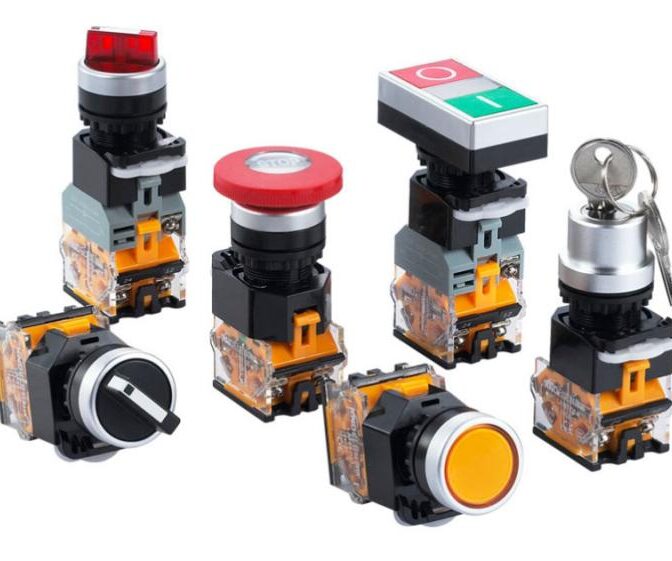
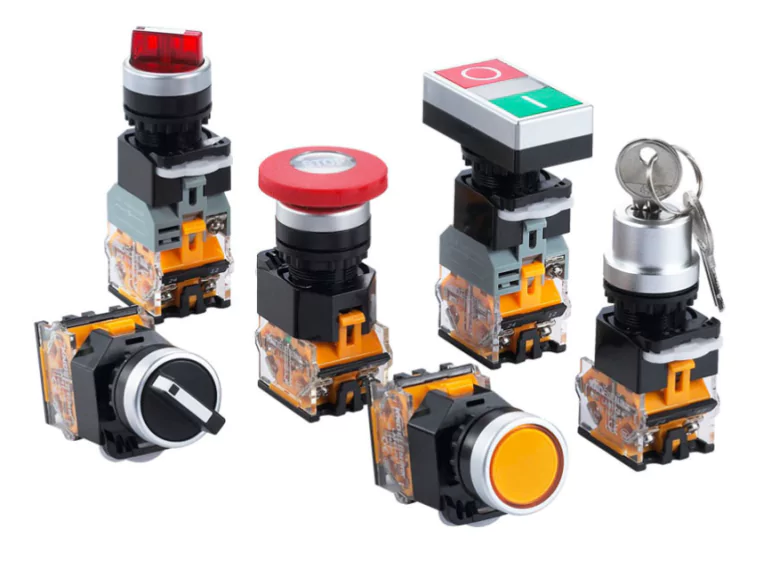
All posts by pj1junj

Interpretation of the Spring Button Switches Market Report – Global Forecast 2025-2033

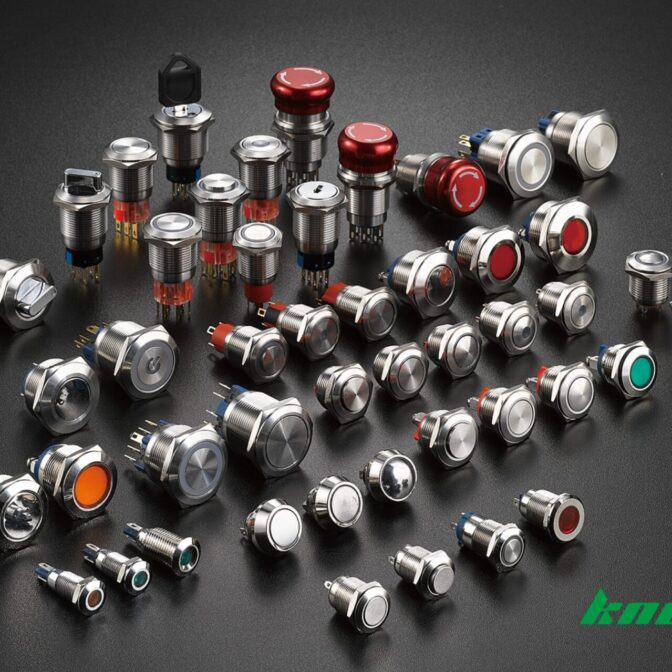
Spring button switches may seem like small components, but they play a crucial role in our daily lives—from the keyboards we type on to the cars we drive. A recent market report ”Spring Push-Button Switch Market Report | Global Forecast From 2025 To 2033” by Raksha Sharma forecasts significant growth for this industry, projecting the global market size to expand from $1.5 billion in 2023 to $2.8 billion by 2032, with a compound annual growth rate (CAGR) of 7.0%. Let’s break down the key insights from this report in simple terms.

What’s Driving the Growth?

Growth Driver Key Applications Market Impact
Consumer Electronics Boom Smartphones, tablets, smart home devices Drives demand for durable, high-performance switches with tactile feedback and long life cycles
Automotive Advancements Infotainment, climate control, ADAS, electric vehicle controls Increases need for reliable, compact switches in expanding vehicle electronics
Industrial Automation Control panels, factory machinery, robotics Fuels switch demand due to rising automation, requiring precision and long-lasting components

Consumer Electronics Boom

The demand for smartphones, tablets, and smart home devices is skyrocketing. These gadgets rely on high-quality, durable spring button switches for seamless operation. As consumers expect more intuitive and responsive interfaces, manufacturers are innovating to deliver switches with better tactile feedback and longevity.

Automotive Advancements

Modern vehicles are packed with electronic systems—infotainment, climate control, and advanced driver-assistance systems (ADAS)—all requiring reliable switches. The shift toward electric vehicles (EVs) is also creating new opportunities, as these cars depend heavily on electronic controls.

Industrial Automation

Factories and production facilities are increasingly adopting automation and Industry 4.0 technologies. Spring button switches are essential in control panels and machinery, where durability and precision are critical. The rise of smart manufacturing is further fueling this demand.

Key Market Segments

By Type:   Momentary vs. Latching Switches

Momentary Switches: These only work while pressed (think keyboard keys or calculator buttons). They’re favored for their simplicity and instant feedback.

Latching Switches: These stay on or off until pressed again (like power buttons). They’re ideal for applications needing a stable state, such as industrial controls or home automation systems.

By Application: Where Are These Switches Used? 

Consumer Electronics: Smartphones, laptops, and home automation systems.

Automotive: Infotainment systems, EV controls, and dashboard interfaces.

Industrial: Machinery, control panels, and robotics.

Medical & Aerospace: High-reliability switches for diagnostic equipment and cockpit controls.

Regional Hotspots

Asia Pacific: Dominates the market due to rapid industrialization and a booming electronics sector in China, Japan, and South Korea.

North America & Europe: Strong demand from advanced automotive and industrial sectors, with a focus on smart technologies.

Emerging Markets: Latin America and the Middle East & Africa are catching up, driven by gradual automation adoption.

Challenges and Opportunities

While the market is growing, manufacturers face challenges like intense competition and the need for continuous innovation. However, opportunities abound:

Smart Technologies: Integrating IoT-enabled switches for remote control and automation.

Sustainability: Developing eco-friendly switches to meet green standards.

Emerging Markets: Expanding into regions with growing industrialization.

Who Are the Key Players?

Major companies like TE Connectivity, Schneider, APEM (IDEC), Honeywell, and NKK Switches lead the market, focusing on innovation and customization. Their ability to deliver reliable, high-performance switches ensures they stay ahead in this competitive landscape.

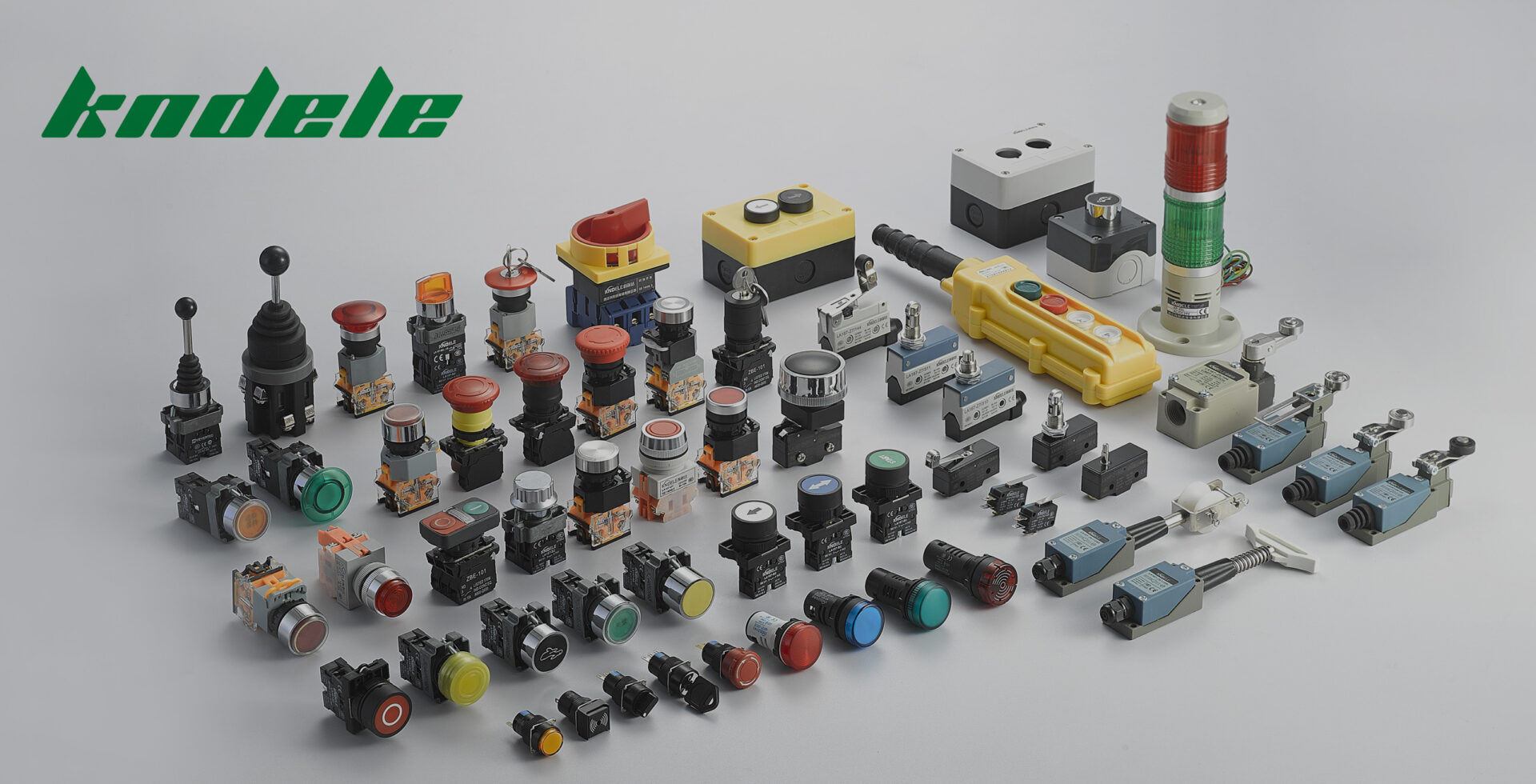
Kndele LOGO

Final Thoughts

The spring button switch market is set for steady growth, fueled by technological advancements and increasing automation across industries. Whether in your smartphone, car, or factory equipment, these tiny components are making a big impact—and their future looks brighter than ever.

Stay tuned as this small but mighty industry continues to evolve!

The Evolution of Spring Push-Button Switch Distribution Channels: Opportunities and Challenges in the Omnichannel Era

As fundamental electronic components in the industrial sector, the distribution channel transformation of spring push-button switches reflects the digital transformation trend across the entire B2B market. The competition between traditional offline channels and emerging e-commerce platforms is reshaping the competitive landscape of this multi-billion dollar market.

Offline Channels: Traditional Advantages Amid Transformation Pressures

Physical distribution networks maintain their market foothold through three core advantages:

Tangible Experience Value: Engineers can physically test switch travel, tactile feedback, and durability before purchase

Immediate Delivery Capability: Electrical component stores near industrial zones offer “order-and-pickup” services

Professional Technical Support: Experienced sales staff provide selection advice based on application scenarios (e.g., medical devices vs. construction machinery)

However, traditional channels face challenges including rising inventory costs (averaging 18% of revenue) and limited service radius. A German switch manufacturer’s survey revealed that 42% of industrial clients have reduced procurement frequency from local distributors.

Explosive Growth of E-commerce Channels

With global industrial e-commerce transactions exceeding $1.2 trillion in 2023, online sales of spring switches exhibit three characteristic trends:

Procurement Scenario Migration: 57% online penetration rate for MRO (Maintenance, Repair, Operations) purchases

Decision-Making Transformation: Engineers complete 75% of purchasing decisions through digital content like 3D product models and demonstration videos

Service Demand Upgrade: 62% of buyers require instant response online technical support

Industry leaders like Digi-Key showcase over 50,000 switch SKUs with “order-by-noon, next-day-delivery” logistics services – advantages traditional distributors struggle to match.

Implementation Paths for Omnichannel Strategies

Leading manufacturers are building a “three-dimensional” channel system:

Digital Frontend: Proprietary e-commerce platforms + vertical marketplace presence

Intelligent Middle Platform: Customer Data Platform (CDP) integrating online-offline behavioral data

Flexible Backend: Regional warehouse networks enabling omnichannel order fulfillment

Omron’s model combining “online technical selection + offline experience centers + regional warehouse direct shipping” has reduced customer procurement cycles by 40%.

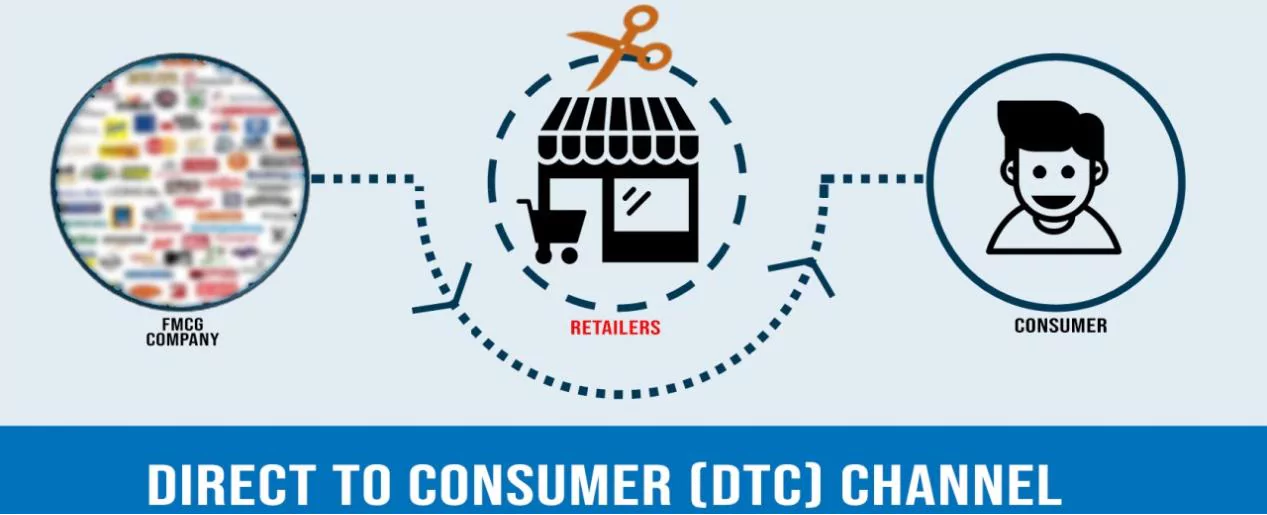
Industrial Applications of DTC Models

Unlike consumer goods DTC, industrial component direct sales must address unique challenges:

Technical Barriers: Developing online selection engines with 200+ technical parameter filters

Service Depth: Providing value-added services like online EMC simulation

Customer Segmentation: Retaining dedicated account managers for strategic accounts

One U.S. switch manufacturer’s practice shows DTC channels reduce SME customer acquisition costs by 62%, while large clients still prefer dedicated account services.

Future Trend Predictions

Channel Intelligence: AI customer service handling 70% of routine technical inquiries

Service Productization: Extended warranties, periodic calibration becoming new profit centers

Ecosystem Synergy: Collaborative product selection databases with automation equipment manufacturers

Conclusion

In this era of fragmented touchpoints, successful switch manufacturers are redefining channel value – transforming from mere distribution nodes into enablers of customer technical decision-making. Companies that can blend digital efficiency with humanized services will gain competitive advantage in this new wave of channel transformation.

Metal Push Buttons vs Plastic Push Buttons: Which is Better for Your Product?

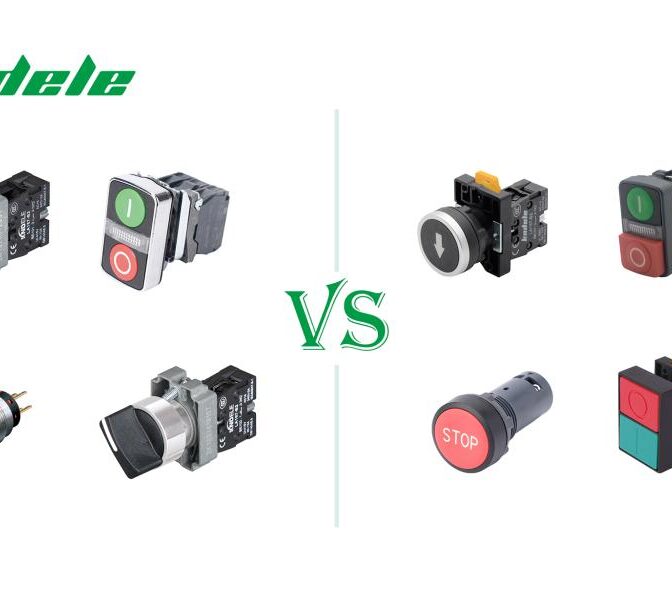
Push buttons are essential in countless devices, from industrial machines to consumer electronics. Several factors come into play when choosing between metal push buttons and plastic push buttons, including durability, cost, and application requirements. In this guide, we’ll compare the two types, discuss their pros and cons, and help you decide which is the best fit for your product.

Metal Push Buttons vs Plastic Push Buttons

What Are Metal Push Buttons and Plastic Push Buttons?

1. Metal Push Buttons

Metal push buttons are made from materials like stainless steel, aluminum, brass, or zinc alloy. They are known for their strength, durability, and premium feel, making them ideal for high-end or heavy-duty applications.

Common Metal Button Series:

  • Stainless Steel Buttons–Resistant to corrosion, ideal for harsh environments.
  • Aluminum Buttons– Lightweight yet strong, often used in automotive and aerospace.
  • Brass Buttons– Excellent conductivity, commonly used in electrical switches.

2. Plastic Push Buttons

Plastic buttons are typically made from polycarbonate (PC), ABS, nylon, or POM (acetal). They are lightweight, cost-effective, and available in various colors and shapes, making them popular in consumer electronics and household appliances.

Common Plastic Button Series:

  • ABS Buttons – Affordable and impact-resistant, widely used in toys and low-cost devices.
  • Polycarbonate (PC) Buttons – High heat resistance, suitable for industrial controls.
  • Nylon Buttons – Good wear resistance, often used in machinery.
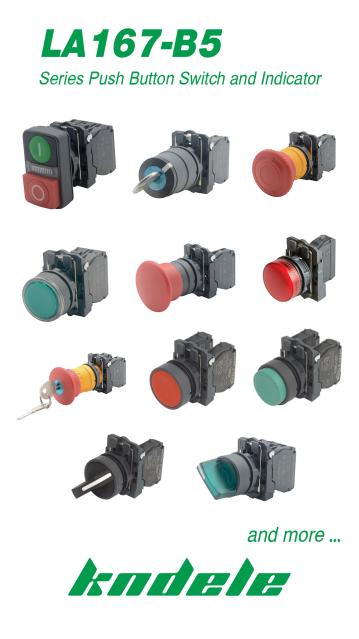
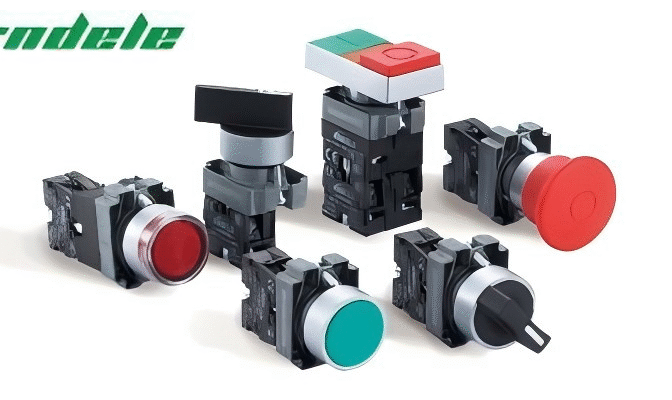
KNDELE LA167-B5 Series Push Button Switch and indicator

Key Differences: Metal vs. Plastic Buttons

Feature Metal Buttons Plastic Buttons
Durability Extremely durable, resistant to wear and impact Good durability, but can crack under extreme stress
Cost More expensive due to material and machining costs Cheaper, especially for mass production
Weight Heavier, which may not suit portable devices Lightweight, ideal for handheld electronics
Aesthetic Premium, professional look (brushed, polished, or coated finishes) Can be molded in various colors and textures
Temperature Resistance Handles high temperatures well (e.g., industrial ovens, automotive) May warp under extreme heat (unless high-grade plastic is used)
Electrical Conductivity Conductive (requires insulation for safe use in circuits) Naturally insulating, safer for electronics
Corrosion Resistance Stainless steel resists rust; other metals may need coatings Does not corrode, but may degrade under UV exposure

Which Should You Choose? Decision Guide

When to Choose Metal Buttons:

✅ Industrial & Heavy-Duty Use – Machines, automotive dashboards, military equipment.
✅ High-End Products – Premium appliances, luxury electronics.
✅ Harsh Environments – Outdoor, marine, or chemical-exposed settings.

When to Choose Plastic Buttons:

✅ Consumer Electronics – Remote controls, toys, home appliances.
✅ Budget-Friendly Products – Where cost efficiency is key.
✅ Custom Shapes & Colors – When branding or design flexibility is important.

Why Choose KND Buttons?

At KNDELE, we specialize in manufacturing high-quality metal and plastic buttons tailored to your needs.

  • Metal Buttons: Precision-machined stainless steel, aluminum, and brass buttons with IP65 waterproof ratings, anti-corrosion coatings, and custom engraving options.
    ● Plastic Buttons: Durable ABS, PC, and nylon buttons with UV resistance, ergonomic designs, and customizable colors.

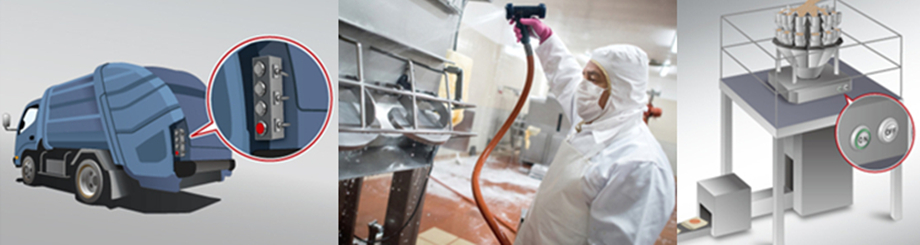
Whether you’re designing a rugged industrial control system or a sleek consumer device, understanding how push buttons are used across industries can guide your choice. At KNDELE, we provide high-quality solutions for both ends of the spectrum—rugged industrial switches and sleek consumer electronics buttons—backed by competitive pricing, fast prototyping, and OEM/ODM support. Explore our in-depth guide to push button switch applications to make a more informed decision.

Emergency Stop Switch Connection Guide: How to Wire an E-Stop Button Safely

An emergency stop switch, commonly known as an E-stop button, is a vital safety device used in industrial machines, automation equipment, and control systems. It allows immediate power cutoff during critical failures or hazards, helping prevent serious injury or equipment damage.

Whether you’re upgrading machinery or doing a fresh emergency stop switch installation, a proper wiring connection, safe configuration, and function testing are essential.

In this guide, you’ll learn everything from how to wire an emergency stop switch, understand the working principle of NC contacts, and troubleshoot common issues, with step-by-step instructions and expert tips.

What is an Emergency Stop Switch?

An emergency stop switch (E-stop button) is a type of safety switch that instantly cuts power to connected equipment during emergencies. Unlike standard on/off switches, an E-stop must be manually reset after activation.

Key features of an emergency stop switch:

  • Operates via normally closed (NC) contacts, ensuring a fail-safe design

  • Breaks the circuit immediately for fast shutdown

  • Must be manually released (pull or twist to reset)

  • Compliant with ISO 13850, IEC 60947, and other international safety standards

You’ll typically find these switches in factory conveyor systems, robotic arms, CNC machines, and other automated industrial setups.

How Does an Emergency Stop Switch Work?

The primary goal of an emergency stop switch is to eliminate power to a system when active so that it does not operate. You can initiate this action by pressing the switch, effectively opening and closing electrical contacts to cut off power to the supplied circuit, ensuring safety.

Most E-stops use a normally closed (NC) contact configuration. This means:

  • Under normal operation, the circuit remains closed, allowing current to flow.
  • When pressed, the contacts open, breaking the circuit and stopping the machine.
  • The switch locks in place until manually reset (usually by twisting or pulling).

Some E-stops also have dual-channel wiring for redundancy, ensuring safety even if one contact fails.

How to Connect an Emergency Stop Switch

1. Choose the Right E-Stop Switch

Choosing the correct emergency stop button is the first step toward safe wiring. Consider these criteria:

  • Voltage & Current Rating – Must match your machine’s control voltage.

  • Contact Type – Always use NC (normally closed) for safety applications

  • Mounting Options – Panel-mounted, cable-pull, or foot-operated types depending on your use case

2. Emergency Stop Switch Wiring

Below is a simple method for emergency stop switch connection using a single NC contact:

2.1 Basic Single-Channel Wiring (NC Circuit)

  1. Disconnect power to the machine before wiring.
  2. Identify the terminals (usually labeled “NO” and “NC”). Use the wiring schematic to aid you in establishing the necessary connections.
  3. Wire connections: Attach the wires to the respective terminals belonging to the switch. Connect the normally closed (NC) terminal with the load and the Common terminal with the positive terminal of the battery.
  4. Ensure all connections are secure and insulated.

Tip: Always refer to the E-stop switch wiring diagram provided by your manufacturer to ensure accurate connections.

2.2 Dual-Channel Wiring (for Redundancy)

  1. Used in high-safety applications (e.g., industrial robots).
  2. Two NC contacts are wired in series to independently break the circuit.
  3. Meets EN ISO 13849-1 safety standards and is commonly applied in Category 3 or 4 control systems.

2.3 Testing the Emergency Stop Function

  1. Restore power to the system.
  2. Press the E-stop button – the machine should immediately stop.
  3. Check reset functionality – twist or pull to release and restore power.

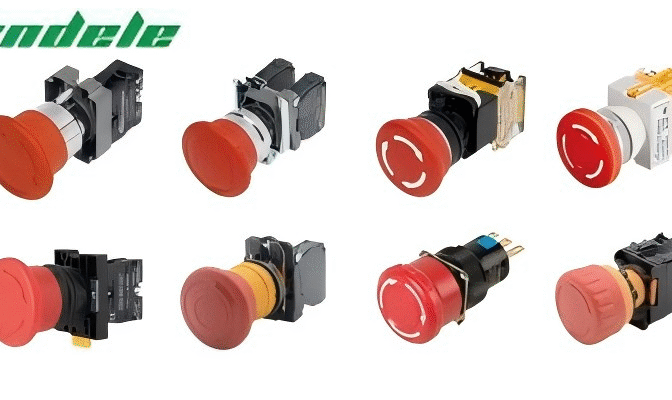
Tips: One important thing needs mentioning here, you can avail emergency stop buttons from KNDELE  emergency stop push button. They are easy to identify, show high performance, and have anti-mistouch design.China Mushroom Head Emergency Stop Switch

Common Issues and Troubleshooting

Even though emergency stop switches are built for durability, problems can arise. Here’s how to diagnose and fix common E-stop button failures:

Issue Possible Cause Solution
E-stop doesn’t stop the machine Faulty wiring, stuck contacts Check connections, test with a multimeter
Switch won’t reset Mechanical jam, damaged latch Inspect for debris, replace if necessary
False triggering Loose wiring, vibration Secure all terminals, use anti-vibration mounts
Burned contacts Over-current, arcing Replace the switch with a higher-rated model

Conclusion

Ensuring a secure and correct emergency stop switch connection is not just a technical task — it’s a safety responsibility. Always:

      • Use NC contacts to ensure fail-safe performance.

      • Follow your machine’s wiring diagram for accurate installation.

      • Test the switch before putting the system back into operation

It is only accurate to deduce that a well-working E-stop is a reflection of an organization that values safety and security. It has created an atmosphere where workers feel safe operating machinery.

If you are looking for quality emergency stop buttons, then go for KNDELE. They, as a brand, provide a wide range of push button switches and their derivatives, which are suitable for different markets. Their push button switches offer:

    • Anti-mistouch design

    • Compliance with CE and RoHS standards

    • Long mechanical life and easy installation

2 Pin Button Switch vs 4 Pin Button Switch: Key Difference

Introduction

In electrical circuit control, choosing the right switch can make or break your design. Engineers and procurement specialists ask one common question: What’s the difference between a 2-pin button switch and a 4-pin button switch? This guide provides a comprehensive comparison of their structure, function, and applications, answering your search intent quickly and clearly. Whether you’re designing for a compact PCB or selecting components for an industrial control panel, this blog helps you choose the right push button for your needs.

Understanding 2-Pin Push Button Switches

2.1 Structure

A 2-pin button switch (also known as a two-pin switch or 2-pin push button) is the simplest form of a tactile switch. It contains just two terminals: one for input and one for output. These terminals are connected by an internal contact mechanism that closes the circuit when pressed. This momentary switch operation ensures that current flows only while the button is held down.

2.2 2 Pin Push Button Working

2 Pin Push Button Working Wiring Diagram

Source:viox

The switch remains open (OFF) by default. When actuated, it momentarily completes the circuit between its two terminals. The internal contact configuration allows current to pass through, enabling the connected load (e.g., an LED or small motor). Once released, the spring-loaded plunger returns the switch to the OFF state. This simple behavior makes it ideal for basic circuit control.

2.3 Application of 2 Pin Push Button

The 2-pin button switch is commonly used in:

  • DIY electronics projects and Arduino boards
  • Home appliances like doorbells and timers
  • Basic signal input for toys and gadgets
  • Compact control circuits with limited space

Its compact design and ease of wiring make it a go-to option for straightforward applications.

Understanding 4-Pin Push Button Switches

3.1 Structure

A 4-pin button switch (often labeled as a 4-pin push button or push button 4 pins) features four terminals arranged in pairs. These terminals are internally connected in two groups, often diagonally. In many cases, one pair is for electrical contact switching, and the other pair powers an LED illuminated switch. The configuration provides more stability during PCB mounting and additional functionality.

3.2 4 Pin Push Button Working

4 Pin Button Switch Working Wiring Diagram

Source:viox

There are two types of terminal configurations for 4-pin button switches:

  1. Dual-contact: Two sets of terminals switch simultaneously, providing dual-path control.
  2. Switch + LED: One pair operates the contact mechanism; the other powers an LED indicator.

During switch actuation, both internal mechanisms are engaged. In LED versions, these lights up the switch, providing visual feedback, making them useful in low-light environments.

3.3 Application of 4 Pin Push Button

These switches are preferred in:

  • Industrial machinery panels and automation systems
  • Microcontroller-based designs (e.g., Raspberry Pi, ESP32)
  • Interfaces requiring visual feedback or status indication
  • Applications demanding enhanced PCB mounting stability and reliability

The additional terminals offer flexibility, making the 4-pin button switch a better fit for more complex electrical designs.

4.1 Number of Terminals

The most obvious difference is the number of terminals. A 2-pin push button includes only one pair of contacts. In contrast, a 4-pin push button consists of two sets of terminals, either wired in parallel for redundancy or separately for LED and switch functions.

4.2 Internal Contact Configuration

In a 2 pin button switch, the internal contact mechanism is straightforward. When pressed, a metal dome bridges the two terminals. However, in a 4-pin button switch, two internal domes or a shared actuator control multiple pathways. In tactile switch variants, this enhances sensitivity and responsiveness.

Some 4-pin types may follow the toggle switch 4-pin configuration, where one set of pins latches after actuation. More often, 4-pole push button switches support complex control requirements such as changeover contacts or redundant safety loops.

4.3 Functionality

While both are designed for momentary switch operation, the 4-pin type adds an extra layer of capability:

  • 2-pin push button: Simple ON/OFF control
  • 4-button switch: Dual control paths or status indication via LED

The push button 4 pines is therefore better suited for circuits needing feedback, redundancy, or multi-circuit activation.

4.4 Wiring Method

Wiring a 2-pin button switch is simple: one wire in, one wire out. It doesn’t require PIN identification. On the other hand, 4-pin push button wiring depends on the internal configuration. Designers must identify which terminals are for switching and which are for the LED.

Typical wiring involves:

  • Using a multimeter to locate the normally open (NO) pins
  • Connecting one pair to the load
  • Powering the LED from the remaining terminals (usually marked with + and -)

This method aligns with IEC standards for switches, especially in professional and industrial environments.

4.5 Typical Industry Scenarios

Here is a breakdown of where each switch type is typically used:

  • Consumer Devices: Both 2 pin and 4 pin button switches are applicable.
  • Industrial Automation: Generally favors 4 pin button switches for their stability and LED feedback.
  • LED Indicator Panels: 4 pin push buttons are preferred due to built-in illumination support.
  • Arduino DIY Projects: Both switches are commonly used depending on project complexity.
  • Machine Tools: Require 4 pin button switches for dual-path or indicator functions.
  • Wearable Tech: 2 pin button switches are more suitable due to size constraints and simplicity.

This comparison shows that push button 2 pines is better for minimal circuits, while 4 pin push button fits more robust and responsive systems.

4.6 Extension Possibility

2 pin switches are limited in terms of scalability. Adding visual cues or safety redundancies requires extra components.

4 pin button switches, especially the LED illuminated switch types, allow extended functionalities like:

  • Visual feedback for user interaction
  • Signal isolation in complex systems
  • Use with PCB mounting switch layouts for increased design flexibility

Moreover, the 4 pole push button switch designs can even handle higher loads or multiple outputs, expanding their use in advanced control systems.

Conclusion

Knd push button switch

To summarize, the 2 pin button switch offers simplicity and ease of use, perfect for basic electrical control. In contrast, the 4 pin button switch delivers enhanced functionality, better stability, and greater flexibility for complex systems.

For professional engineers and technical procurement managers, selecting the right push button means balancing cost, space, and functional demands. Whether you’re designing a tactile switch interface or upgrading an industrial panel, understanding these differences ensures your project stays on track.

Choose a 2 pin push button when you need a compact and cost-effective solution. Opt for a 4 pin push button if your project requires extra feedback, visual indicators, or improved mechanical reliability.

NO vs NC Push Button Switch Comparison: Key Differences

1. What Is a Normally Open Push Button Switch

A Normally Open (NO) switch is a control device that remains open until pressed. In its normal state, the circuit is open, and no current flows. When the button is pressed, the contacts close, allowing current to pass.

This type of switch is commonly used for momentary control actions. It activates a circuit only while it is being pressed. Once released, it returns to the open state, and the current stops.

The normally open switch is often found in applications like start buttons, test triggers, or systems that require manual activation. It’s a simple push-button switch used to temporarily close a circuit.

In control systems, a NO push button helps trigger relays or control signals. It’s often wired into PLC input logic or simple relay-based circuits where momentary action is preferred.

2. What Is a Normally Closed Push Button Switch

KND Electric Flat Head Push Button Switch 1NC

A normally closed (NC) switch works oppositely. In its normal state, the switch keeps the circuit closed. When the button is pressed, the contacts open, and the circuit is interrupted.

This type of switch is designed to break the current when triggered. It is widely used in safety and emergency systems where stopping power is essential. For example, in emergency stop setups, the NC switch push button ensures that the power is cut off immediately when the push button is pressed.

The normally closed configuration is also found in systems like normally closed float switches, limit switches, and microswitches. These switches are ideal for monitoring and controlling fail-safe functions in industrial environments.

When installed in a push button switch panel, the NC version helps maintain constant operation until a stop command is given. It’s essential in any system that requires immediate shutdown when a circuit is broken.

3. NO vs NC Push Button Switch Working Principles

Working Principles Of NO And NC Push Button Switches With Internal Contact DiagramThe main difference between an N.O. and N.C. push-button switch is in their default contact state and how they react when pressed.

A normally open switch remains open until pressed. It only allows current to flow when activated. This creates a momentary connection in the circuit.

A normally closed switch remains closed until it is pressed. It breaks the current when the button is pushed. This action is commonly used to interrupt control power or shut down machinery.

Both types of switches use an internal contact block that is actuated by a switch actuator mechanism. The button press moves the actuator, which changes the state of the contacts—either opening or closing them based on the type.

In a typical control circuit, NO and NC switches are wired to relay triggers, safety controls, or start/stop functions. Their behavior is predictable and essential for push-button switch types in industrial environments.

4. Application of NO and NC Push Button Switch

NO and NC push button switches are used in a wide range of industrial applications. They are selected based on how a circuit should respond to a user action.

NO push button switches are used for:

  • Motor or machine start commands

  • Temporary testing signals

  • Light activation in operator panels

NC push button switches are used for:

  • Emergency stop buttons

  • Door interlock systems

  • High-risk shutdown controls

In many systems, both types are combined. This is known as an NC NO push button switch, where a single unit provides both NO and NC contacts for flexibility in wiring.

These switches are also found in:

  • Float switch, normally closed systems.

  • Normally closed limit switches

  • Normally open button lighting controls.

Understanding the difference between NO and NC switch configurations helps ensure the correct behavior of machines and systems under both normal and emergency conditions.

5. Security and Functionality Differences

5.1 Fail-Safe Design with NC Switches

Normally closed (NC) pushbutton switches are preferred in fail-safe designs. As the circuit is normally closed by default, any wire cut, power failure, or actuator fault results in an open circuit. This stops the system immediately, providing built-in protection.

That’s why normally closed push switch designs are common in emergency stop circuits and interlock systems.

5.2 Control Logic Impact of NO Switches

In PLC input logic, NO push buttons are useful for triggering momentary actions. They provide a pulse input to start a motor or set a relay.

Normally open(NO) switches are not used for stop functions, since they don’t break the circuit by default. However, they are ideal for signaling “start” or “go” tasks in automation systems.

5.3 Safety Standards Compliance

Both switch types must comply with standards like IEC 60947-5-1, IEC 60204-1, which govern safety ratings, color codes, and wiring behavior. For example, NC switches used in e-stops often include red actuators and yellow backgrounds for immediate identification.

These standards also define circuit behavior during power loss and require proper labeling of normally open vs normally closed contact points.

5.4 Reliability Considerations

In critical environments, reliability is tied to both electrical and mechanical properties. NC switches are often used in systems where downtime is not acceptable. Their ability to fail safely makes them more reliable for safety-critical roles.

NO switches, while reliable, rely on being pressed to complete a circuit, which may not suit all applications.

6. Mechanical and Structural Differences

6.1 Internal Components Overview

Both NO and NC switches share similar mechanical housing, but the internal contact block and spring mechanism vary. The difference between NO vs NC switch types is driven by how the actuator moves the internal contacts.

6.2 Contact Materials and Durability

Contact materials affect how long a switch lasts. Silver alloy is common, but gold-plated contacts are used in low-voltage circuits. High-load systems need contacts with arc resistance.

Durability is especially important in normally closed microswitch or enclosed switch designs used in continuous operation.

6.3 Housing and Sealing Ratings (IP)

Industrial push button switches are rated for IP65/IP67 enclosure ratings. This defines their resistance to dust and water. Enclosures with higher ratings are preferred in wet or dusty environments.

Switch housing and sealing protect internal components from corrosion and mechanical damage, especially for outdoor panels or factory floors.

6.4 Mechanical Life and Wear

Both switches are rated in mechanical life cycles, often over one million actuations. NC switches in high-cycle systems may wear faster due to constant load.

Proper material selection and actuator design extend the service life and improve push button switch reliability over time.

7. Normally Open vs Normally Closed Switches – Selection Factors
7.1 Environmental Considerations

For wet, dusty, or corrosive settings, switches with enclosure ratings like IP65 or IP67 are necessary. Enclosed switch designs help maintain reliability in tough environments.

7.2 Electrical Load Requirements

Different switches support different load types. For low-voltage signals, gold contacts in an NC switch push button may be needed. For high power, make sure the contact rating matches your current and voltage.

7.3 Application-Specific Needs

Use NO push buttons for initiating events. Use NC push buttons for stopping or fail-safe features. In critical machines, both are used together as an NC NO-push-button switch.

7.4 Maintenance and Troubleshooting

NC switches are easier to diagnose in open-failure scenarios. A failed NC contact will usually break the circuit, stopping the machine. With NO switches, a failed wire might go unnoticed.

Proper labeling and testing using continuity checks help reduce downtime.

7.5 Cost and Availability

Push button switches come in a wide range of prices. Standard NO or NC types are affordable. Custom NO/NC combo switches or sealed units cost more but offer more flexibility.

8. Conclusion

The difference between NO and NC switches is essential knowledge for anyone working in control systems or industrial automation. NO switches allow power to flow only when pressed, while NC switches stop the current when triggered. Each has a clear function depending on your safety, logic, or operational requirements.

Understanding the roles of normally open and normally closed switches helps prevent wiring errors, improve system design, and ensure safety compliance.

When choosing components for your next project, always consider load, environment, and application logic before making a decision. If you’re looking for durable, compliant, and reliable push button switches, KND Electric offers a wide range of products designed for industrial-grade performance.

9. FAQs About NO and NC Push Button Switches

Q1: What happens if I use an NC switch where NO is needed?
The circuit will behave in reverse. It may stay energized by default and disconnect when pressed, opposite of what’s expected.

Q2: Can a push button switch have both NO and NC contacts?
Yes. Many industrial switches are designed as NC no push button switch units, combining both functions in a single device.

Q3: How can I test if a switch is NO or NC?
Use a multimeter in continuity mode. For NO, it shows open until pressed. For NC, it shows closed until pressed.

Q4: Which is safer in emergency systems—NO or NC?
NC push button switches are preferred for emergency stops. They open the circuit when pressed and fail safely if wiring is damaged.