


Push buttons with indicator lamps are widely used in industrial control panels, machinery, and automation systems. While they are reliable components, like all electrical devices, they can occasionally experience issues that affect system performance or operator safety.
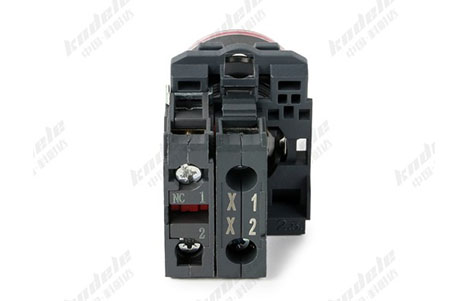 Common Problems with Push Buttons and Indicator Lamps
Possible Causes:
Burned-out lamp (incandescent) or failed LED.
Loose wiring or poor contact in the circuit.
Incorrect voltage supplied to the lamp.
Faulty button mechanism preventing signal transmission.
Troubleshooting Steps:
Check the lamp for visible damage; replace if necessary.
Test wiring connections and tighten any loose terminals.
Measure voltage at the lamp terminals to ensure it matches specifications.
Inspect the push button for mechanical issues; replace if stuck or broken.
Possible Causes:
Dirt, dust, or debris inside the button actuator.
Mechanical wear or damage to internal components.
Incorrect installation causing misalignment.
Troubleshooting Steps:
Clean the button actuator and surrounding area.
Lubricate moving parts if recommended by the manufacturer.
Check installation alignment and correct any misalignment.
Replace the button if mechanical failure persists.
Possible Causes:
Worn or damaged internal contacts.
Faulty wiring or loose connections.
Incompatible voltage or current rating.
Defective lamp affecting circuit continuity (in some wiring configurations).
Troubleshooting Steps:
Inspect and clean contacts; replace if pitted or corroded.
Verify wiring connections and ensure secure terminals.
Confirm that the button is rated for the system voltage and current.
Test the circuit with a multimeter to isolate the fault.
Possible Causes:
Loose or oxidized wiring connections.
Faulty LED driver or lamp.
Electrical noise or transient voltage spikes in the control system.
Troubleshooting Steps:
Tighten or re-solder any loose connections.
Replace defective lamps or LED modules.
Use surge protection or filtering to minimize voltage spikes.
Possible Causes:
Power supply failure or voltage drop.
Blown fuse or tripped circuit breaker.
Grounding or short circuit issues in the panel.
Troubleshooting Steps:
Check the power supply and restore proper voltage.
Replace blown fuses or reset circuit breakers.
Inspect for short circuits or grounding faults; repair as needed.
Regular Inspection: Periodically check buttons and lamps for wear or damage.
Proper Installation: Follow manufacturer guidelines for wiring and mounting.
Environmental Protection: Use appropriate IP-rated buttons in dusty or wet environments.
Correct Voltage and Current: Always match the button and lamp specifications to your system.
Cleanliness: Keep control panels clean to prevent dust and debris from affecting operation.
Push buttons with indicator lamps are critical components in control systems and industrial automation, providing both operator control and visual feedback. By understanding common issues and following systematic troubleshooting steps, you can maintain reliable operation, minimize downtime, and ensure operator safety.
Regular maintenance, correct installation, and attention to environmental conditions will significantly extend the life and performance of your push buttons and indicator lamps.
Q1: How do I know if a push button or the lamp is faulty?
Test the lamp independently with the correct voltage. If the lamp works but the button doesn’t activate the circuit, the fault is likely in the push button contacts.
Q2: Can LED push buttons fail suddenly?
LEDs usually fail gradually, dimming over time. Sudden failure may indicate voltage spikes, wiring issues, or overheating.
Q3: Are push buttons with IP ratings maintenance-free?
No. IP-rated buttons resist dust and water, but regular inspection and cleaning are still recommended to ensure reliable operation.

