


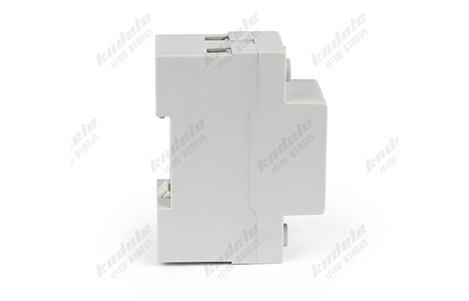
Dual-Display Voltage Current Protectors (VDCPs) are essential devices for safeguarding electrical systems in industrial, commercial, and renewable energy applications. They provide real-time monitoring of voltage and current and automatically protect connected equipment from overvoltage, undervoltage, and overcurrent conditions.
 Regular Visual Inspection
Start with routine visual checks to identify any obvious signs of wear or damage:
Check for cracks or discoloration on the housing
Inspect wiring for fraying or loose connections
Ensure the display screens are clean and fully functional
Periodic testing of the readings ensures the VDCP is functioning correctly:
Compare the voltage and current readings with a calibrated multimeter
Ensure the dual displays show consistent and accurate values
Look for flickering or unresponsive displays, which may indicate internal issues
The primary purpose of a VDCP is to protect equipment from abnormal electrical conditions. Testing these protection features is essential:
Simulate overvoltage and undervoltage conditions to verify voltage protection
Introduce overcurrent conditions (within safe testing limits) to check current protection
Ensure the relay or circuit breaker responds accurately and promptly
Dust, moisture, and grime can interfere with the device’s display or buttons:
Use a soft, dry cloth to clean the screens and control surfaces
Avoid harsh chemicals that could damage the housing or display
Ensure ventilation slots are free from dust buildup to prevent overheating
Loose connections can cause inaccurate readings, arcing, or even device failure:
Periodically inspect all terminal screws and wiring connections
Tighten any loose terminals according to manufacturer specifications
Ensure all grounding connections are secure
Some modern VDCPs come with smart features or digital interfaces:
Check the manufacturer’s website for firmware updates
Perform recalibration as recommended in the user manual
Ensure that any integrated alarms or IoT monitoring features are functional
VDCPs perform best under stable environmental conditions:
Avoid exposing the device to excessive heat, humidity, or direct sunlight
Ensure proper ventilation in control panels
Protect the device from vibration or mechanical shocks
Maintain a log of inspections, tests, and any issues detected:
Record the date, findings, and any corrective actions
Include calibration or firmware update records
Use the log to identify trends or recurring issues
Proper maintenance of Dual-Display Voltage Current Protectors is essential to ensure long-term reliability, accurate monitoring, and consistent equipment protection. Regular inspections, cleaning, connection checks, and testing not only extend the device’s lifespan but also help prevent costly downtime or equipment damage.
1. How often should I inspect a dual-display voltage current protector?
It is recommended to perform visual inspections and functional tests every 6–12 months, or more frequently in high-demand or harsh environments.
2. What should I check during a visual inspection?
Housing for cracks or discoloration
Wiring for frays or loose connections
Display screens for proper operation
Ventilation slots for dust buildup
3. How can I verify the accuracy of the voltage and current readings?
Use a calibrated multimeter to compare voltage and current readings. Ensure both displays show correct and stable values. Any flickering, delay, or incorrect reading may indicate a fault.
4. Should I test the protection functions?
Yes. Test overvoltage, undervoltage, and overcurrent protection functions periodically in a controlled environment to ensure the relay or breaker responds correctly.
5. How do I maintain the display and controls?
Clean the display with a soft, dry cloth
Avoid harsh chemicals or abrasive materials
Ensure buttons and control surfaces are free from dust and grime
6. How important are electrical connections?
Very important. Loose connections can cause inaccurate readings, arcing, or device failure. Periodically check and tighten all terminals according to manufacturer specifications.
7. Do I need to update firmware or calibration?
For modern digital VDCPs:
Check the manufacturer for firmware updates
Perform recalibration as recommended
Verify alarms and monitoring features are functional
8. Can environmental conditions affect VDCP performance?
Yes. Excessive heat, humidity, direct sunlight, vibration, or poor ventilation can affect sensor accuracy and device lifespan. Ensure a stable and protected operating environment.
9. Should I keep maintenance records?
Absolutely. Document all inspections, tests, calibrations, and corrective actions. Maintenance logs help identify trends, plan preventive maintenance, and comply with safety regulations.
10. What is the main benefit of regular maintenance for VDCPs?
Regular maintenance ensures long-term reliability, accurate monitoring, and consistent protection of electrical systems, preventing equipment damage and costly downtime.

