


Angle post type proximity switches are widely used in compact machinery and complex automation systems due to their flexible sensing direction and space-saving design. However, even high-quality sensors can perform poorly if installed incorrectly.
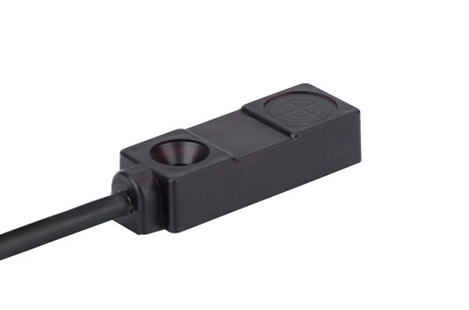
One of the most frequent mistakes is improper alignment between the sensing face and the target object. Because angle post sensors rely on directional detection, even a slight misalignment can cause missed signals or unstable output.
Ensure the sensing surface is directly facing the target path
Adjust the angle carefully before tightening the mount
Perform a test run before final locking
Every proximity switch has a defined sensing distance. Installing the sensor outside this range leads to false triggering or no detection at all.
Refer to the rated sensing distance in the datasheet
Keep a safety margin (do not use maximum range as working distance)
Conduct real-world testing under operating conditions
Improper wiring layout can cause signal instability due to electromagnetic interference from motors, inverters, or power cables.
Separate signal cables from power lines
Use shielded cables when necessary
Ensure proper grounding of the system
Avoid sharp bends or cable tension near the sensor
Loose installation can cause vibration, leading to misalignment or false triggering, especially in high-speed machinery.
Use proper torque when tightening mounting nuts
Apply anti-vibration washers or brackets
Periodically check mounting stability during maintenance
Installing sensors without considering oil, dust, moisture, or temperature can significantly reduce lifespan and performance.
Select sensors with appropriate IP rating (IP67 or IP68 for harsh environments)
Avoid direct exposure to coolant spray or chemical splashes
Use protective covers in extreme conditions
Using an inductive sensor for non-metal targets or choosing an unsuitable detection range leads to poor performance regardless of installation quality.
Match sensor type to application (inductive, capacitive, etc.)
Confirm material compatibility before installation
Consult technical specifications before purchase
Metal brackets or nearby machine parts can distort the sensing field, causing inaccurate detection.
Maintain recommended clearance around the sensing area
Avoid mounting near large metal surfaces when not required
Use shielding or reposition the sensor if interference occurs
Failing to test after installation may allow hidden issues to go unnoticed until system failure occurs.
Perform functional testing under real operating conditions
Check signal stability during machine movement
Simulate long-term operation before full production use
To ensure reliable performance, always confirm:
Correct alignment with target object
Proper sensing distance
Stable mechanical mounting
Clean electrical wiring layout
Suitable environmental protection level
Correct sensor type selection
Full system testing after installation
Most issues with angle post type proximity switches are not caused by the product itself, but by installation errors. By paying attention to alignment, environment, wiring, and mounting stability, you can significantly improve detection accuracy and system reliability.
Proper installation not only extends sensor lifespan but also reduces downtime and maintenance costs in industrial automation systems.
1. What is the most common installation mistake?
The most common mistake is incorrect alignment between the sensing face and the target object. Even small angular deviations can lead to missed detection or unstable signals.
2. How important is sensing distance during installation?
It is critical. Installing the sensor too close or too far from the target can cause:
No detection
False triggering
Unstable output signals
Always follow the manufacturer’s rated sensing distance.
3. Why does electrical noise affect proximity switch performance?
Industrial environments often include motors, inverters, and high-power cables that generate electromagnetic interference. This noise can disrupt sensor signals if wiring is not properly shielded or grounded.
4. Can poor mounting affect sensor accuracy?
Yes. Loose or unstable mounting can cause vibration, leading to:
Misalignment over time
False triggering
Reduced detection reliability
5. Do environmental conditions matter during installation?
Absolutely. Dust, oil, moisture, and extreme temperatures can reduce sensor performance or lifespan. Always choose the correct IP-rated sensor for the environment.

